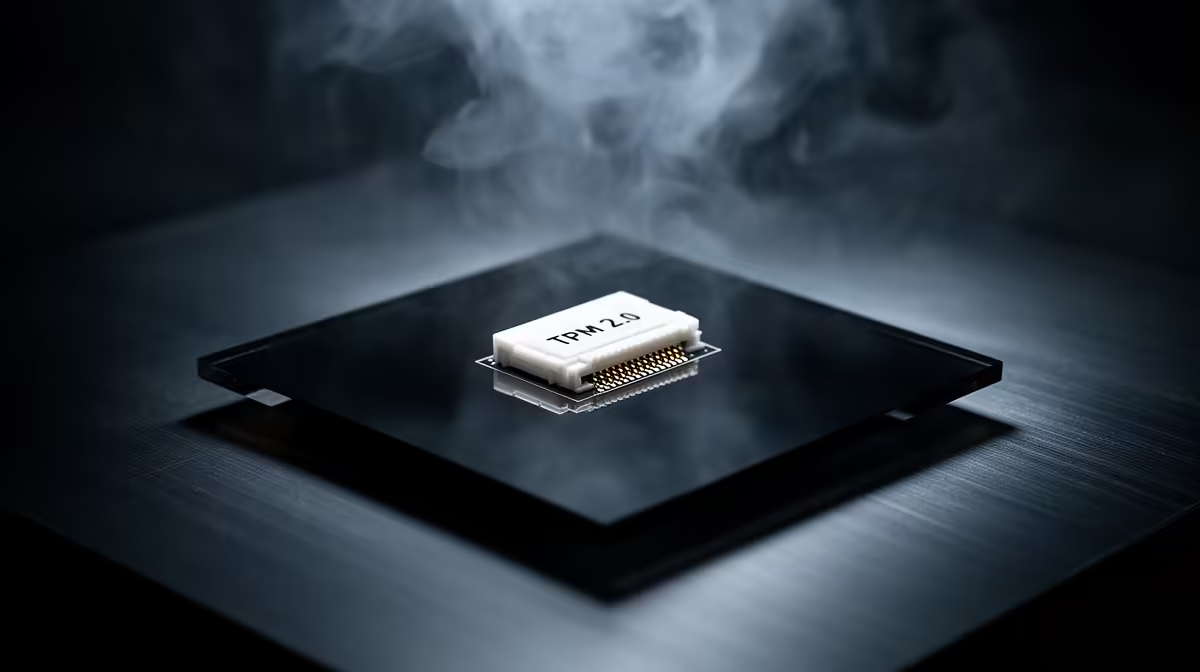
Buying a discrete TPM 2.0 module is one of those purchases where the wrong part looks almost identical to the right one and simply will not work. There is no universal pinout. A module built for an ASUS board will not seat in an MSI or Gigabyte header, and even within one brand a module from an older generation can fail to fit a newer board. Before you order anything, the job is to identify your exact header, and in many cases to realise you may not need a module at all.
Quick Answer
Match the module to your motherboard's exact TPM header: the pin count, the connector type, and the interface. ASUS, MSI, and Gigabyte each use their own layouts, so buy a module made for your board's brand and generation. First, though, check your BIOS, most modern boards already include firmware TPM (Intel PTT or AMD fTPM) that satisfies Windows 11 with no hardware to buy.
Check firmware TPM before you buy anything
The most important step costs nothing. Nearly every motherboard from the last several years includes a firmware TPM built into the chipset or CPU, marketed as Intel Platform Trust Technology on Intel boards and fTPM on AMD boards. When enabled in the BIOS it presents a fully compliant TPM 2.0 to Windows, with no physical module required.
How to confirm what you already have
Open the Windows TPM management console by running tpm.msc. If it reports a TPM present and ready at specification 2.0, you are done, Windows 11 is satisfied and there is nothing to purchase. If it says no TPM is found, reboot into the BIOS and look for a security or advanced menu entry for PTT or fTPM and switch it on. A large share of "I need a TPM module" situations are solved entirely here, because the feature shipped on the board and was simply disabled by default.
Only when your board genuinely lacks firmware TPM, or you have a specific reason to use a discrete chip, does buying a module make sense. That is mostly older boards or certain workstation and enthusiast platforms.
How TPM headers differ across brands
When you do need a physical module, the header is the thing that decides compatibility, and the three big board brands do not share a standard.
ASUS
ASUS modules typically use a 14-pin connector, with the common part being the TPM-M R2.0 carrying an Infineon SLB9665 TPM 2.0 chip. A 14-pin ASUS module is built for the ASUS header layout and will not drop into another brand's board even if the pin count looks the same.
MSI
MSI uses its own dedicated modules, such as the MS-4136, a 14-pin LPC module also built on the Infineon 9665 chip and intended for specific Intel and AMD chipset generations. Again, the 14-pin count is shared with ASUS in name only, the wiring and keying differ.
Gigabyte
Gigabyte spreads across more than one layout. The GC-TPM2.0 uses a 20-pin connector covering a wide range of older Intel and AMD boards, while the more compact GC-TPM2.0-S uses 12 pins for certain newer platforms. So even staying inside Gigabyte you must match the specific header on your board, not just the brand.
Pin count is not the whole story
Counting the pins on your header is the obvious first move, but it is not enough on its own, and assuming it is causes most wrong purchases.
LPC versus SPI interface
Older boards run the TPM over the LPC bus, while many newer boards switched to an SPI bus for the same job. A 14-pin module for an older LPC header can physically resemble a newer board's header and still be electrically wrong, so it will not function even if it seats. Always check whether your board expects an LPC or SPI module, not just how many pins the header has.
Key positions and blocked pins
TPM headers use blocked pin positions as keys so the connector only goes in one orientation. The key position differs between brands and generations, which is part of why cross-brand modules do not fit. When you read your board's manual, note the keyed pin, it is the clearest single confirmation that a candidate module matches.
How to identify the right module for your board
Work through this before you spend anything.
1. Read the motherboard manual
Your board manual names the TPM header, shows its pinout, and states the interface. This is the definitive source, far more reliable than guessing from a photo of the header. Find the exact header label and note the pin count, the interface, and the key position.
2. Match brand and generation
Buy a module specified for your board's brand and chipset generation. An ASUS module for an ASUS board, an MSI module for an MSI board, and for Gigabyte the specific 20-pin or 12-pin part the manual calls for. Do not assume a same-brand module from a different era will fit.
3. Confirm interface and chip
Check the listing states the same interface, LPC or SPI, as your header, and ideally the same TPM chip family your board's documentation references. This is where the Infineon 9665-class chips show up across brands, but the chip being the same does not make the connector compatible.
If your aim is a small, modern machine where the TPM is handled in firmware and there is no header puzzle to solve at all, the mini PC range at Evetech is worth a look, since these ship Windows 11 ready out of the box. And if you are weighing a full system rather than chasing a single component, the best-selling PCs at Evetech already meet the Windows 11 security requirement without any module hunting.
Frequently Asked Questions
Do I even need a discrete TPM module for Windows 11?
Usually not. Most boards from the last several years include firmware TPM (Intel PTT or AMD fTPM) that satisfies Windows 11 once enabled in the BIOS. Run tpm.msc to check, and only buy a module if your board truly lacks firmware TPM.
Will an ASUS TPM module work on an MSI or Gigabyte board?
No. Each brand uses its own header layout and keying, so a module built for one will not seat or function in another, even when the pin count appears identical. Always buy a module made for your board's brand.
Is matching the pin count enough to guarantee compatibility?
No. You also need the correct interface, LPC or SPI, and the right key position. A 14-pin LPC module can resemble a newer board's header and still be electrically incompatible, so check the interface in your manual, not just the pin count.
How do I find my exact TPM header?
The motherboard manual is the authority. It labels the header, shows the pinout, states whether it is LPC or SPI, and marks the keyed pin. Use that rather than guessing from the board itself, and match a module to those exact details.
Why do newer boards use SPI instead of LPC for TPM?
SPI is the more modern interface the industry has moved to, and many recent boards adopted it for their TPM headers. The practical consequence for buyers is that an older LPC module will not work on an SPI header even if it physically fits, so the interface must match.
Before you go module hunting, check whether your board already does TPM in firmware, most do. If you would rather skip the puzzle entirely, browse Windows 11 ready machines at https://www.evetech.co.za/PC-Components/mini-pcs-194 that meet the security requirement out of the box.