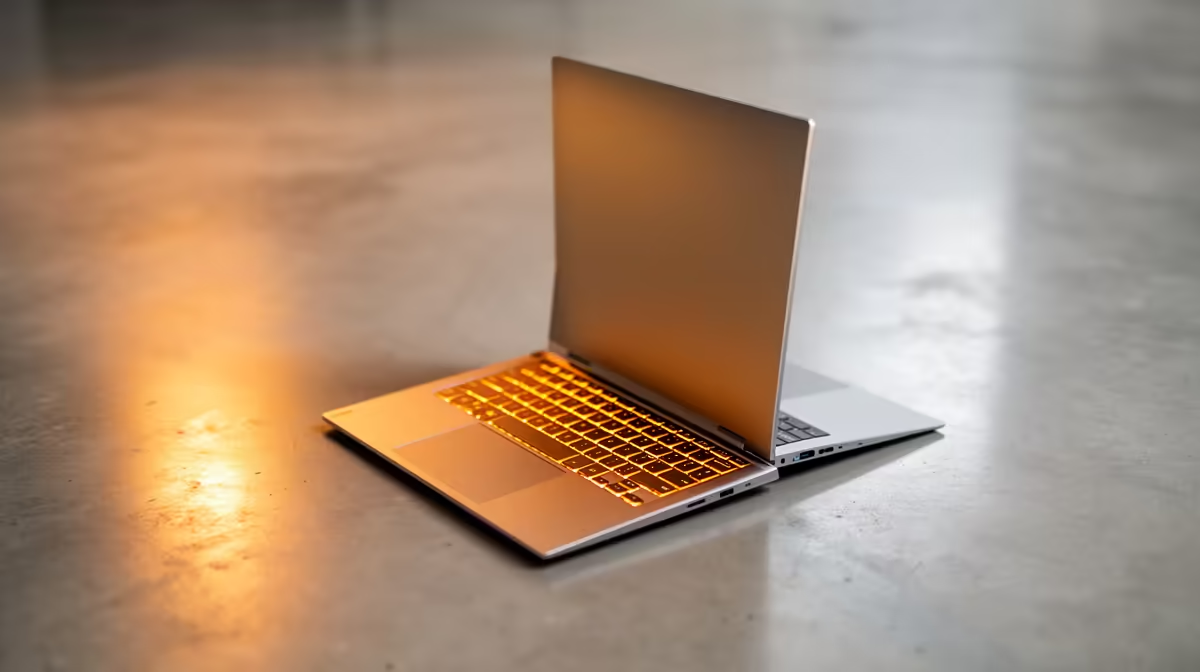
Apple keeps the previous-generation MacBook Air on sale at a lower price for a reason, and right now that older model is one of the smarter buys a South African student can make. At roughly R17,413, the M4 MacBook Air still runs the newest macOS, supports Apple Intelligence and handles a full student workload without breaking a sweat, all while sitting thousands of Rand below the latest M5 Air.
Quick Answer
Yes, the older M4 MacBook Air at around R17,413 is still worth it for SA students. It runs the current macOS, supports Apple Intelligence, and delivers more than enough performance for essays, research, coding coursework and light creative work. The newer M5 Air at roughly R24,999 is faster and adds a few extras, but for most students the R7,500 saving is better spent elsewhere.
What you actually get for R17,413
The M4 chip is no slouch. It pairs a capable CPU with an integrated GPU and Apple's unified memory architecture, which means the whole machine feels quick for the tasks students hammer daily: dozens of browser tabs, Word and Excel, PDF-heavy research sessions, video calls and the odd Photoshop or video edit. The fanless design stays silent, and battery life comfortably covers a full day of lectures on a single charge, which matters when lecture-hall plug points are scarce.
Crucially, this is not a discontinued dead-end. The M4 Air runs the latest macOS release and is on Apple's supported list for years of updates to come. That longevity is the real argument for buying Apple at this price: a student starting first year can reasonably expect this machine to see them through to graduation and beyond.
M4 Air versus M5 Air: what the extra R7,500 buys
The M5 MacBook Air at around R24,999 is the newer machine, and it is genuinely faster. The M5 chip improves CPU and GPU throughput and pushes the on-device AI performance harder, which shows up most in sustained creative workloads: longer video exports, heavier photo batches, more demanding machine-learning tasks.
For a student, though, the honest picture is that both machines feel identical during normal use. Writing, researching, coding in VS Code, running statistics software, joining Teams calls, none of these stress either chip. The M5's advantage only surfaces when you push the machine hard for long stretches, and most degree work simply does not do that.
Where the M5 pulls ahead
If your course is video production, 3D, data science with large local models, or heavy music production, the M5's extra headroom is worth considering. The same goes if you want the absolute longest future-proofing and plan to keep the laptop for six or seven years. The faster silicon will age more gracefully under demanding loads.
Where the M4 is the sensible pick
For business, law, commerce, humanities, most engineering coursework and general computer science, the M4 Air covers everything with room to spare. That R7,500 difference buys a lot: an external monitor for your res desk, a mechanical keyboard, a year of cloud storage, or simply staying within a tight first-year budget. Spending more on raw power you will not use is the classic overspend.
The trade-offs worth knowing
No machine is perfect, and the older Air has a couple of honest limitations.
Display output
The M4 Air supports driving external displays, but the exact number and resolution of simultaneous external monitors is more limited than on Apple's pricier MacBook Pro line. For a student running the laptop screen plus one external monitor at their desk, this is a non-issue. If you dream of a triple-monitor coding battlestation, check the specific display support before you buy.
Ports and memory
The Air keeps a slim port selection, so a USB-C hub is a worthwhile add-on for connecting older peripherals, HDMI and SD cards. Memory and storage are fixed at purchase and cannot be upgraded later, so think honestly about your needs now. For most students the base configuration is fine, but if you work with large video files or virtual machines, paying once for more storage up front beats regretting it later.
How it fits the SA student budget
Context matters here. A capable Windows student laptop starts around R8,000, and there are strong machines across the R10,000 to R15,000 range. The M4 Air at R17,413 sits above that, so it is not the cheapest route to a working laptop. What it offers in return is the macOS ecosystem, excellent build quality, silent operation, long battery life and years of software support, which together make it a strong long-term value rather than a budget pick.
If you are weighing it against a Windows alternative, the decision usually comes down to ecosystem and longevity versus upfront cost. Students who want a Mac, or whose course materials lean on macOS or iOS development, will find the M4 Air the most affordable sensible entry point. You can compare it directly against the rest of the MacBook range at Evetech to see how the M4 and M5 configurations line up on price.
Making the money go further
Pair the laptop with the accessories that actually improve daily student life rather than chasing more processing power. A decent USB-C hub, an external display for long study sessions, a protective sleeve for the daily commute and a comfortable mouse do more for productivity than a chip upgrade you will rarely tax. If you are also browsing alternatives, the wider laptop best sellers list is a useful gut-check on what offers the best value at each price point.
Who should buy the M4 Air
Buy the M4 MacBook Air if you want a Mac, your workload is the usual mix of writing, research, browsing, coding and light creative work, and you would rather put the R7,500 saving toward accessories or simply keep it in your pocket. It is an especially good fit for first-year students who need a reliable machine that will last the full degree.
Step up to the M5 Air only if your course genuinely demands sustained heavy compute, or you want maximum future-proofing for a longer ownership window. For everyone else, the older Air is the value play, and at roughly R17,413 it remains one of the best student laptop buys around.
Frequently Asked Questions
Does the M4 MacBook Air still get macOS updates?
Yes. The M4 Air runs the current macOS release and is on Apple's supported list for years of future updates, so buying the older model does not mean missing out on new features or security patches.
Can the M4 Air run Apple Intelligence?
It can. The M4 chip supports Apple Intelligence features, so you get the on-device AI tools without needing to step up to the newer M5 model.
Is the M4 Air fast enough for coding and student software?
Comfortably. It handles VS Code, statistics packages, browser-heavy research and video calls without strain. Only sustained heavy workloads like large local AI models or long video exports start to favour the faster M5.
Should I spend the extra R7,500 on the M5 Air?
Only if your course needs sustained heavy compute, such as video production, 3D or data science, or you want the longest possible future-proofing. For typical degree work the M4 feels identical in daily use, so the saving is better spent elsewhere.
How does the M4 Air compare to a Windows student laptop?
Capable Windows laptops start lower, around R8,000, so the Air is not the cheapest option. It justifies its price with macOS, build quality, silent fanless operation, long battery life and years of support, making it a strong long-term value for students who want a Mac.
Shopping for a student laptop that will last the full degree? Compare M4 and M5 configurations in the MacBook range at Evetech and find the spec that fits your budget.