




IPS vs VA for Strategy and Sim Games in SA
IPS vs VA for strategy and sim games should be judged by fit, not a single winner. Compare compatibility, latency, capacity, upgrade path, cost planning, and South African setup needs.
Read moreWondering about keyboard switch temperature tolerance? High heat can warp housings, degrade lubricants, and impact actuation, affecting your gaming and typing. We explore how heat impacts your mechanical switches and what you can do to keep them cool. 🌡️ Protect your precious keyboard! ⌨️
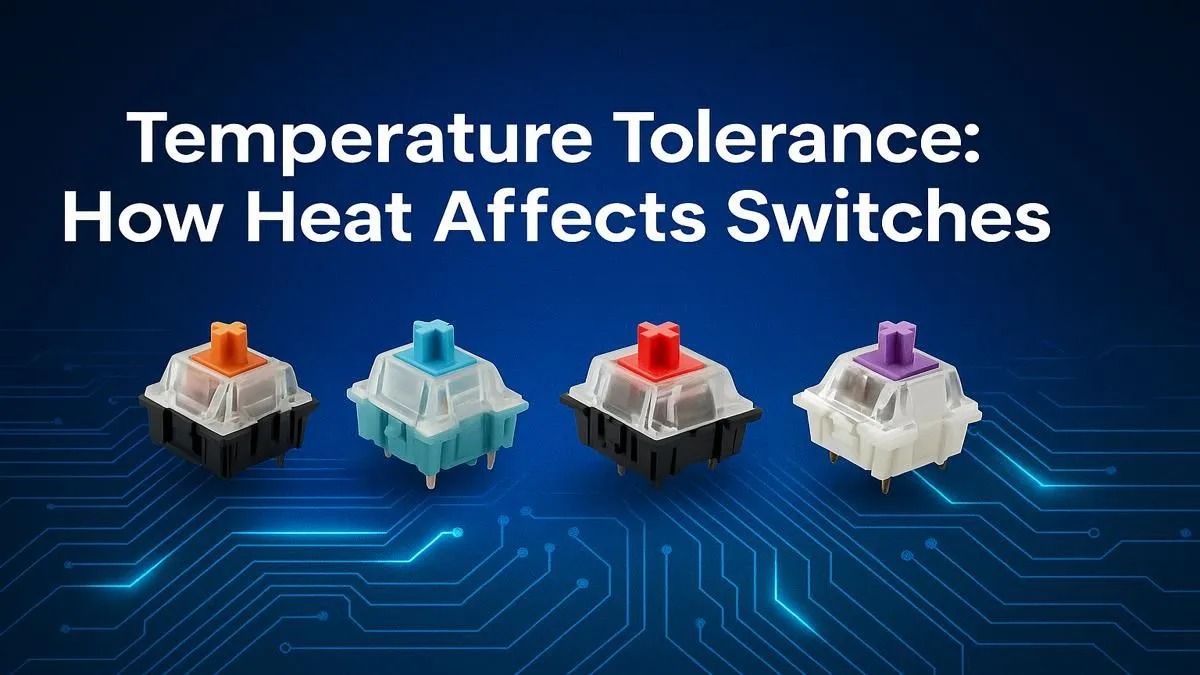
Ever been in the final circle, your heart pounding, only for your W key to feel... sticky? In the heat of a South African summer, with your PC pumping out warmth, it’s not just your nerves getting tested. Your gear is too. We often talk about CPU and GPU temps, but what about your keyboard? Understanding keyboard switch temperature tolerance is crucial, as the performance of your most critical input device can seriously change when the heat is on.
At its core, a mechanical switch is a precise little machine made of plastic and metal. The main components—the stem, housing, and spring—are designed to work together with fractions of a millimetre in tolerance. When things heat up, a basic law of physics kicks in: thermal expansion. ♨️
Plastics, like the POM, Nylon, and Polycarbonate used in switches, expand when they get warm. This can cause the stem to swell slightly, increasing friction against the housing. The result? A keypress that feels sluggish, inconsistent, or just plain wrong. This is why some of the best gaming keyboard deals feature keyboards built with higher-grade, more stable polymers designed to minimise this effect.
Is the South African climate messing with your kill-streaks? Look out for these symptoms of excessive keyboard switch heat:
If you're noticing this on a few specific keys, it might be time to look into replacing the individual keyboard switches themselves, especially if you have a hot-swappable board.
Dust and grime can make heat-related issues even worse by adding extra friction. Before you blame the temperature, take a moment to clean your keyboard. A quick blast with a can of compressed air and a wipe-down can sometimes restore a switch's smooth travel. It's a simple step that can make a huge difference.
The specific plastics used in a switch dramatically influence its performance under heat. While most switches are reliable within a normal operating range (around 10°C to 40°C), the materials determine their breaking point.
You can't change the weather, but you can protect your gear. Understanding how heat affects keyboard performance is the first step. The next is taking action.
Sometimes, an older keyboard just can't handle the demands of modern gaming in a warm climate. If your board is consistently letting you down, it may be time to look for a modern, well-engineered replacement. You don't have to break the bank; even a new, affordable gaming keyboard can offer a massive improvement in consistency and feel. For a complete refresh, a new keyboard and mouse combo can ensure all your peripherals are up to the task. ✨
Ready for a Keyboard That Can Handle the Heat? Don't let a sluggish keyboard cost you the win. If your current board can't take the heat, it's time for an upgrade. Explore our massive range of gaming keyboards and find the perfect, reliable board to conquer your game, no matter the temperature.
Most mechanical keyboard switches operate reliably between -10°C and 70°C (14°F to 158°F). Exceeding this range, especially on the high end, can risk performance degradation.
Yes. Extreme heat can permanently warp the plastic housing, degrade internal lubricant, and damage metal contacts, leading to inconsistent key presses or total switch failure.
High temperatures cause switch lubricant to break down or migrate away from contact points. This increases friction, resulting in a scratchy, inconsistent, and unpleasant feel.
The melting point varies by material. Housings made of polycarbonate (PC) or nylon can start to deform above 100°C (212°F), while the stem (often POM) has a higher tolerance.
Absolutely. Modern materials like POK (polyketone) and POM (polyoxymethylene) have better thermal stability and lower friction coefficients under heat than older ABS or nylon plastics.
Ensure good airflow around your setup, avoid leaving your keyboard in direct sunlight or a hot car, and consider a desk fan during intense sessions to maintain optimal performance.
IPS vs VA for strategy and sim games should be judged by fit, not a single winner. Compare compatibility, latency, capacity, upgrade path, cost planning, and South African setup needs.
Read more
Gen 5 NVMe SSD guide for Bloemfontein gamers should be shortlisted around the job it must do. South African buyers should compare capacity, speed, thermals, and motherboard support, warranty path, and upgrade room before treating any pick as best.
Read more
Skip the RTX 5070 if your first-time builder budget needs better balance. Better SA picks can free room for the right CPU, PSU, case, monitor, storage, and cooling while still giving a strong first gaming PC experience this year in South Africa.
Read more
RTX 5080: weighing the pros and cons for SA should be shortlisted around the job it must do. South African buyers should compare GPU tier, VRAM, cooling, and PSU headroom, warranty path, and upgrade room before treating any pick as best.
Read more
Core i5-13400F gives South African PC builders a capable mid-range CPU choice with clear limits. Check its gaming fit, discrete GPU requirement, LGA1700 platform costs, and upgrade path before locking in your parts list.
Read more
Pros and cons of the Wi-Fi 7 routers for SA should be shortlisted around the job it must do. South African buyers should compare WiFi standard, coverage, latency, and device support, warranty path, and upgrade room before treating any pick as best.
Read more
Steam content servers unreachable needs a download-path check, not an immediate reinstall of every game. Restart the client, inspect download settings and compare another connection when practical. Clearing the download cache is separate from deleting installed games.

Keychron G6 HE has built-in and swappable battery versions with different weights. The product brief lists 42g and 46g respectively, each with a 3g tolerance. Choose by grip and battery preference before treating one headline weight as universal.

Corsair HS80 v2 MAX supports 2.4GHz wireless and Bluetooth. Its maximum battery figures use RGB-off conditions and differ by connection. Check microphone routing, comfort and the exact device support before assuming every wireless mode behaves alike.

Windows taskbar notification badges can be shown or hidden in Taskbar behaviours. This changes the small app indicators, not the underlying messages. Choose a calmer desktop while keeping a deliberate routine for checking important conversations and app updates.

Windows title bar window shake can minimise other open windows when you shake the active window by its title bar. Inspect the Multitasking setting and switch it off if that gesture interrupts your work. The preference costs R0 and does not require new hardware.

Windows Print Screen opens Snipping Tool when its keyboard preference is enabled. Change the option under Accessibility, Keyboard to choose another workflow. Test whether you need a clipboard image or a saved file.

Windows desktop icons missing may be a visibility setting. Right-click the desktop, choose View and inspect Show desktop icons. If only system icons are absent, use Desktop icon settings. Check the Desktop folder before assuming files were deleted.

Windows set time zone automatically greyed out calls for a location and device-policy check. Automatic time-zone selection relies on location services. A manual time-zone choice is separate from synchronising the clock; check both before replacing hardware.
Windows title bar window shake can minimise other open windows when you shake the active window by its title bar. Inspect the Multitasking setting and switch it off if that gesture interrupts your work. The preference costs R0 and does not require new hardware.
Windows Print Screen opens Snipping Tool when its keyboard preference is enabled. Change the option under Accessibility, Keyboard to choose another workflow. Test whether you need a clipboard image or a saved file.
Windows desktop icons missing may be a visibility setting. Right-click the desktop, choose View and inspect Show desktop icons. If only system icons are absent, use Desktop icon settings. Check the Desktop folder before assuming files were deleted.
Windows set time zone automatically greyed out calls for a location and device-policy check. Automatic time-zone selection relies on location services. A manual time-zone choice is separate from synchronising the clock; check both before replacing hardware.