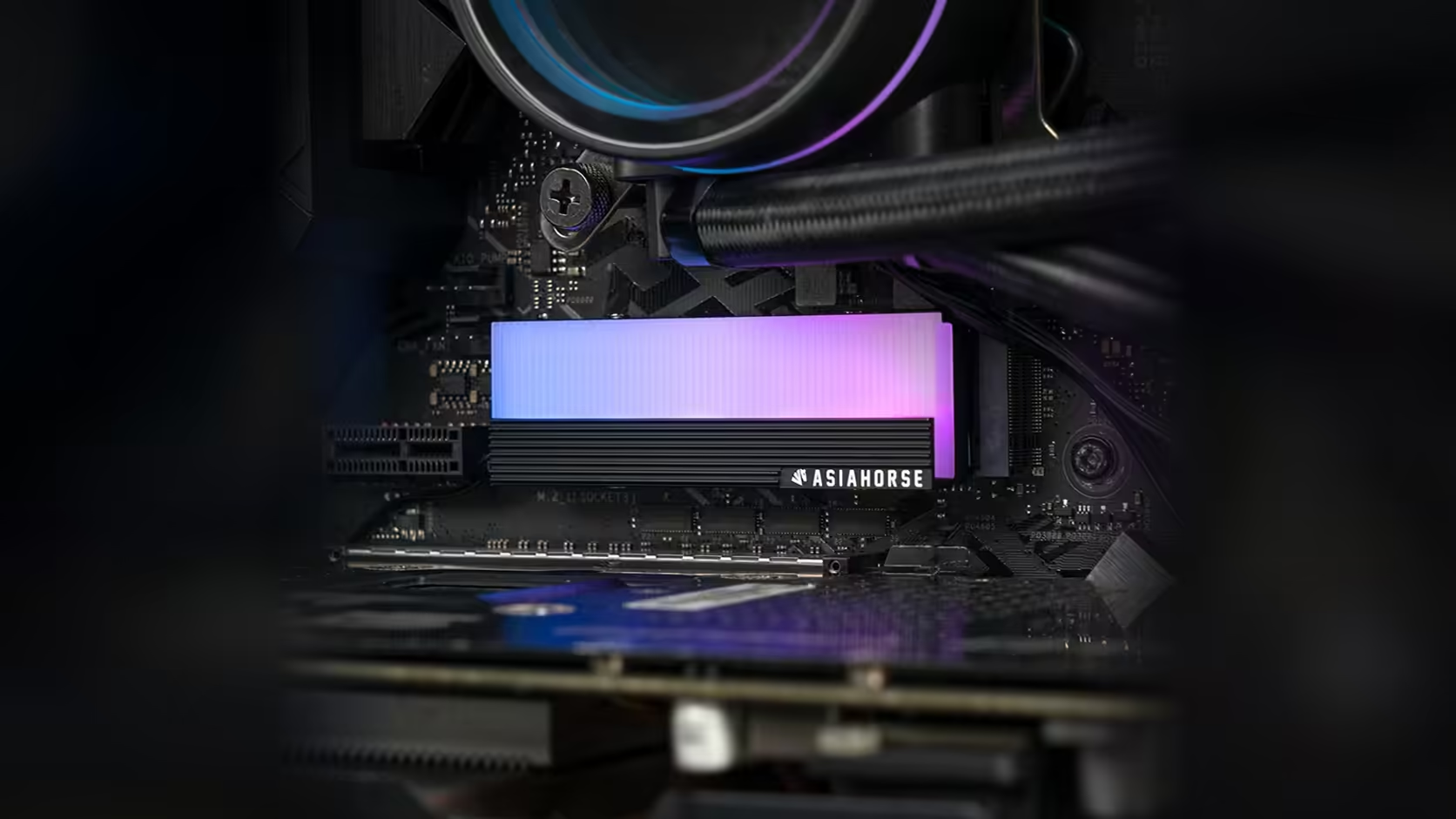
There is a version of this build decision that nobody talks about enough: fitting a lit ARGB cover into the one slot on your board that a graphics card is going to hide entirely. It is a visible slot choice as much as a technical one, and it is worth thinking through before the AsiaHorse M.2 heatsink ends up glowing at nobody.
Quick Answer
The AsiaHorse M.2 2280 heatsink's main appeal beyond its aluminium build is the infinity ARGB panel on top, and fitting it into a slot the graphics card physically covers means paying R199, VAT already in that number and never guaranteed to stay there, for lighting that nobody will ever see. Choosing a slot in open view, where the card does not overhang it, is what actually makes the lit panel worth the purchase.
🎮 Why the top slot so often disappears from view
On most current motherboards, the primary M.2 slot sits between the CPU socket and the first PCIe expansion slot, directly beneath where a graphics card mounts. As cards have grown physically larger across recent generations, that overhang has become the norm rather than the exception, which means the single most convenient M.2 slot on many boards is also the one least likely to show any lighting fitted to it.
It is not about performance here
This is worth separating clearly from bandwidth concerns. A slot hidden under the graphics card can perform identically to one in open view; the issue is purely visual. The drive itself works exactly the same either way, and the practical stakes are limited entirely to whether anyone can actually see the panel light up.
👁️ What "visible" means in a real case
Slots positioned below the graphics card, in the more open lower half of the board, are the ones that tend to remain visible through a case's side panel or window. If your board offers more than one M.2 position, checking which ones the card leaves clear is worth doing before deciding where your drive, and this cover, will end up.
💡 Is the cover still worth fitting to a hidden slot?
If the aluminium body's own material appeal or the four-screw security matters more to you than the lighting, fitting it to a hidden slot is not wasted, exactly, but it is fitting the cover for reasons that have nothing to do with its most distinctive feature. The lit panel is what sets this apart from a plain heatsink, and a hidden position is specifically what wastes that distinction.
🔧 Is moving the drive worth the effort?
Relocating a drive to a different M.2 slot means unscrewing the current mount, checking the board manual for any bandwidth difference between slots, and refitting everything in the new position. It is a modest job with the case already open, and considerably less effort than living with a lit panel nobody ever notices. Planning the slot layout is easier with the solid state drive range open in one tab and case accessories in another while the case sits on the desk.
🖥️ Vertical GPU mounts change the calculation
A graphics card mounted vertically, on a riser bracket rather than flat against the board, opens up considerably more of the board surface, including slots that would otherwise sit hidden beneath a flat-mounted card. If your case supports a vertical mount, a slot that would normally be a poor choice for lighting can become a perfectly visible one instead, without moving the drive at all.
💫 A small accent, not a centrepiece
It is worth keeping expectations proportionate here. Five LEDs is a modest accent rather than a major light source, closer in scale to a supporting detail than a centrepiece the way a full fan array or a large strip would be. That actually strengthens the case for placing it somewhere visible, since a small accent hidden away contributes nothing, while the same accent in open view adds a genuine point of visual interest without competing for attention against brighter elements elsewhere in the case.
🪟 Side panels make the final call
Even a slot chosen correctly for visibility only pays off if your case actually has a window or a mesh panel for it to shine through. A solid-panel case with no viewing window turns this whole exercise moot regardless of where the cover ends up, so it is worth confirming what your specific case offers before treating slot placement as the deciding factor. Where a window does exist, its position relative to the board also matters: a panel offset towards the rear may frame the lower M.2 slots better than the ones nearer the front edge, which is a detail worth checking against your own case rather than assuming every windowed case frames the board identically.
Frequently Asked Questions
Which M.2 slots are usually visible in a built case?
Slots positioned below the graphics card, in the more open lower area of the board, tend to remain visible where the card does not overhang them.
Why does the top M.2 slot get hidden so often?
Because it typically sits between the CPU socket and the first expansion slot, directly beneath where a graphics card is installed on most current boards.
Does moving the drive to a different slot affect performance?
Some boards wire different M.2 slots with different bandwidth, so checking the manual before moving a drive is worth doing regardless of the visual reasoning.
Is fitting this cover to a hidden slot pointless?
Not entirely, since the aluminium body and secure mounting still apply, but the lit panel that sets it apart from a plain heatsink goes unused there.
Would a vertical graphics card mount solve the visibility problem?
Often, yes. A vertical mount opens up more of the board surface, which can bring a normally hidden slot into clear view.
Does the M.2 slot position vary much between motherboard brands?
The general pattern, primary slot near the CPU and beneath the first expansion slot, holds across most brands and chipsets, though the exact distance from the card and the number of additional slots further down the board differ from one model to the next, which is why checking your specific board's layout still matters more than assuming a generic diagram applies.
Is the lighting bright enough to matter from a distance?
It is a small accent from five LEDs, better suited to a supporting role in a build's overall lighting scheme than to being the main visual feature.
Deciding where your lit M.2 drive should actually go?
Explore Evetech's NVMe drive range and pick a slot where the R199 you spend on lighting actually gets seen.