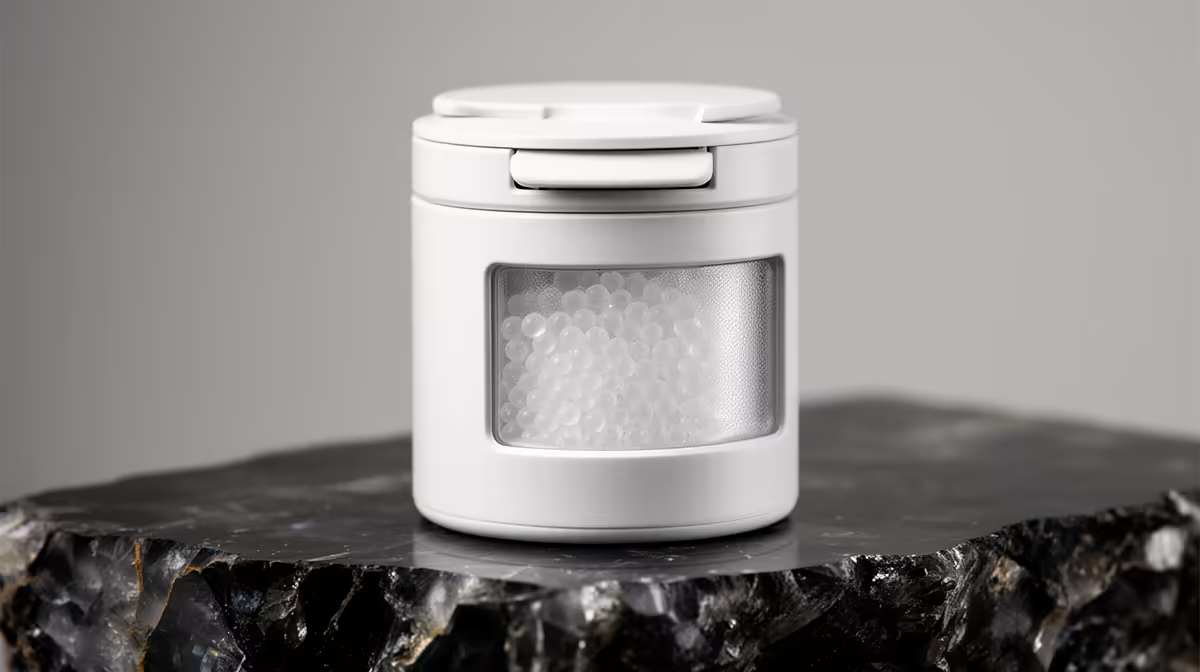
A spool of PLA that sat open through a humid Durban summer will start stringing, popping, and laying down brittle layers long before the filament runs out. The fix is not endless new packets of moisture absorber. Regenerating desiccant turns the same silica gel you already own into a reusable drying agent, and a colour-indicating version tells you exactly when it has stopped working and needs a recharge.
Quick Answer
Colour-indicating silica gel changes shade when saturated (commonly orange to dark green, or blue to pink), and you restore it by baking it at roughly 120C to 150C for two to three hours until the colour returns. Never exceed about 160C, which permanently damages the beads. Recharging costs cents in electricity and replaces the need to keep buying single-use sachets.
How colour-indicating silica gel actually works
Silica gel is a porous form of silicon dioxide riddled with microscopic channels that trap water molecules out of the surrounding air. A dry box for filament works because the gel pulls humidity down to a level where the plastic stops absorbing water. Over days or weeks the channels fill, and the gel reaches a point where it can hold no more.
The indicator is a moisture-sensitive dye blended through the beads. When the gel is dry it shows its "active" colour; as it saturates, that colour shifts. Orange-to-green and blue-to-pink are the two common systems. The dye is the only honest signal you have, because a saturated bead looks and feels almost identical to a dry one. Once the colour has fully turned, the gel is no longer protecting your spools and the box humidity will start creeping up.
You can browse the dry-box and printer accessory side of things through the 3D printer range at Evetech, which is where the filament-storage habit usually starts.
Regenerating in the oven, step by step
Oven recharging is the most reliable method because the heat is even and you can hold a steady temperature.
Spread it thin
Tip the beads out of their pouch or canister into a single layer on a metal baking tray. A shallow, wide spread lets moisture escape from every bead rather than steaming the ones underneath. Loose beads recharge faster than beads still sealed inside a fabric sachet, though breathable sachets will dry too if you give them extra time.
Hold the right temperature
Set the oven to between 120C and 150C. At this range the trapped water is driven off as vapour without cracking the silica structure. Leave the tray in for two to three hours, and watch the colour: the indicator shifting back to its dry shade is your finish line, not the clock alone. If your oven runs hot, stay nearer 120C. Crossing roughly 160C cooks the gel and kills its absorbing power for good.
For indicating silica gel specifically, some sources recommend staying at the lower end of the range, around 105C to 120C, to avoid fading the indicator dye while still fully regenerating the beads. If the colour recovers but looks pale after repeated cycles, the dye is wearing out though the gel itself may still work.
Cool and reseal immediately
Hot, freshly dried gel will grab moisture out of the room air within minutes. Move it straight into an airtight container or back into a sealed dry box while it cools. If you leave a tray of recharged beads on the counter overnight, you will undo most of the work before the box is even closed.
Microwave and other shortcuts
A microwave can regenerate silica gel in short bursts, but it is harder to control and easy to scorch, so heat in 30-second intervals and stir between them. Some printer owners run a dedicated low-temperature food dehydrator, which doubles as a filament dryer. The oven remains the most predictable for a full canister.
How much desiccant per box
For reliable protection, use roughly 20 to 30 grams of silica gel per spool inside the box, or around 100 grams per 10 litres of internal volume. Too little and the gel saturates quickly and leaves the box humidity creeping up between sessions. Most commercial dry boxes include nowhere near enough from the factory, so supplementing with extra colour-indicating gel from the start saves a lot of reprinting.
What this means for filament storage in SA
South African coastal humidity in Cape Town, Durban, and the East Coast makes open-air filament storage a slow disaster, while drier inland air on the Highveld is more forgiving. Either way, a sealed box with active, colour-checked desiccant keeps PLA, PETG, and especially nylon and TPU printable far longer. Building the habit costs very little once you stop replacing sachets, and storage and printer add-ons turn up regularly among the accessories best sellers worth keeping an eye on.
Frequently Asked Questions
How do I know when my desiccant needs recharging?
Watch the indicator colour. Orange beads turning green, or blue beads turning pink, mean the gel is saturated and no longer pulling moisture from the box. Once roughly half the visible beads have changed, recharge the batch.
Can I reuse the same silica gel forever?
Practically, you get dozens of cycles from quality colour-indicating gel before the beads start to break down or the dye fades. It is far more economical than single-use sachets, though after years of heavy cycling the absorbing capacity does gradually decline.
What temperature ruins silica gel?
Anything above roughly 160C. Past that point the internal pore structure collapses and the beads lose their ability to hold water, so they stay "dry" looking but no longer dry your filament. Keep regeneration in the 120C to 150C band.
Does the desiccant in the box need replacing or just drying?
In most cases it only needs drying. Replace beads only if the colour no longer changes at all, the dye has faded to grey, or the beads have crumbled. Otherwise a recharge restores them fully.
Will regenerating desiccant fix already-wet filament?
No. Desiccant protects dry filament and slowly lowers box humidity, but waterlogged spools need active drying with heat in a filament dryer or oven first. Use fresh, recharged desiccant to keep the spool dry once it has been properly dried out.
Keeping your prints clean starts with a sealed box and live desiccant, but it ends with hardware that earns its place on the bench. Compare current models in the 3D printer range at Evetech (https://www.evetech.co.za/components/3d-printers-130) and set your storage up properly from day one.