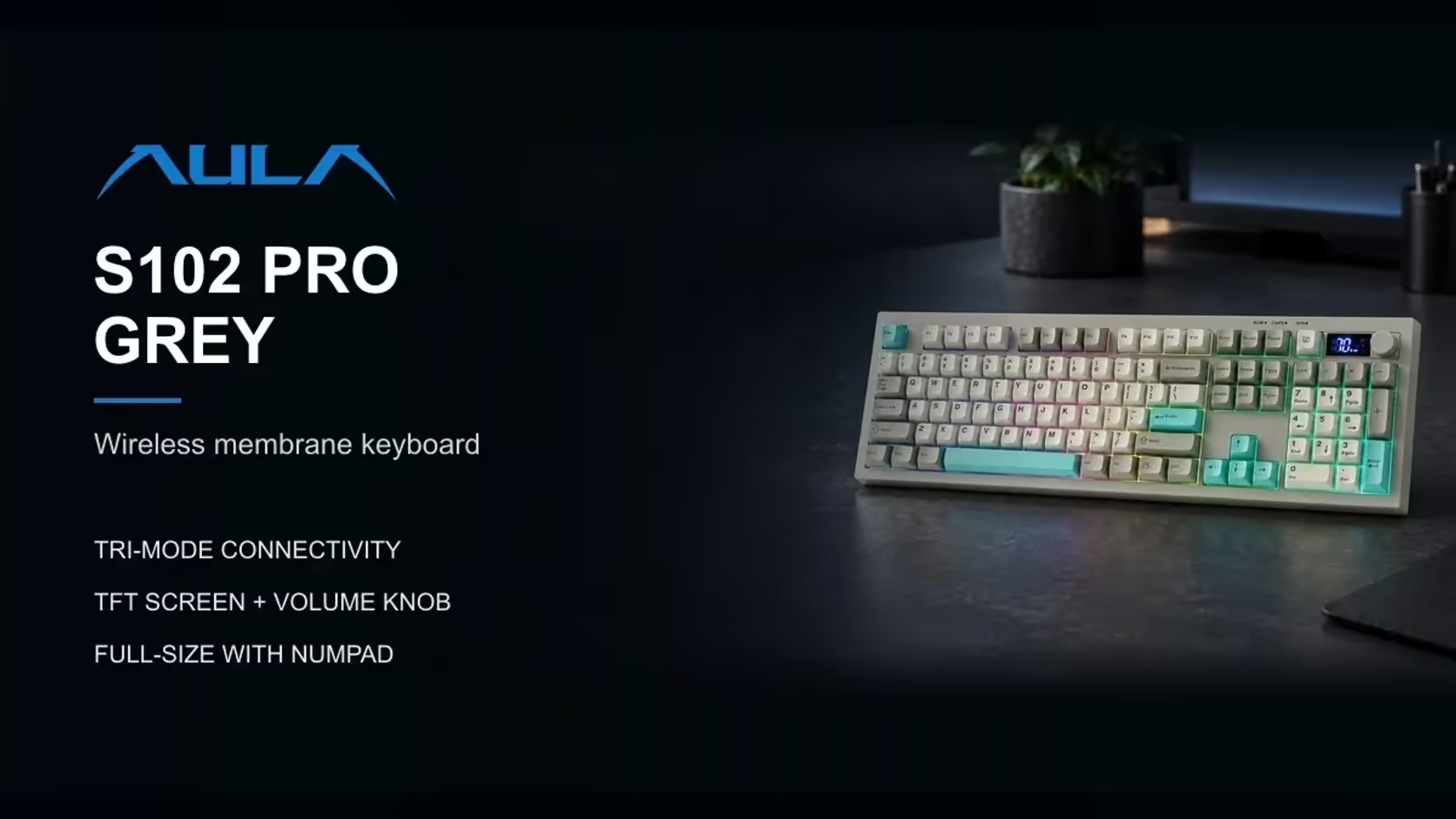
Most work desks need a keyboard that does three things well: full number entry, quiet typing, and easy switching between a laptop and a desktop. AULA has two boards that handle number entry in very different ways. The S102 PRO is a quiet silicone membrane board with a volume knob, and the AULA F108 PRO V2 is a mechanical board with swappable linear switches. Choosing between a membrane or mechanical keyboard for office work comes down to sound, feel and how much you want to tinker.
Quick Answer
Both are full-size boards with a number pad, and both connect by 2.4GHz wireless, Bluetooth or cable. The S102 PRO is the quieter choice: its silicone membrane keeps keystrokes soft, and it adds a small TFT screen for connection status plus a rotary volume knob. The F108 PRO V2 goes mechanical instead: LEOBOG linears in swappable sockets, a gasket build with seven dampening layers, and a dot-matrix display that moves with sound. Evetech has the S102 PRO at R299, and the F108 PRO V2 at R949 in Black/Grey/White or R1,099 in Dark/Light Grey.
🔇 Noise: the question every open-plan office asks
If you share a room, keyboard noise matters more than almost any spec.
The S102 PRO's silicone approach
The S102 PRO does not use individual switches at all. Under its keys is a silicone membrane sheet, which dampens each press and keeps the sound low. AULA pitches it at shared rooms and open-plan spaces for exactly that reason. There is no clack at the bottom of the stroke and no spring ping, just a muted press.
The F108 PRO V2's dampening
The F108 PRO V2 takes a different route. It is a true mechanical board, so each key has its own switch with a spring and a stem. AULA softens the sound with a gasket mount and seven layers of sound-dampening material, and both switch options are linear, meaning there is no click and no tactile bump. It will still be audible in a quiet room, but it is a smooth, rounded sound rather than the sharp clatter people associate with mechanical keyboards.
If absolute quiet is the priority, the membrane board wins. If you want a richer typing feel and can accept some sound, the mechanical board is the more satisfying daily driver.
✋ Feel, comfort and connections over a working day
Membrane feel
The S102 PRO uses Cherry-profile keycaps that follow the natural curve of your fingers, plus kickstands with three typing angles. Its front edge sits at 2cm, which is low enough that many people can type comfortably without a wrist rest. The keycaps are grey and white with teal accents, giving it a tidy office look.
Linear feel
The F108 comes in two editions. The dark grey and light grey board uses LEOBOG Sea Dome linears that register at 32gf, a very light touch that suits long typing sessions. The black, grey and white board uses LEOBOG Panda linears at 38gf, a little firmer at the start. Both bottom out at 45gf.
Mechanical switches give a more defined press than membrane domes, and many people find they type more accurately once they are used to it.
Connecting to more than one machine
Hybrid work often means one keyboard serving a desktop at the office and a laptop at home, or a PC and a tablet on the same desk.
The S102 PRO links through 2.4GHz wireless, pairs with two devices over Bluetooth, or plugs in with the USB-A to USB-C lead packed with it. For Apple machines, a Fn and S press puts it in Mac mode, while Fn and A returns it to the Windows layout. One quirk: AULA wants it topped up from a PC or laptop USB port, since wall chargers are not supported.
The F108 offers the same three connection types: a USB-C cable, a 2.4GHz USB receiver and Bluetooth. Either board can sit between a work laptop and a personal machine without constant replugging.
🖥️ Screens, knobs and extras
Both boards carry a small display, but for different reasons.
- S102 PRO: a TFT screen that shows the connection status and how much charge remains, so you can tell at a glance which device it is talking to. A rotary knob handles volume, and Fn shortcuts cycle the RGB backlight. Fn plus W swaps the WASD and arrow keys.
- F108: a dot-matrix panel between the arrows and the navigation cluster that reacts to audio and plays animations, with custom GIFs uploaded through AULA's driver. It also has per-key RGB, a set of three programmable spacebar LEDs plus a linear light bar.
The S102 PRO's screen is the more practical tool for office use. The F108's display is more of a personal touch for a desk you actually enjoy sitting at.
Maintenance and repair
Here the difference is structural. Every key on the F108 sits in a hot-swap socket, meaning one failing switch can be pulled and replaced without soldering. A membrane board has nothing to swap: the S102 PRO keeps its insides simple, which also leaves you less to maintain.
🧭 Which board belongs on your desk?
Go for the S102 PRO if you work in a shared or quiet space, want a volume knob within reach, and prefer a simple board that needs no attention. Go for the F108 if you type for hours, enjoy the feel of a linear switch and like the option of changing switches later.
Evetech gives both boards a 1 Year Local Warranty, so the decision rests on typing feel. The S102 PRO sits in the office keyboard category, while the F108 appears among Evetech's gaming keyboards. For a wider look at what people are buying, browse the keyboard best sellers.
Frequently Asked Questions
Which board will colleagues hear less?
The S102 PRO. Its silicone membrane mutes each press, while the F108, though dampened, is still a mechanical board.
Can the S102 PRO switch between Windows and Mac?
Yes. Fn plus S sets Mac mode and Fn plus A returns it to Windows.
What charging advice does AULA give for the S102 PRO?
Top it up from a USB port on a PC or laptop; AULA lists wall adapters as unsupported.
How firm are the F108 PRO V2's switches?
The Sea Dome edition registers at 32gf and the Panda edition at 38gf, with both reaching 45gf at the bottom.
Does either board have a number pad?
Both do. They are 100% layouts, number pad included.
Can I adjust the typing angle on the S102 PRO?
Yes. Its kickstands give three typing angles, starting from a 2cm front height.
Quiet membrane or smooth linears for your workday?
Browse Evetech's keyboard range and pick the full-size board that suits your office, your hands and your ears.