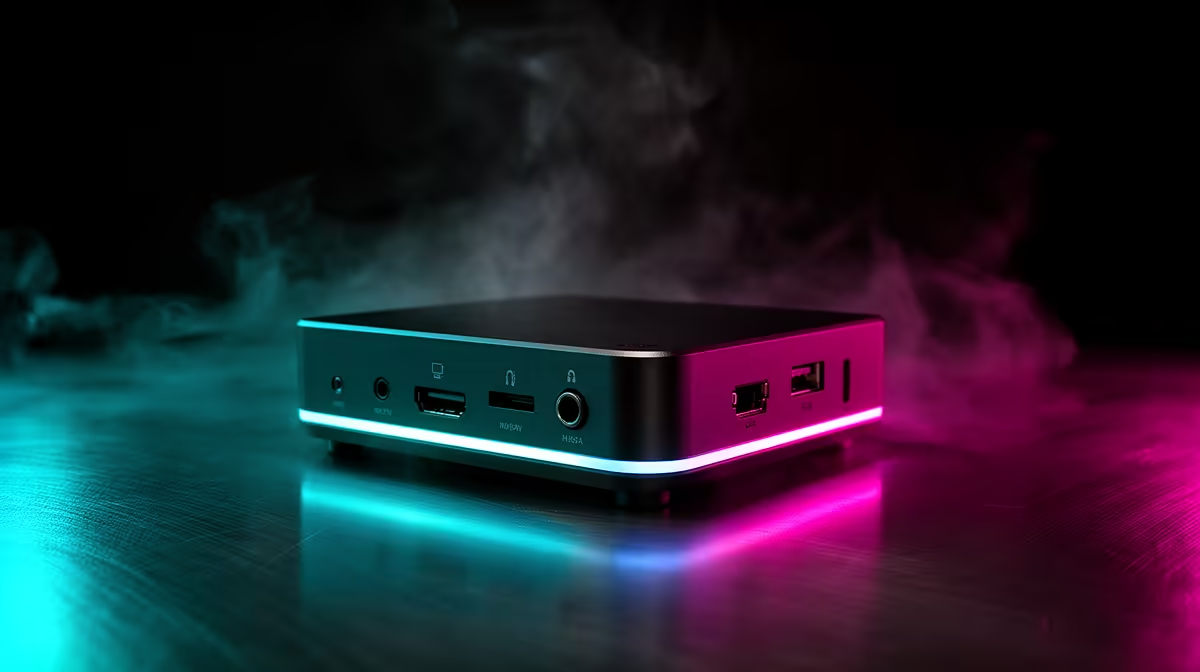
Both fit in a backpack pocket, both sip power, and both can run a full day of work. Yet a mini PC and a laptop behave very differently once they become your main desktop. Strip away the laptop's battery and screen, bolt the same class of chip into a small box meant to sit on a desk, and the performance and trade-offs shift in ways that decide which one belongs under your monitor.
Quick Answer
A mini PC uses chips in the same low-power class as a laptop but, with no battery or built-in screen to manage, it sustains higher clock speeds and runs cooler under load. The catch is mobility: a mini PC needs a mains-powered monitor, keyboard and mouse, while a laptop carries its display and battery everywhere. For a fixed desk, the mini PC often performs better; for travel, the laptop wins.
They Share a Family of Chips
The first thing to understand is that mini PCs and laptops are close relatives. Both commonly use mobile-class processors and integrated graphics designed for efficiency rather than raw desktop power. That shared DNA is why a mini PC can be so small; it borrows the same compact, low-heat components that let laptops stay thin.
So the difference is not really about the silicon. It is about what surrounds the silicon and how each device is asked to use it.
If you are comparing form factors directly, the mini PC range at Evetech shows the sizes and specs that go up against laptops in this category.
Where the Mini PC Pulls Ahead
Take away the battery and the screen and a few real advantages appear.
A mini PC runs on mains power, so it is never throttling to protect battery life or to stretch a charge. It can hold higher clock speeds for longer because there is no power budget forcing it to back off. Under a sustained load, like a long export or a compile, that often translates into steadier performance than the same chip in a laptop.
Cooler Under Load
A laptop has to cram its cooling into a thin chassis right next to a battery and a screen, both of which add heat and limit airflow. A mini PC has more room around the chip and no battery generating warmth, so it tends to run cooler and quieter when worked hard. Cooler running also helps it sustain those higher clocks instead of throttling back.
Easier to Live With on a Desk
Because it is built to sit still, a mini PC usually offers a generous spread of ports and connects to a proper monitor, full keyboard and mouse. That fixed setup is more comfortable for all-day work than hunching over a laptop's built-in screen and keyboard.
Where the Laptop Wins
The laptop's advantages all come back to one word: portability.
A laptop carries its own screen, keyboard and battery, so it works on a train, in a coffee shop or in another room with nothing but the machine itself. A mini PC is tethered to a monitor and a wall socket; move it and you have to reconnect everything at the destination. For anyone who works in more than one place, that flexibility is decisive.
The All-in-One Convenience
A laptop is a complete computer the moment you open the lid. A mini PC is only part of a setup; it needs a display and input devices you supply separately. If you do not already own a monitor, keyboard and mouse, the mini PC's lower sticker price can close up once you add those.
Cost and Value
On the chip-for-chip comparison, a mini PC often costs less than a laptop with similar internals, because you are not paying for a screen, a battery or a keyboard. That makes it attractive when you already have a monitor and peripherals to plug into. A laptop charges a premium for the convenience of having everything built in and portable, which is fair value if you actually need to move around.
The honest way to decide is to count what you already own and where you actually work. To weigh either path against full desktop options, the most popular PCs at Evetech give a sense of what your budget buys in each direction.
Upgrades and Longevity
There is one more practical difference worth weighing: what happens after you buy. Some mini PCs let you open the case and swap the memory or storage, which can extend the machine's useful life and let you start modest and add more later. Many laptops, especially thin ones, solder these components in place, so what you buy is what you keep.
That said, neither form factor matches a full desktop for upgradeability. You are not dropping in a new graphics card on either one. The mini PC's edge here is modest but real for memory and storage, which are the upgrades most people actually make over a machine's life.
Noise and Desk Footprint
A mini PC sitting on a desk runs quietly under everyday loads and takes up little space, often tucking behind a monitor or under it. A laptop closed in clamshell mode achieves a similar tidy look but relies on the same cramped cooling that makes it run warmer. For a permanent, quiet desk presence, the mini PC has a small but genuine advantage.
Who Should Pick Which
Choose a mini PC if your computing happens at one desk, you value steady performance and a quiet, cool machine, and you already have or will buy a monitor and peripherals. Choose a laptop if you work in more than one place, want a single self-contained machine, or simply value being able to pick it up and go. Neither is universally better; the right choice is whichever matches where your work actually happens.
Frequently Asked Questions
Is a mini PC more powerful than a laptop?
With similar chips, a mini PC often sustains higher performance under long loads because it runs on mains power and stays cooler without a battery or screen adding heat. The chips are in the same class, but the mini PC can hold its clocks longer.
Does a mini PC come with a screen?
No. A mini PC needs a separate monitor, keyboard and mouse. That is the main trade-off against a laptop, which carries its display and input built in.
Why does a mini PC run cooler than a laptop?
It has more room around the chip for cooling and no battery generating heat right next to the processor. A laptop must squeeze its cooling into a thin chassis, so it tends to run warmer and throttle sooner under heavy load.
Is a mini PC cheaper than a laptop?
Often yes, on a chip-for-chip basis, because you are not paying for a screen, battery or built-in keyboard. The saving shrinks if you have to buy a monitor and peripherals separately.
Can a mini PC replace a desktop?
For everyday work, browsing and office tasks, a capable mini PC can serve as a main desktop comfortably. For heavy gaming or demanding creative work, a full desktop with dedicated graphics still offers more headroom.
Deciding between a compact desk machine and a portable one? Browse the mini PC range at Evetech to see how the small-form-factor option stacks up for your setup.