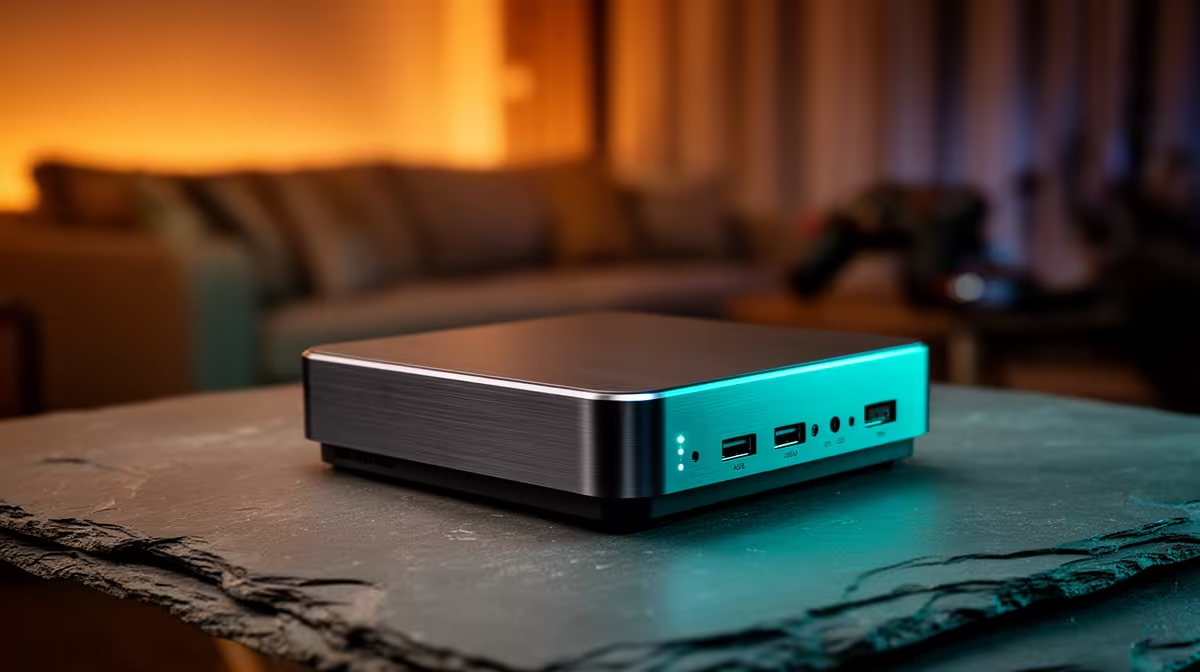
A media box that sips power, runs silently in the lounge, and still feeds multiple TVs at once sounds like a tall order, yet a small Intel N-series machine does exactly that. The case for mini PCs for HTPC and media rests on one feature: Intel Quick Sync. On N100 and N150 chips it decodes H.264, H.265/HEVC, VP9, and AV1 in dedicated hardware, so the tiny processor barely breaks a sweat while several Plex or Jellyfin streams play in parallel.
Quick Answer
A mini PC built on an Intel N100 or N150 makes an excellent HTPC because Quick Sync handles AV1, H.265, H.264, and VP9 decoding in hardware. That lets a fanless box around the size of a paperback transcode several Plex or Jellyfin streams at once while drawing very little power. Expect to spend in the low-to-mid thousands of Rand.
Why Quick Sync Changes the Maths
Software transcoding leans on the CPU and quickly buckles when two or three clients each demand a different format. Quick Sync moves that work to a fixed-function media engine baked into the chip. The processor cores stay free, power draw stays low, and the box runs cool enough to sit silently under a TV. The N150 is a modest refinement of the N100 formula, but both share the same media engine that matters here. For a household streaming to a phone, a tablet, and a smart TV simultaneously, that hardware decode block is the difference between smooth playback and constant buffering. Real-world testing shows an N100 mini PC managing two to three simultaneous 4K transcodes at under 15W total draw.
What Makes a Good Media-Centre Mini PC
Not every mini PC is equal for this job. A few specifications decide how well it performs as the heart of a home media setup.
Codec Support and AV1
AV1 is the codec to care about, because more streaming services and self-hosted libraries are adopting it for its efficiency. Older mini PCs cannot decode AV1 in hardware and will stutter on it. The N100 and N150 both include AV1 hardware decode, which future-proofs the box for the content you will be watching for years. H.265/HEVC and VP9 support round out the picture for existing libraries.
Storage and Connectivity
A media centre lives or dies on its connections. Look for an M.2 slot for a fast NVMe boot drive, a SATA bay or USB for a larger media disk, and a Gigabit Ethernet port for reliable streaming across the home. HDMI 2.0 or better is essential for 4K output at a smooth refresh rate, and dual-band Wi-Fi is handy where running a cable is awkward.
Plex and Jellyfin in Practice
Both Plex and Jellyfin tap Quick Sync for hardware transcoding once enabled in their settings. With it active, an N100 box can serve several simultaneous transcodes that would cripple the same chip in software. Direct play, where the client supports the file natively, uses almost no resources at all, so the transcode headroom is your safety net for awkward formats and remote viewing.
Power, Heat and the Lounge Test
Part of the appeal is how undemanding these machines are. An N100 or N150 mini PC typically draws only a handful of watts at idle and stays modest under load, which keeps the running cost negligible and lets many models run fanless or near-silent. That silence is what makes it lounge-friendly in a way a full tower never is. You can tuck it behind the TV, leave it on around the clock, and forget it is there. The current selection sits in the mini PC range, where you can compare the N100 and N150 options on ports, storage, and memory.
Setting It Up in a South African Home
Running a media server in SA has a few practical angles worth thinking through. Wired Ethernet is especially valuable here: the connection is stable, fast, and avoids any Wi-Fi contention from other devices. Set the mini PC to a fixed local IP address so Plex and Jellyfin clients always find it on the network, and point the media library at an external drive rather than the built-in storage to make upgrades and backups simpler.
For households with variable power quality, a small UPS (uninterruptible power supply) is worth pairing with any always-on server. It protects the drives from sudden shutdowns during brief outages and gives you a cleaner shutdown window if the power stays off. The low wattage of an N100 mini PC means even a compact, affordable UPS covers many hours of runtime for the server itself.
Who Should Buy One, and Who Should Not
A mini PC HTPC suits anyone running a Plex or Jellyfin library for a household, or wanting a quiet 4K media player that also handles light desktop tasks. It is ideal for a lounge, a bedroom, or a student res where space and noise both matter. Where it falls short is heavy gaming or large 4K-to-4K transcoding marathons for many users at once, which call for a discrete GPU. If your needs lean that way, comparing against the most popular full desktops helps you judge whether a mini PC is enough or whether you want more headroom.
Frequently Asked Questions
Can an N100 mini PC transcode 4K in Plex?
Yes. With Quick Sync enabled in Plex, an N100 handles 4K hardware transcoding, including HEVC and AV1 sources. The fixed-function media engine does the work, leaving the CPU cores free for the rest of the system.
How many streams can a mini PC handle at once?
It depends on resolution and whether clients direct-play or transcode, but an N100 or N150 with Quick Sync comfortably manages several simultaneous transcodes. Direct play uses almost nothing, so real-world capacity is usually higher than people expect.
Is the N150 worth it over the N100 for a media centre?
The N150 is a modest step up on the same architecture and media engine. For pure HTPC duties both perform similarly, so buy on price, ports, and bundled storage rather than the chip name alone.
Do I need a GPU for a media-centre mini PC?
No. Quick Sync inside the Intel chip handles decoding and transcoding, so a separate GPU is unnecessary for streaming. A discrete card only becomes relevant if you also want gaming performance from the box.
Does a mini PC support AV1 for newer streaming content?
The N100 and N150 both decode AV1 in hardware, which matters as more services and self-hosted libraries adopt it. Older mini PCs without AV1 decode will struggle, so this is a key spec to confirm.
Want a silent media hub that feeds every screen in the house? Compare the N100 and N150 mini PCs at Evetech, pick one with the ports and storage you need, and build a Plex or Jellyfin centre that just works.