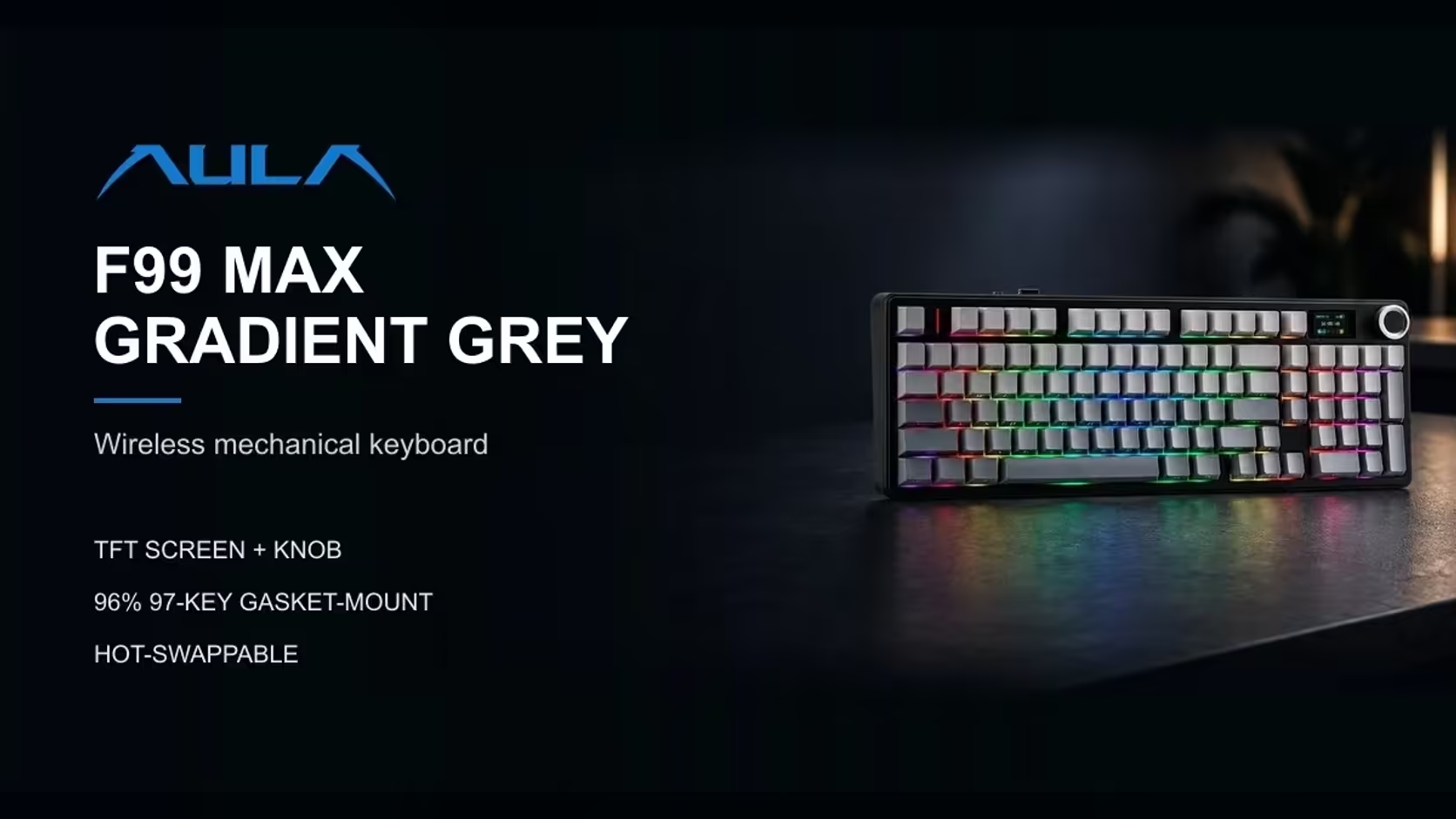
Anyone who types numbers regularly eventually wants a number pad. The question is what kind. The F99 Max gives you one the traditional way, with real keys you can find without looking. The L99 takes a different route and draws a number pad on its touchscreen when you ask for one, leaving the rest of the board as a compact 75%. Deciding between a physical numpad and a touchscreen numpad comes down to how often, and how fast, you enter figures.
Quick Answer
If you enter numbers often, the AULA F99 Max's real number pad is the better fit: it sits inside a 96% layout with 97 keys, a rotary knob and a small TFT screen, and you can type figures by feel. If you only need a numpad now and then, the AULA L99 is a 75% board whose 3.98-inch touchscreen can turn into a keypad or a calculator on demand, and also looks after lighting, settings and mouse functions. Both are tri-mode mechanical keyboards, and Evetech sells both, the F99 Max at R799 and the L99 at R1,099.
🔢 Blind entry: the deciding factor
Real keys have edges and travel. Those physical cues let your fingers find the digits while your eyes stay on the source document or the screen, which is exactly what long runs of figures demand. That is the biggest single reason to choose the F99 Max.
A touchscreen keypad cannot give the same feedback. Your finger lands on glass, so you need a glance to be sure you pressed the right digit. For a phone number, a quick total or the odd reference code, that is no problem. For a column of two hundred amounts, it becomes slow and tiring.
The L99 compensates by doing more than digits. Its screen doubles as a calculator, which is handy for checking a sum without opening another window.
A simple way to decide
Think about your last week at the keyboard:
- Did you type long strings of numbers most days? Choose the F99 Max.
- Did you mostly type words, with numbers only now and then? The L99's screen will cover you.
- Do you want the keyboard itself to be a control surface for lighting and settings? That points to the L99.
📐 Layout and desk space
The F99 Max
Picture a full-size board with the gaps squeezed out: numbers, F-keys and arrows all present across 97 keys in a 96% arrangement. The screen and the knob share the middle of the board. AULA does not give its measurements on the product page.
The L99
Here the typing area is a compact 75% block, and the right-hand side is given over to the screen rather than to number keys. AULA lists the whole board at 390.5 x 140.7 x 43.3mm, and it stands on two-stage adjustable feet.
With no published size for the F99 Max, the product pages alone cannot tell you which is narrower. If desk width is tight, measure your space and study the photos on each Evetech product page before choosing.
🖥️ What each screen does beyond numbers
F99 Max: a status and decoration display
On the F99 Max, the TFT display is there to inform and decorate: a clock, a charge reading or a GIF you load with AULA's Windows software while the board is cabled. Fn + Backspace blanks it. Its neighbour, the dial, handles sound levels, switching to backlight duty while Fn is held.
L99: a screen you work from
The L99's 3.98-inch touchscreen is a working tool. From it you can change settings and lighting, call up the keypad or calculator, use it in place of mouse controls, and play animations you upload in GIF or JPG form. A battery gauge on the screen tells you when a charge is due. The per-key lighting, around 16 million colours with 20 preset modes, is set right there on the glass.
If you like the idea of running the keyboard from the keyboard, the L99's screen is far more capable. If you would rather the display stayed in the background, the F99 Max's is simpler.
🔩 Switches, connections and cover
Switch feel
Both boards use factory-lubed linear switches of similar weight. The F99 Max has LEOBOG Reapers: roughly 45gf to register, 55gf at the floor and 1.8mm before they fire. The L99's switch depends on the colour you pick. Its grey, white and blue board uses Raindrop linears that actuate at 1.8mm, while the red and black board uses Caramel Latte linears that actuate at 2.0mm; AULA rates both at 45gf initial and 55gf bottom-out force. Expect all three to feel light and smooth, with no bump.
Both are gasket-mounted and hot-swappable. The F99 Max accepts 3-pin and 5-pin switches and includes a puller, while the L99 supports mixing switch types on one board.
Pairing and connection
Each board offers the same trio of links, cable, 2.4GHz dongle and Bluetooth. The F99 Max keeps track of up to five. On the L99, Bluetooth handles three devices, and AULA rates its report rate at 1000Hz on both the cable and the receiver, with full N-key rollover. Windows and macOS are supported on both.
Warranty and where to look
Both carry a 1 Year Local Warranty. Line them up in Evetech's gaming keyboards, and if the board is mainly for work, the office keyboards category is worth browsing too. Prices are on each product page.
Frequently Asked Questions
Which lets me enter numbers without looking?
The F99 Max. Its physical number pad gives you real keys to find by feel, which glass cannot.
Can the L99's screen really stand in for a keypad?
For occasional use, yes. It works as a keypad and a calculator, but you will need to glance down as you type.
Which board takes less desk width?
AULA lists the L99 at 390.5mm wide but gives no size for the F99 Max, so measure your desk and compare the product photos.
What else can each screen do?
The F99 Max's shows a clock, charge level or GIF. The L99's changes settings and lighting, stands in for mouse controls and plays uploaded animations.
How do the switches compare?
All three are light, pre-lubed linears near 45gf: Reaper on the F99 Max, and Raindrop or Caramel Latte on the L99 depending on colour.
How many devices can each remember?
Five on the F99 Max. The L99 pairs three over Bluetooth, besides its receiver and cable.
Is the warranty the same on both?
Yes, the same local cover applies, handled through Evetech.
Real keys or a touchscreen for your numbers?
Compare the F99 Max and L99 in Evetech's gaming keyboard range and pick the numpad style that suits how you work.