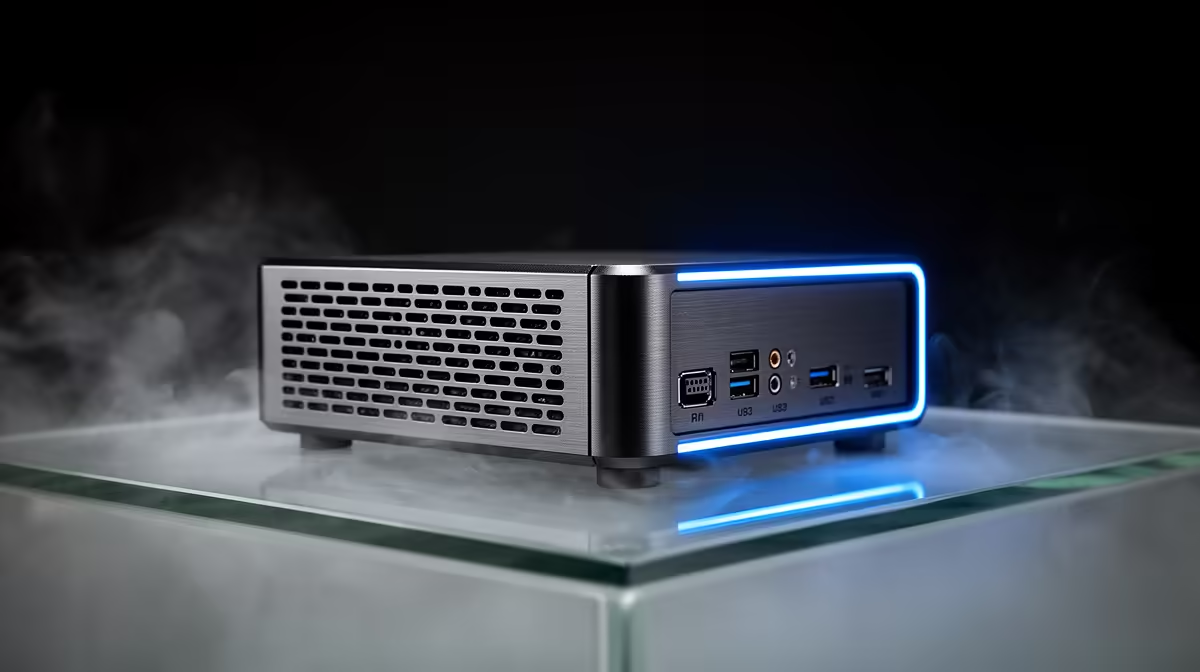
Running a coding assistant on hardware you own, behind your own walls, has stopped being a multi-GPU fantasy reserved for people with a spare 1,000W power supply. A power-efficient home server built around a unified-memory mini PC can hold a useful mid-size model in memory, answer your prompts at a usable speed, and sip electricity while sitting silently on a shelf. The trick is understanding why memory, not raw GPU muscle, is the part that matters.
Quick Answer
For local AI coding, a single mini PC with a unified-memory APU like the AMD Ryzen AI MAX+ 395 beats a multi-GPU tower for home use: up to 128GB of shared memory loads a 70B-class model, the whole box draws around 120W to 140W under load, and it idles at 10W to 15W. Expect tokens to flow fast enough for real coding work, with running costs of only a few rand a day.
Why memory bandwidth beats GPU count
The instinct is to throw graphics cards at the problem, because that is what gaming and training rigs do. For running a model you already have, though, the bottleneck is rarely compute. It is how much fast memory the chip can reach and how quickly. A model has to live in memory in its entirety to respond without constant swapping, so the size of your memory pool decides which models you can run at all, and the bandwidth decides how fast they answer.
This is exactly where unified memory architecture wins. Instead of a GPU with a small, separate pool of VRAM, a unified-memory APU shares one large, fast memory bank between the CPU and the integrated graphics. The Ryzen AI MAX+ 395, the chip behind the current crop of small AI boxes, addresses up to 128GB of soldered LPDDR5x at roughly 256 GB/s across both the CPU and its integrated GPU. That single number does more for local-model work than adding a second graphics card would.
The three sensible tiers
There is no single right answer here, only a match between the model size you want and the budget you have. Three bands cover almost everyone.
Entry: a quiet always-on node
A compact Ryzen mini PC with 32GB of DDR5 and a fast NVMe drive will hold an 8B-class coding model comfortably and answer at roughly 10 to 15 tokens per second. That is enough for autocomplete, short refactors and quick questions. These boxes idle around 10W to 15W, so leaving one running as a permanent local endpoint costs very little. This is the right starting point if you mainly want privacy and a model that is always there, not the biggest model possible.
Middle: the developer's daily driver
Step up to a current Ryzen AI 9 box with 32GB of fast memory and a strong combined NPU and integrated GPU, and you move into running 13B models comfortably and 27B-class models in a quantised form. This is the sweet spot for someone who codes against the assistant every day and wants answers that are genuinely useful rather than just present. It still runs cool and quiet and stays well under the power and noise of any tower.
Top: the 128GB single box
The flagship is a 2.5-litre mini PC built on the Ryzen AI MAX+ 395 with the full 128GB unified pool. With that much memory you can load a 70B-class model and still have headroom for the OS, your editor and a handful of containers. It does this at around 120W to 140W, which is a fraction of what an equivalent multi-card rig would pull, and it fits in one hand. For an SA home lab where every watt shows up on the bill, that efficiency is the whole point. You can see which of these unified-memory machines are stocked in the AI PCs category at Evetech.
What it costs to run in South Africa
The headline figure people forget is the standing cost. A multi-GPU tower can idle at well over 100W before you ask it to do anything, which adds up fast on a Cape Town or Joburg tariff if it runs all day. A unified-memory mini PC idling at 10W to 15W and peaking near 140W only when it is actually thinking is the difference between a few rand a day and a noticeable monthly line item. Quiet operation matters too: no tower fans spinning up every time you send a prompt in a home office.
Storage is the other lever. Keep your models on a fast NVMe SSD so loading a fresh model into memory takes seconds rather than minutes, and size the drive for the several gigabytes each quantised model occupies. Browsing the best-selling PC builds is a quick way to see which small-form-factor and SSD pairings people are actually buying for this kind of work.
Who should and should not do this
This setup is ideal if you want a private coding assistant that never sends your code off-device, you value a silent low-power box, and you are comfortable installing a local runtime. It is not the right call if you only need the absolute largest frontier models or you run heavy fine-tuning workloads, where dedicated data-centre hardware still rules. For the common case, a developer who wants a fast, private, always-available helper, the unified-memory mini PC is the most sensible piece of hardware on the table.
Frequently Asked Questions
How much memory do I actually need for local AI coding?
For an 8B model, 32GB is plenty. For 13B to 27B models, 32GB of fast memory still works with quantisation. To run a 70B-class model you want the full 128GB unified pool, since the entire model must fit in memory at once.
Why not just use a graphics card instead?
A single mid-range GPU has limited VRAM, which caps the model size you can load. Unified-memory APUs give you a much larger shared pool at high bandwidth, which is what local inference actually needs, while drawing far less power than a multi-card tower.
How much will it cost me in electricity?
A unified-memory mini PC idles at roughly 10W to 15W and peaks near 120W to 140W only under active load. On typical SA tariffs that is a few rand a day even with the box left on continuously, far less than an always-on multi-GPU rig.
Is the response speed actually usable for coding?
Yes. Entry boxes run 8B models at around 10 to 15 tokens per second, fast enough for autocomplete and short tasks. Mid and top tiers run larger models comfortably enough for sustained day-to-day coding rather than just demos.
Do I need fast storage as well?
Yes. Models are several gigabytes each, so a fast NVMe SSD keeps load times short when you switch models. Slow storage turns a quick model swap into a long wait, which undermines the point of a responsive local setup.
Want a private coding assistant that runs on hardware you own and barely touches your power bill? Compare the unified-memory machines in the AI PC range at Evetech and pick the memory tier that matches the model size you want to run.