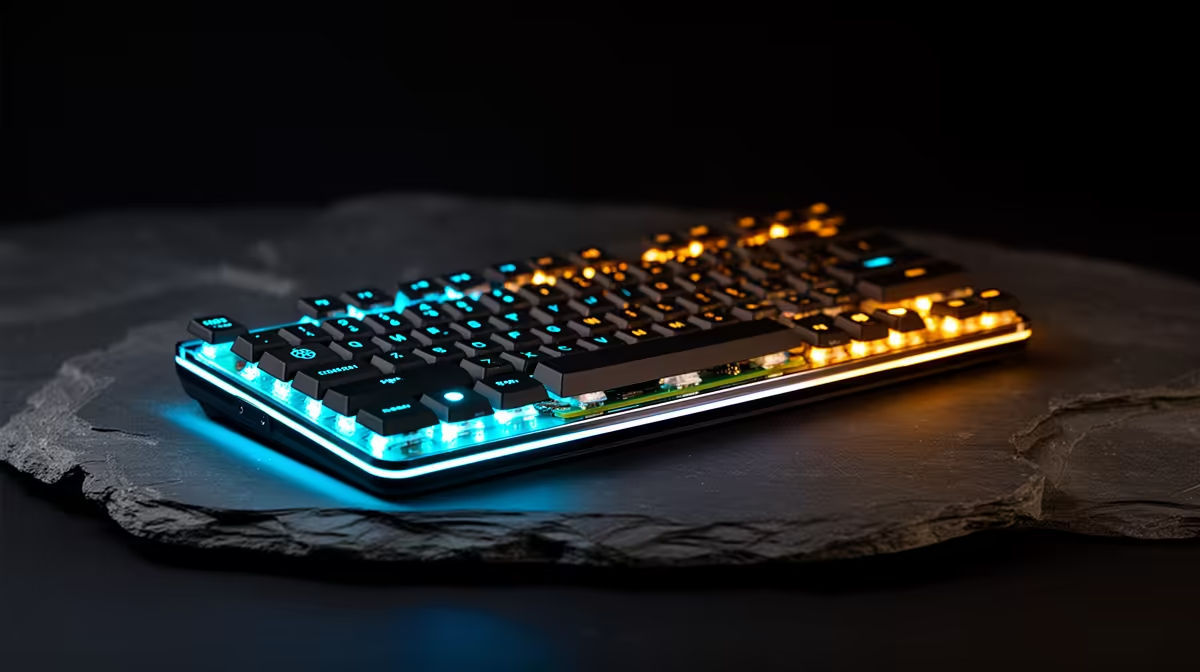
Tucked inside what looks like an ordinary compact keyboard sits a complete Raspberry Pi 5-class computer, ports and all. The Raspberry Pi 500 revives an idea as old as home computing, the machine that lives entirely in its keyboard, and fits it out with current silicon. Plug in power, a screen and a mouse, and you have a working desktop with nothing else to assemble. For anyone who finds a bare board and its tangle of cables off-putting, this is the most self-contained Pi desktop the project has shipped.
Quick Answer
The Raspberry Pi 500 packs a Pi 5-class Broadcom BCM2712 quad-core processor, the RP1 I/O controller and 8GB of RAM into a keyboard chassis with a one-piece aluminium heatsink built in. The unit-only version lands around the 90 US dollar mark internationally, which translates to a modest local price for a ready-to-use computer once a screen and mouse are added.
What is actually inside the keyboard
The Pi 500 is not a cut-down design. It carries the same Broadcom BCM2712 system-on-chip and the RP1 I/O controller found in the Raspberry Pi 5, paired with 8GB of RAM. In plain terms, the compute is Pi 5-grade, so anything a Pi 5 can do, the Pi 500 does at the same level. The difference is purely the form factor: instead of a bare board you mount and cable, the whole computer is integrated behind the keys.
That integration solves a problem the standard board has always had under load. A one-piece aluminium heatsink runs the length of the chassis, spreading heat from the processor across the body of the keyboard. Where a bare Pi 5 needs an add-on fan or heatsink to sustain heavy workloads, the Pi 500 carries its cooling built in, which keeps the design silent and tidy.
The ports and the layout
Everything you need to run a desktop sits along the back edge of the unit. The Pi 500 provides USB ports, dual micro-HDMI outputs for two displays, Gigabit Ethernet and the 40-pin GPIO header that has always defined the platform. Storage comes from a microSD card, as on the standard Pi.
The keyboard itself is a compact unit in the region of 78 to 83 keys depending on regional layout, designed to sit alongside the matching Raspberry Pi monitor if you want a tidy paired setup. The result is a computer that travels as a single object. Drop it in a bag, carry it to a workspace, plug in a screen, and you are running. For a classroom, a maker space, or a second machine that needs to be packed away quickly, that simplicity is the whole appeal.
Where the GPIO header still matters
It would be easy to mistake the Pi 500 for a pure desktop appliance, but the 40-pin GPIO header is still present and still the reason many people choose a Pi over a generic mini-PC. You can wire sensors, control electronics projects and drive add-on boards exactly as you would on a bare Pi 5, with the convenience of a built-in keyboard and cooling. That keeps the door open to the hardware-tinkering side of the platform rather than closing it off.
Who the Pi 500 is for
This is a machine with a clear audience. It suits anyone who wants a low-cost, low-power desktop for browsing, document work, coding and learning, without the friction of assembling a board, a case, a fan and a keyboard separately. Students, beginners and educators are the obvious fit, since the all-in-one shape removes most of the setup intimidation.
It is also a tidy second computer for a workbench or a child's desk, where its silent operation and compact footprint matter more than raw speed. The trade-off to be clear about is that the compute is Pi 5-class, not desktop-PC-class, so heavy multitasking, demanding creative software or modern gaming are not what it is built for. For everyday computing and learning, that ceiling is rarely a problem. If your needs lean toward more power in a small box, it is worth weighing the Pi 500 against the broader mini PC range at Evetech before deciding.
Pi 500 versus a bare Pi 5
The choice between them comes down to how you like to build. A bare Pi 5 is cheaper on paper, more flexible to mount in custom projects, and the better pick if you want to choose your own case and cooling. The Pi 500 costs only a little more for the convenience of an integrated keyboard, built-in heatsink and zero assembly. For a first machine or a desktop you simply want to switch on and use, the Pi 500 earns its small premium. For an embedded project hidden inside an enclosure, the bare board still makes more sense.
Local context and what to pair it with
Imported single-board kit reaches South Africa with the usual import overheads, so expect local pricing to sit above the international sticker once shipping and duties are factored in. Budget for a microSD card, a suitable power supply, a micro-HDMI to HDMI cable and a mouse, none of which are included with a unit-only purchase. A monitor and the small accessories that complete a desktop are easy to source, and watching the PC best sellers gives a sense of what local buyers most often pair with a compact desktop setup.
What it runs well, and where it strains
Setting expectations correctly is the difference between loving the Pi 500 and being disappointed by it. On the comfortable side, it handles everyday desktop work without complaint: web browsing across a sensible number of tabs, writing and document editing, email, light spreadsheet work, and a code editor for learning to program. The 8GB of RAM gives it real breathing room compared to earlier, memory-starved Pi models, and the Pi 5-class processor keeps the desktop responsive for these tasks.
It is also a strong platform for the things the Pi ecosystem was built around: learning Linux, running a home automation hub, hosting lightweight network services, retro and emulation gaming for older systems, and electronics projects driven through the GPIO header. For a learner or a tinkerer, that breadth is the real value.
Where it strains is heavy, modern workloads. Demanding creative software, large project compiles, many simultaneous browser tabs loaded with heavy web apps, and current-generation 3D gaming are beyond what a Pi-class chip is built for. This is not a fault, it is the design point: the Pi 500 trades raw power for low cost, low power draw and silence. If you walk in expecting a budget gaming desktop, you will be let down; if you walk in expecting a capable, frugal everyday and learning machine, it delivers exactly that.
Software and the wider ecosystem
A large part of the Pi 500's appeal is what surrounds it rather than the hardware alone. It runs the official Raspberry Pi operating system, a Debian-based Linux distribution maintained specifically for the platform, which means software, drivers and documentation are tuned to the device rather than left to chance. For a beginner, that curated experience removes a lot of the friction that puts people off Linux on generic hardware.
The platform also benefits from one of the largest hobbyist communities in computing. Project guides, troubleshooting threads, ready-made software images and educational material are abundant and largely free, so a learner is rarely stuck without an answer. That ecosystem is a genuine reason to choose a Pi over a cheaper generic mini-PC, because the support, the teaching resources and the project inspiration come built into the choice. For a classroom or a first computer, that surrounding scaffolding is worth as much as the silicon inside the keyboard.
Frequently Asked Questions
Is the Raspberry Pi 500 as powerful as a Raspberry Pi 5?
Yes. It uses the same BCM2712 processor and RP1 I/O controller as the Pi 5, with 8GB of RAM. The compute performance is effectively identical, with the keyboard form factor and built-in cooling being the main differences.
Does the Pi 500 need a separate fan or heatsink?
No. It has a one-piece aluminium heatsink built into the chassis that spreads heat across the body of the unit, so no add-on cooling is required for normal use.
What do I need to buy alongside the Pi 500?
A microSD card for storage, a compatible power supply, a micro-HDMI to HDMI cable for your monitor, and a mouse. The unit-only version does not include these, so factor them into your budget.
Can I still use GPIO projects with the Pi 500?
Yes. The 40-pin GPIO header is present, so you can connect sensors, add-on boards and electronics projects just as you would with a bare Pi 5.
Is the Pi 500 good for gaming?
It handles light retro and emulation-style gaming and lightweight titles, but it is not built for modern PC gaming. Its strengths are everyday desktop use, coding and learning rather than demanding graphics workloads.
Drawn to a tidy all-in-one desktop or want more muscle in a small footprint? Compare your options across the mini PC range at Evetech and pick the compact machine that fits how you actually work.