



PCIe 5.0 vs PCIe 4.0 for Strategy and Sim Games in SA
PCIe 5.0 and PCIe 4.0 differ most in lane support, compatibility, and upgrade value for strategy and sim games. SA buyers should match the choice to their actual hardware and games.
Read moreRemote workers should choose a USB-C to HDMI adapter by starting with the laptop USB-C video support and the number of screens needed. Promate EZHUB-7 at R270 and TransHub-Lite at R305 suit simple home desks, while VersaHub-MST and Minisforum TB4-01 serve more complete workstations.
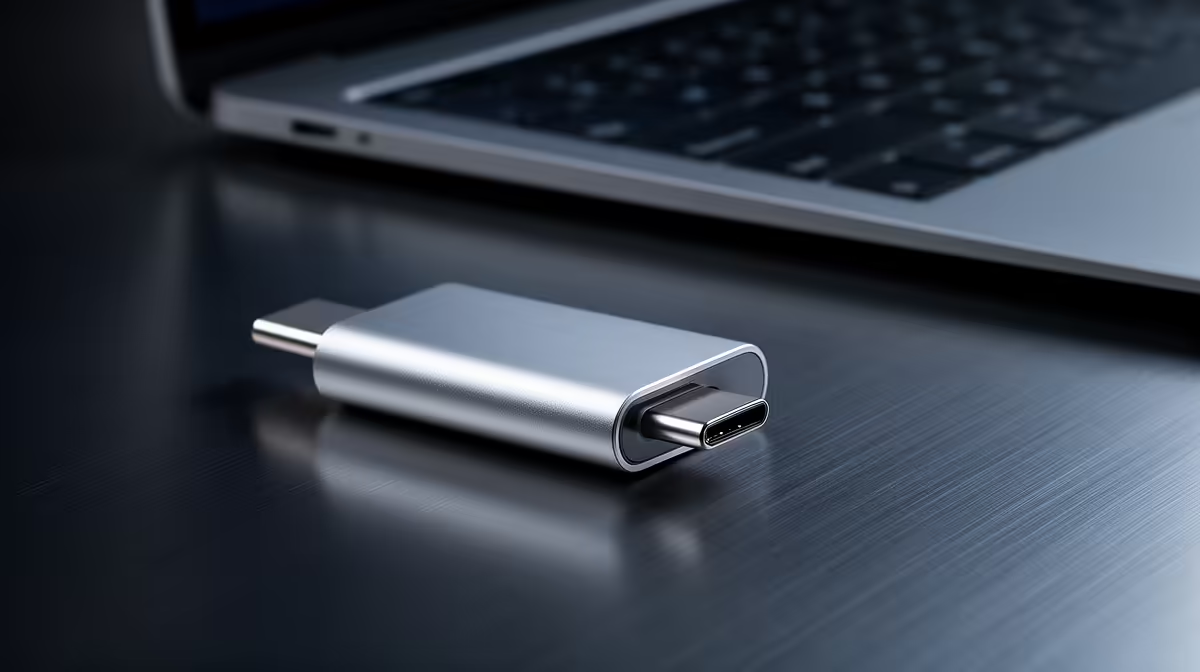
A remote worker should choose a USB-C to HDMI adapter by matching the laptop port, monitor resolution and intended refresh rate. USB-C connector shape does not guarantee video output. A stable second display matters more than an adapter with unsupported headline modes. Laptop charging remains a separate requirement unless a dock supplies approved power. Meeting audio may switch to the monitor, so the worker should verify microphone and speaker selection.
The verified product set contains no priced USB-C display adapter. Review current Evetech choices for host-port requirements, supported resolution and refresh, HDMI version, operating-system support, cable length, power needs and warranty. Read the laptop and monitor specifications together.
Connect the exact screen and open a normal document, spreadsheet, video call and shared presentation. Check text sharpness, scaling, audio routing, flicker and whether windows return after sleep. Reconnect the adapter several times and test a restart. A reliable workday depends on those handshakes more than a short demo.
Route the cable so it cannot pull against the laptop during calls. Choose a dock instead when the desk also needs charging, Ethernet, storage and multiple USB devices. The adapter is the right choice for one external display when it preserves the required mode and remains stable through sleep, calls and daily movement.
Connecting a remote-work monitor? > Ask Evetech to compare adapters, docks, displays and cables.
A remote worker is a good fit when the laptop can output video and the home desk needs an HDMI screen.
Daily calls and documents need a stable external display, so compatibility with the work laptop comes first.
Promate EZHUB-7 fits a simple remote-work monitor setup at the lowest listed price.
TransHub-Lite is another budget pick when the desk only needs a USB-C to HDMI path.
VersaHub-MST suits a home office where the dock remains connected through the working week.
Minisforum TB4-01 is better reserved for higher-end desks needing a Thunderbolt dock beyond basic display output.
PCIe 5.0 and PCIe 4.0 differ most in lane support, compatibility, and upgrade value for strategy and sim games. SA buyers should match the choice to their actual hardware and games.
Read more
AM5 vs AM4 for video editing in 4K Difference explained is mostly about compatibility, budget, upgrade path, and setup fit. SA buyers should check device support and real needs before expecting a clear win from either option.
Read more
OLED vs QD-OLED for strategy and sim games buyers - what changes is mostly about compatibility, budget, upgrade path, and setup fit. SA buyers should check device support and real needs before expecting a clear win from either option.
Read more
DisplayPort 2.1 and 1.4 differences matter when SA PC builders match GPUs, monitors, and refresh targets. Use this difference between displayport 2 1 and displayport 1 4 explained pc builders guide to avoid mismatched parts.
Read more
Ray tracing vs Path tracing depends on Strategy and sim games needs, platform limits, and budget fit. Compare compatibility, latency, upgrade path, and real setup constraints before choosing for an SA build.
Read more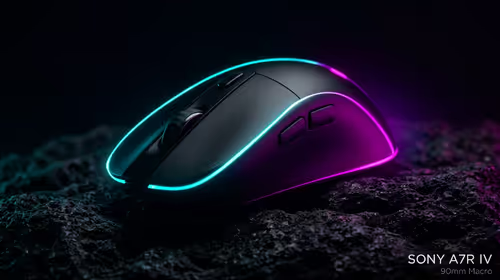
wireless mouse guide for Gqeberha gamers should be shortlisted around the job it must do. South African buyers should compare sensor, shape, weight, and wireless latency, warranty path, and upgrade room before treating any pick as best.
Read more
From 1 October 2026, WhatsApp Business Platform service replies in South Africa are expected to cost about $0.0076, or 12 cents, per delivered message.

DDR5-8000 RAM Kits pros and cons depend on the build, budget, and workload. Weigh gaming needs, platform fit, power, cooling, warranty support, and South African pricing context before shortlisting it.

Wi-Fi 6E vs Wi-Fi 6 depends on AAA single-player gaming needs, platform limits, and budget fit. Compare compatibility, latency, upgrade path, and real setup constraints before choosing for an SA build.

Ryzen 9 9950X3D dead pixel checks should isolate the panel first. Run colour fills, inspect the monitor menu, test another cable or input, and capture proof before linking it to the SA CPU upgrade.

YouTube will count public views from the first frame across video formats from 24 August, while earnings and eligibility remain tied to engaged viewing.

Canonical expects Ubuntu on WSL users to outnumber native Ubuntu desktop users before the end of 2026. The software is open source and runs inside supported Windows PCs.

Telkom's daily bundles pair WhatsApp access with 10 all-network voice minutes. The R15 option includes 300MB, while the R17 option uses a fair-use threshold.

A 10,000-hour test found similar image retention across older and newer OLED TVs, while newer panels were brighter and more efficient. Local OLED monitors started at R9,999.

Windows 11 update KB5121003 is linked to crashes in several multiplayer games on versions 24H2 and 25H2. Check the build, report the fault and avoid risky file or update changes unless the problem is confirmed on your PC.

Comsol's standalone 5G network covers about one million Gauteng homes and starts commercial ISP service in September. Early packages range from R275 to R875 a month, but coverage and fair-use rules still decide the real value.

Sennheiser's Momentum True Wireless 5 adds user-replaceable batteries, 12-hour playback and a $299.95 launch price. There is no confirmed South African date, so compare longevity with live earbuds from R199 to R2,999.

AVerMedia's GC531 and GC535 are professional HDMI capture devices for continuous streaming, with RGB24 capture up to 2K30 and 4K30. South African creators should compare them with live 4K capture cards from R2,099.