



PCIe 5.0 vs PCIe 4.0 for Strategy and Sim Games in SA
PCIe 5.0 and PCIe 4.0 differ most in lane support, compatibility, and upgrade value for strategy and sim games. SA buyers should match the choice to their actual hardware and games.
Read moreHigh-efficiency PSUs drop component temperatures, extending capacitor and VRM service life across the whole build. Specifications, real-world performance, and ZAR pricing all factor into the recommendation here.
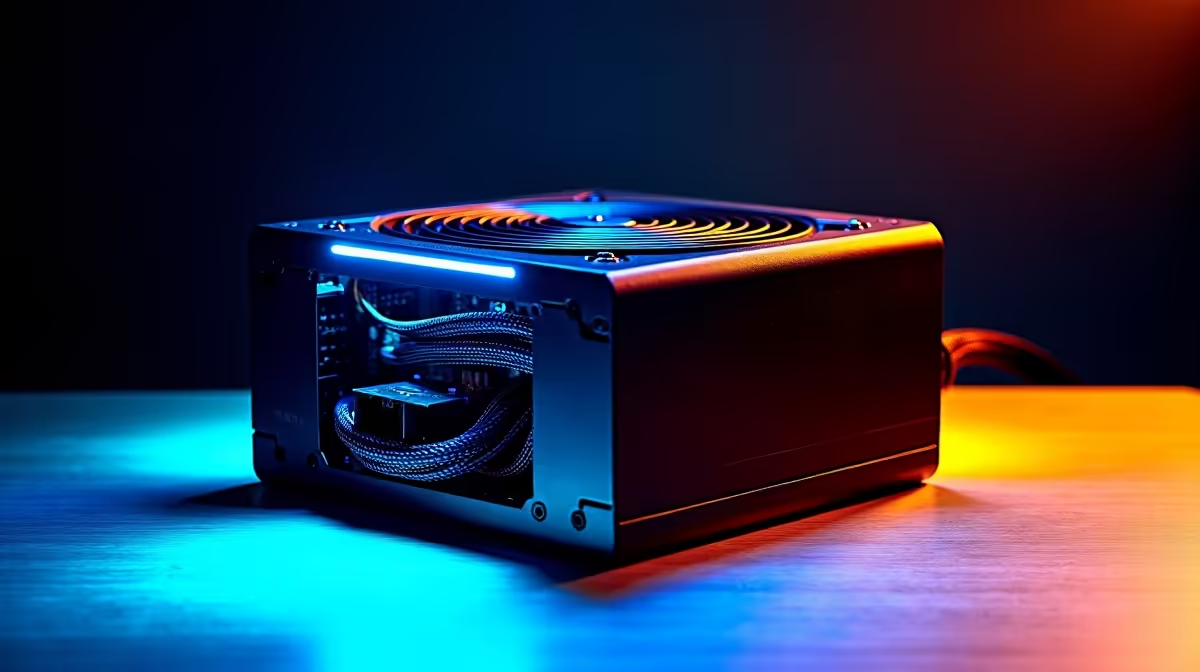
High-efficiency PSUs maximise hardware lifespan by running cooler, producing cleaner DC rails, and stressing components with less residual ripple. Install your PSU at 40 to 60 percent of rated load, enable hybrid fan mode if available, and keep ambient temperature below 35 degrees Celsius for the best long-term results.
Power supplies rated 80 Plus Platinum or Titanium convert 90 to 94 percent of AC power into usable DC, wasting only 6 to 10 percent as heat. That waste heat accelerates capacitor ageing faster than almost any other factor. Japanese-branded 105-degree-Celsius capacitors in premium PSUs resist heat degradation for 50,000 hours or more at rated temperature, versus around 20,000 hours for the 85-degree-Celsius capacitors found in budget units. For a South African gaming PC that runs 4 to 6 hours daily, 50,000 hours equates to over 20 years of component life, far exceeding the GPU or CPU lifespan. The PSU becomes the last component you replace.
Mount the PSU with the fan facing downward if your case has a vented PSU shroud, allowing the fan to draw in cooler floor-level air rather than recycling hot air from above the GPU. Ensure the PSU exhaust fan at the rear of the case is not obstructed; at least 50mm clearance behind the case is recommended. Route cables away from CPU and GPU cooler exhausts to prevent hot airflow recycling. If your PSU includes a semi-passive or hybrid fan mode, enable it in the PSU's physical switch or via software where supported; silent running at low loads means the fan motor accumulates zero wear hours during desktop tasks.
Every three to six months, power down the system, disconnect from the wall, and use compressed air to clear the PSU fan and internal heatsinks of dust. Dust acts as an insulating layer on capacitors and raises junction temperatures, accelerating ageing. Check all modular cable connections annually; thermal cycling can slightly loosen connectors over years of use. Never operate the PSU in an open bench setup without a case if you live near the South African coast, where salt air accelerates corrosion on exposed circuit boards. Keep the original box in case warranty shipping is required; local distributors often request original packaging for CPA warranty claims.
Running your PSU at 40 to 60 percent of its rated wattage gives the best combination of efficiency and heat output. A 1000W PSU powering a 500W system sits perfectly in this window and will typically run 5 to 8 degrees cooler internally than an 850W unit under the same 500W load, compounding the lifespan benefit of the extra headroom.
Indirectly, yes. A more efficient PSU produces cleaner rails with less high-frequency ripple, and ripple on the 12V line stresses the voltage regulation modules on motherboards and GPU PCBs over time. Lower ripple means less electrical stress on downstream components.
PSU internal thermal pads are not user-serviceable and opening the unit voids the warranty. Focus instead on external maintenance: dust removal, clean cable connections, and adequate airflow around the unit. Internal servicing is only appropriate for out-of-warranty units with specific failure symptoms.
A line-interactive UPS that performs automatic voltage regulation smooths minor voltage fluctuations from the mains, reducing stress on the PSU's primary-side components. For a long-term build investment, pairing a quality PSU with a basic UPS is a sensible approach in areas where the local grid experiences occasional sags.
Protecting your build investment for the long haul? Evetech stocks 80 Plus Gold, Platinum, and Titanium PSUs with long warranties from brands trusted by SA builders.
PCIe 5.0 and PCIe 4.0 differ most in lane support, compatibility, and upgrade value for strategy and sim games. SA buyers should match the choice to their actual hardware and games.
Read more
AM5 vs AM4 for video editing in 4K Difference explained is mostly about compatibility, budget, upgrade path, and setup fit. SA buyers should check device support and real needs before expecting a clear win from either option.
Read more
OLED vs QD-OLED for strategy and sim games buyers - what changes is mostly about compatibility, budget, upgrade path, and setup fit. SA buyers should check device support and real needs before expecting a clear win from either option.
Read more
DisplayPort 2.1 and 1.4 differences matter when SA PC builders match GPUs, monitors, and refresh targets. Use this difference between displayport 2 1 and displayport 1 4 explained pc builders guide to avoid mismatched parts.
Read more
Ray tracing vs Path tracing depends on Strategy and sim games needs, platform limits, and budget fit. Compare compatibility, latency, upgrade path, and real setup constraints before choosing for an SA build.
Read more
wireless mouse guide for Gqeberha gamers should be shortlisted around the job it must do. South African buyers should compare sensor, shape, weight, and wireless latency, warranty path, and upgrade room before treating any pick as best.
Read more
From 1 October 2026, WhatsApp Business Platform service replies in South Africa are expected to cost about $0.0076, or 12 cents, per delivered message.

DDR5-8000 RAM Kits pros and cons depend on the build, budget, and workload. Weigh gaming needs, platform fit, power, cooling, warranty support, and South African pricing context before shortlisting it.

Wi-Fi 6E vs Wi-Fi 6 depends on AAA single-player gaming needs, platform limits, and budget fit. Compare compatibility, latency, upgrade path, and real setup constraints before choosing for an SA build.

Ryzen 9 9950X3D dead pixel checks should isolate the panel first. Run colour fills, inspect the monitor menu, test another cable or input, and capture proof before linking it to the SA CPU upgrade.

YouTube will count public views from the first frame across video formats from 24 August, while earnings and eligibility remain tied to engaged viewing.

Canonical expects Ubuntu on WSL users to outnumber native Ubuntu desktop users before the end of 2026. The software is open source and runs inside supported Windows PCs.

Telkom's daily bundles pair WhatsApp access with 10 all-network voice minutes. The R15 option includes 300MB, while the R17 option uses a fair-use threshold.

A 10,000-hour test found similar image retention across older and newer OLED TVs, while newer panels were brighter and more efficient. Local OLED monitors started at R9,999.

Windows 11 update KB5121003 is linked to crashes in several multiplayer games on versions 24H2 and 25H2. Check the build, report the fault and avoid risky file or update changes unless the problem is confirmed on your PC.

Comsol's standalone 5G network covers about one million Gauteng homes and starts commercial ISP service in September. Early packages range from R275 to R875 a month, but coverage and fair-use rules still decide the real value.

Sennheiser's Momentum True Wireless 5 adds user-replaceable batteries, 12-hour playback and a $299.95 launch price. There is no confirmed South African date, so compare longevity with live earbuds from R199 to R2,999.

AVerMedia's GC531 and GC535 are professional HDMI capture devices for continuous streaming, with RGB24 capture up to 2K30 and 4K30. South African creators should compare them with live 4K capture cards from R2,099.