The motor count on a standing desk is not a marketing detail, it is the number that decides whether your desk lifts a triple-monitor rig steadily or wobbles its way up under the load. A single-motor versus dual-motor standing desk comparison comes down to three measurable things: how much weight the frame holds, how fast it lifts, and how steady it stays at full height. Get those right and the desk disappears into your workflow. Get them wrong and you notice the shake every time you stand up.
Quick Answer
Single-motor frames typically rate around 68 to 82kg of lifting capacity and raise at roughly 18mm per second, while dual-motor frames start near 100kg and lift at about 40mm per second with markedly less wobble at full extension. If you run more than one monitor or load the desk with heavy gear, a dual-motor frame is the correct choice. For a light single-monitor setup, single-motor saves money without real compromise.
What the Two Motor Layouts Actually Do
A single-motor desk drives both legs from one motor, usually through a connecting rod that synchronises the columns. It works, but the single drive point means the frame relies on that rod to keep the legs level, and under heavier or uneven loads that linkage is where movement creeps in.
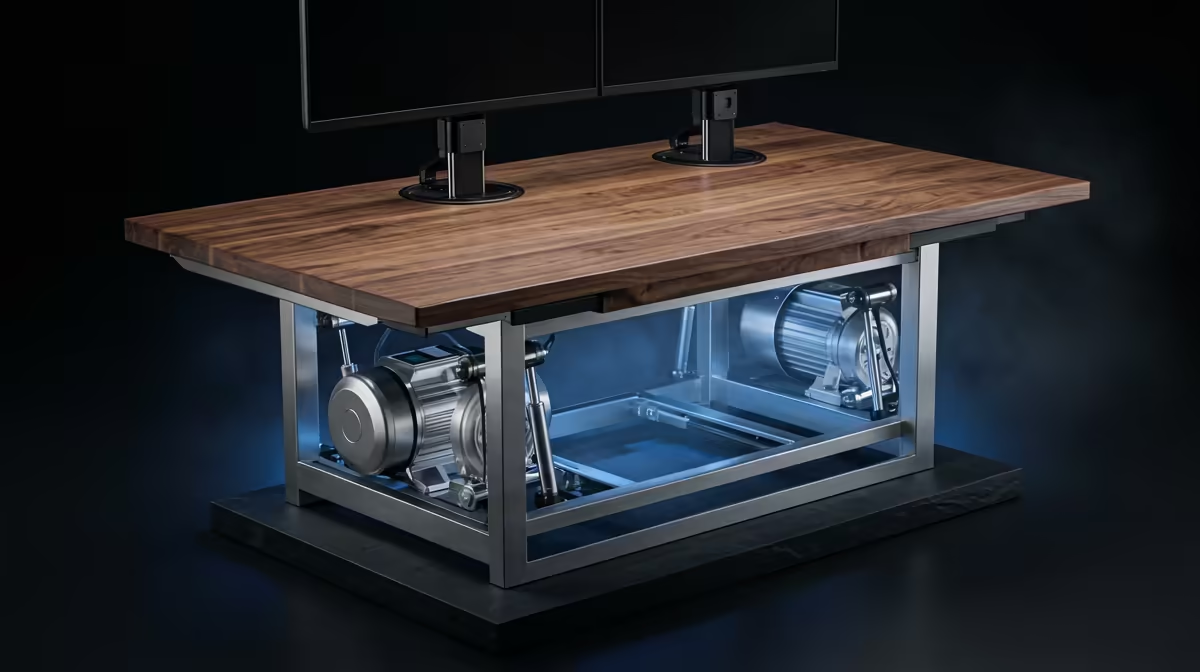
A dual-motor desk puts an independent motor in each leg. Both columns drive themselves, the load is shared, and the legs stay better synchronised because each one is actively powered rather than dragged along. That independence is the root of every practical advantage the dual-motor frame has.
If you are kitting out a workstation rather than just the frame, Evetech's gaming and standing desk range pairs naturally with a height-adjustable frame for a setup that works at both sitting and standing height.
Load Capacity: The First Number to Check
Lifting capacity is where the two layouts diverge most clearly. Single-motor frames generally rate between 68 and 82kg. That sounds like plenty until you add up a heavy monitor or two, a full desktop tower sitting on the surface, the desktop itself, and the everyday clutter of a working desk. The rating is for the motor's lifting load, not just static weight, so you do not want to run it near the ceiling.
Dual-motor frames typically start around 100kg and climb from there. With two motors sharing the work, the same load is split between them, so the frame lifts comfortably rather than straining. For anyone with a substantial setup, that margin is the difference between a desk that raises smoothly for years and one that struggles and wears.
Lift Speed and the Daily Experience
Speed sounds trivial until you adjust your desk several times a day. Single-motor frames raise at roughly 18mm per second. Dual-motor frames roughly double that at around 40mm per second. Over a full sit-stand cycle that is the difference between a brief pause and standing there waiting. If you switch positions often, the faster lift genuinely improves how willing you are to keep moving through the day.
Stability at Full Height
This is where the two layouts feel most different in practice. At maximum height, every desk has more leverage acting against it, so wobble is most pronounced when fully raised. A single-motor frame, relying on one drive point and a connecting rod, tends to show noticeable shake at full extension, especially if you type firmly or the desk carries weight off-centre.
A dual-motor frame, with each leg independently driven, holds far steadier at the top. The shared, synchronised drive keeps the columns aligned and resists the side-to-side sway that makes a tall desk feel flimsy. If you have ever watched your monitor jiggle while you type at standing height, this is the spec that fixes it.
Noise, Longevity and the Control Box
Two factors rarely listed on the spec sheet still shape the experience. The first is noise. Both layouts make some sound while raising and lowering, but a dual-motor frame moving a heavy load tends to run more smoothly and evenly than a single motor straining against the same weight, which can groan as it nears its limit. If your desk is in a shared room or a quiet home office, the steadier sound of a well-loaded dual-motor frame is more pleasant.
The second is longevity. A single motor carrying a load near its rated capacity works harder on every cycle, and components worked near their limit wear faster over years of daily use. A dual-motor frame splitting the same load across two motors keeps each one well within its comfortable range, which generally translates into a longer service life for a heavily used desk. If you raise and lower the desk many times a day, that margin matters.
Both types are driven by a control box with a memory keypad, so you can save preferred sitting and standing heights and return to them with one press. The keypad itself is similar across motor counts, but the smoothness of the travel it commands is not, which loops back to the stability and speed differences already covered.
Matching the Frame to Your Desktop
The motor frame is only half the desk. A wide or thick desktop adds weight and leverage, and a single-motor frame nearer its capacity limit will feel that more than a dual-motor one. If you plan a large surface to hold multiple monitors and a tower, the dual-motor frame's higher capacity is not a luxury, it is what keeps the whole assembly steady and within safe load. Conversely, a compact desktop with a light setup never stresses a single-motor frame, so the cheaper option is genuinely sufficient there. Size the motor choice to the desktop and the gear you will actually put on it, not to the most expensive option by default.
Which One You Should Buy
Pick single-motor if you run a single monitor and a laptop or a light tower, you rarely adjust height through the day, and budget is the priority. It does the job for a modest load without the higher price.
Pick dual-motor if you run multiple monitors, a heavy desktop, or simply want the steadiest possible surface at full height. The higher capacity, faster lift and superior stability all stack up for a serious setup, and the extra spend buys a desk you will not outgrow. To round out the workspace, the most popular desk accessories at Evetech are worth a glance so your gear matches the desk's adjustability.
Frequently Asked Questions
How much weight can a single-motor standing desk hold?
Single-motor frames typically rate between 68 and 82kg of lifting capacity. That covers a single monitor and light gear, but a multi-monitor setup with a desktop tower can push close to the limit, where a dual-motor frame is safer.
Why does a dual-motor desk feel more stable?
Each leg has its own motor, so the columns are independently driven and stay better synchronised. That keeps the frame aligned and cuts the side-to-side wobble that single-motor frames show at full height.
Is a dual-motor desk worth the extra cost?
For anyone with more than one monitor, a heavy tower, or frequent height changes, yes. You gain higher load capacity, roughly double the lift speed, and noticeably better stability. For a light single-monitor setup, single-motor is fine.
How much faster does a dual-motor desk lift?
Dual-motor frames raise at around 40mm per second against roughly 18mm per second for single-motor. That is about double, which is noticeable if you switch between sitting and standing several times a day.
Will a single-motor desk wobble when raised?
It is more prone to wobble at full height than a dual-motor frame because it drives both legs from one motor through a connecting rod. Light loads stay reasonably steady, but heavier or off-centre weight makes the shake more obvious.