



Value GPU planning for Balatro at 1440p ultrawide
Balatro at 1440p ultrawide on a R20,000 budget needs balanced GPU planning. Compare settings, CPU limits, monitor target, warranty support, and SA price movement before choosing.
Read moreA USB microphone is the right starting point for a podcast setup under R35,000. The speaker prices still frame playback options, from MARVO SG-118 R73 to Logitech Z407 Bluetooth 2.1 R1,404.
The smart audio interface for a podcast is the one that supports the microphones, headphones and recording software actually used. Do not spend the entire project allowance on extra inputs that will remain empty. A solo show may need one clean microphone channel and direct monitoring, while interviews in the same room can require two or more independent inputs and separate gain control.
No audio interface in the factpacks has a confirmed current price. The NearStream USB and XLR microphone is listed at R676, providing a flexible microphone reference while an interface is selected separately. Check live interface options for input type, phantom power, headphone monitoring, loopback, driver support, sample rates, included software, warranty and compatibility with the chosen microphones.
Map every host, guest, remote caller and sound source before shopping. Record a conversation at normal distance, adjust gain without clipping and monitor for computer noise or delay. Loopback can simplify remote audio, but software routing still needs a rehearsal. Budget for stands, cables, headphones, basic acoustic treatment and a second storage copy of each episode.
Choose an interface with one sensible spare input rather than a studio full of unused channels. Reliable drivers and clear physical controls save more sessions than decorative effects. The best allocation leaves enough for the full signal chain and room treatment, producing understandable speech without requiring complicated repairs before every episode.
Building a practical podcast kit? > Ask Evetech to compare microphones and current interfaces for the planned number of voices.
Yes, a USB microphone fits podcast recording better than speakers because voice capture is the core task.
For a podcast, recording clarity and simple computer connection should lead the choice within the under R35,000 brief.
The input names Marvo Blast 60 as a USB mic option, so focus on microphone use before playback extras.
Use speakers only for review listening, with the listed range running from MARVO SG-118 R73 to Logitech Z407 Bluetooth 2.1 R1,404.
The podcast angle makes voice capture, monitoring habits and a tidy desk setup more relevant than general entertainment sound.
Choose hardware that works with the recording computer you already use.
Balatro at 1440p ultrawide on a R20,000 budget needs balanced GPU planning. Compare settings, CPU limits, monitor target, warranty support, and SA price movement before choosing.
Read more
Every magnetic-switch keyboard in SA should be shortlisted around the job it must do. South African buyers should compare switch feel, latency, layout, and software, warranty path, and upgrade room before treating any pick as best.
Read more
Customs and warranty notes for gaming hardware in Makhanda should focus on proof of purchase, serial numbers, courier handling, and return steps. SA buyers should confirm policies before ordering costly parts.
Read more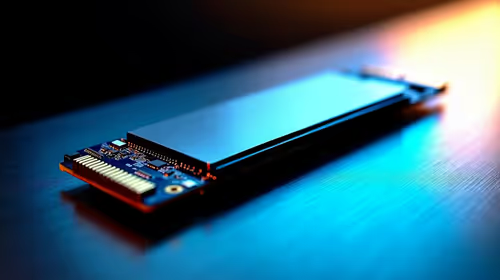
Can NVMe SSDs under R20,000 handle should be shortlisted around the job it must do. South African buyers should compare capacity, speed, thermals, and motherboard support, warranty path, and upgrade room before treating any pick as best.
Read more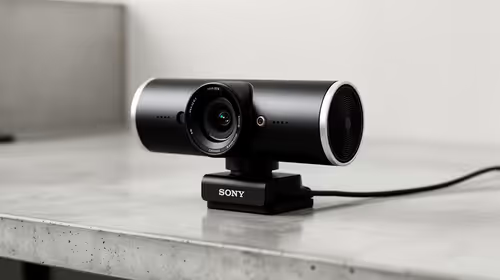
Buy now or upgrade later: webcams decisions should be shortlisted around the job it must do. South African buyers should compare fit, performance, compatibility, and upgrade room, warranty path, and upgrade room before treating any pick as best.
Read more
Frigate is free open-source NVR software running object detection locally on an Intel N100 mini-PC with a Coral TPU, versus cloud AI that requires a monthly plan. SA buyers get footage on-site with no fees and no reliance on uplink bandwidth. 📹
Read more
Chrome change search engine settings control ordinary address-bar searches. Check site shortcuts and managed-browser rules if the wrong provider keeps returning.

VASTARMOR RX 9070 XT red adds a matching red finish to the Super Alloy PRO family. Check its length, thickness and three power sockets before buying.

OLED edge rot is a panel-edge defect examined in new longevity research. Older TV results do not establish the failure rate of current gaming monitors.

Chrome translate not working often needs a page refresh or language-setting check. Test one foreign-language page before changing broader browser settings.
Chrome translate not working often needs a page refresh or language-setting check. Test one foreign-language page before changing broader browser settings.

Check when Chrome saves power, compare a repeatable task on battery and separate browser changes from battery health and Windows settings.

Find Chrome's caption control, check language and audio and bring back the floating bubble when captions disappear during playback.

Open the simplified Chrome reader, adjust type and spacing and check whether the page supports the view before changing your display setup.
Chrome change search engine settings control ordinary address-bar searches. Check site shortcuts and managed-browser rules if the wrong provider keeps returning.
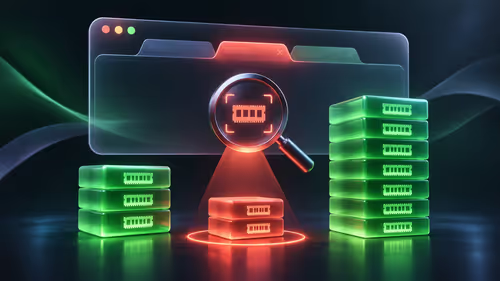
Chrome task manager helps identify resource-heavy pages and extensions. Save your work, compare the busy task and close it before deciding you need more RAM.
Chrome reset settings restores browser defaults while keeping saved bookmarks and passwords. Record essential extensions and preferences before confirming the reset.
Chrome block pop ups settings can stop unwanted windows while allowing a trusted site that needs one. Keep the exception specific instead of allowing every site.