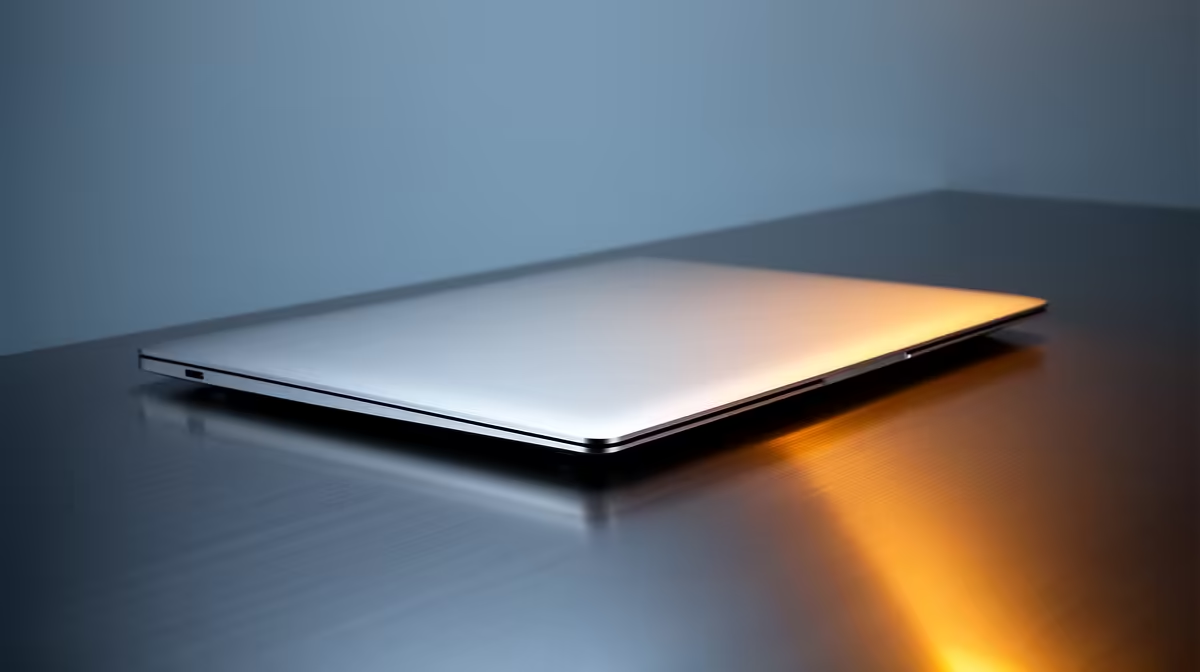
Moving from a lifetime of Windows to your first Mac is less about the hardware and more about whether the machine matches how you actually work. For most South African switchers the M5 MacBook Air with 16GB of memory, from around R24,999, is the right place to start: it covers everyday productivity and Apple Intelligence without the cost or complexity of a Pro, and macOS is far less daunting on the Air than its price-tier suggests.
Quick Answer
Buy the M5 MacBook Air 16GB first, from roughly R24,999. It handles browsing, office work, photo edits and light creative tasks comfortably, runs Apple Intelligence, and gives you a clean introduction to macOS. Step up to a Pro only if you do sustained video, 3D or heavy compile work.
Why the Air is the right first Mac
A first Mac should remove friction, not add it. The Air does that. It is fanless, so it runs silently, and the M5 chip is quick enough that the things a Windows user does all day, dozens of browser tabs, a couple of office documents, email, video calls and the odd photo edit, never make it stutter. The 16GB memory configuration matters here. macOS manages memory well, but 16GB is the sensible floor for a machine you keep for years, and it leaves headroom for Apple Intelligence features that lean on the unified memory.
What 16GB buys you over 8GB
The base 8GB models exist, but a switcher coming from a well-specced Windows laptop will feel the ceiling sooner. With 16GB you can keep many apps open, run a virtual machine for the occasional Windows program you cannot leave behind, and let the system breathe. The extra spend is small against the years you will own the machine, and it protects resale value.
When a MacBook Pro makes sense instead
The Pro is not a better first Mac for most people, it is a different tool. You want it if your work is genuinely sustained and heavy: long video exports, large Xcode or other code compiles, 3D rendering, or running demanding sessions for hours where the Air's fanless design would eventually throttle. The Pro adds active cooling, a brighter display and more ports, and it costs significantly more. If you are not sure you need that, you do not, and the money is better kept in your pocket or spent on memory and storage on the Air.
What actually changes when you switch
The hardware is the easy part. The habits take a week. Here is what trips up most Windows switchers and how it settles.
The keyboard and shortcuts
Command replaces Control for almost everything: Command-C, Command-V, Command-Q to quit an app entirely. There is no dedicated Delete-forward key on the compact layout, you use Fn plus Delete. Closing a window with the red button does not quit the app, which surprises everyone at first; Command-Q does. Within a few days the muscle memory flips.
Files, finder and the dock
Finder is macOS's File Explorer, and it hides some folders by default to keep things tidy. The Dock holds your frequent apps, and you can drag anything off it you do not use. Spotlight, opened with Command-Space, becomes the fastest way to launch apps and find files, faster than hunting through menus.
Software you relied on
Most mainstream apps have Mac versions or strong equivalents. Microsoft Office, Chrome, Spotify, Zoom and the major creative suites all run natively. For the rare Windows-only program, you can run it in a virtual machine, which is another reason the 16GB Air earns its keep. Browse the full MacBook range at Evetech to compare the current Air and Pro configurations side by side before you decide.
Storage: the one spec to get right up front
Apple storage is not user-upgradable, so choose it carefully at purchase. For a switcher who keeps documents, a photo library and a handful of apps, 512GB is the comfortable starting point. The 256GB base fills quickly once your iCloud library and downloads settle in, and you cannot add to it later. Pay for storage now rather than wrestling with a full drive in year two.
Apple Intelligence and the M5 advantage
The M5 generation leans into on-device intelligence, and the unified memory on the 16GB Air is what makes those features usable rather than sluggish. Writing tools, summarisation and smart search run locally, which keeps them quick and private. For a switcher, this is a genuine reason to start on current silicon rather than hunting an older discounted model that misses these capabilities.
Battery life is a real day-one difference
Windows laptop owners are used to nursing a charger everywhere. The Air's efficiency changes that habit. A full day of mixed work, browsing, documents, calls and music, comfortably clears a working day on one charge, and the machine wakes instantly from sleep the way a phone does. For students moving between lectures and a res desk, or professionals in and out of meetings, that all-day endurance removes a daily anxiety rather than just trimming a number on a spec sheet.
The trackpad and gestures earn their reputation
The one piece of hardware Windows switchers consistently praise after a week is the trackpad. Three-finger and four-finger swipes move between full-screen apps and desktops, a two-finger tap acts as a right-click, and the precision means you reach for an external mouse far less than you expect. It is worth spending the first few days learning the core gestures, because they do more to make macOS feel natural than any setting you can change.
Who should buy what
For students, professionals and home users coming from Windows, the 16GB M5 Air at around R24,999 is the answer in nearly every case. If you are a video editor, developer running large builds, or a 3D artist, look at the Pro and budget accordingly. And if portability and silence top your list, the Air's fanless design is a feature the Pro cannot match. When you are ready to commit, the best-selling laptops page is a quick way to see what other SA buyers are choosing right now.
Frequently Asked Questions
Which M5 MacBook should a Windows switcher buy first?
The M5 MacBook Air with 16GB of memory, from around R24,999. It covers everyday productivity and Apple Intelligence, runs cool and quiet, and introduces macOS without the price or complexity of a Pro.
Is 8GB enough, or do I need 16GB?
Get 16GB. It is the sensible floor for a machine you keep for years, gives Apple Intelligence room to work, and lets you run a Windows virtual machine for any program you cannot replace.
Can I still run my Windows programs on a Mac?
Most mainstream software has a Mac version. For the few Windows-only tools, you can run them in a virtual machine, which is easier on the 16GB configuration.
How long does it take to get used to macOS?
About a week. The biggest changes are Command replacing Control for shortcuts and Command-Q to quit apps fully. After that, Finder, the Dock and Spotlight feel natural.
Should I just buy the Pro to be safe?
Only if your work is sustained and heavy, like long video exports, large code compiles or 3D rendering. For everyone else the Pro is more machine and money than a first Mac needs.
How much storage should I choose?
Start at 512GB. Apple storage cannot be upgraded later, and the 256GB base fills up fast once your photo library and downloads settle in.