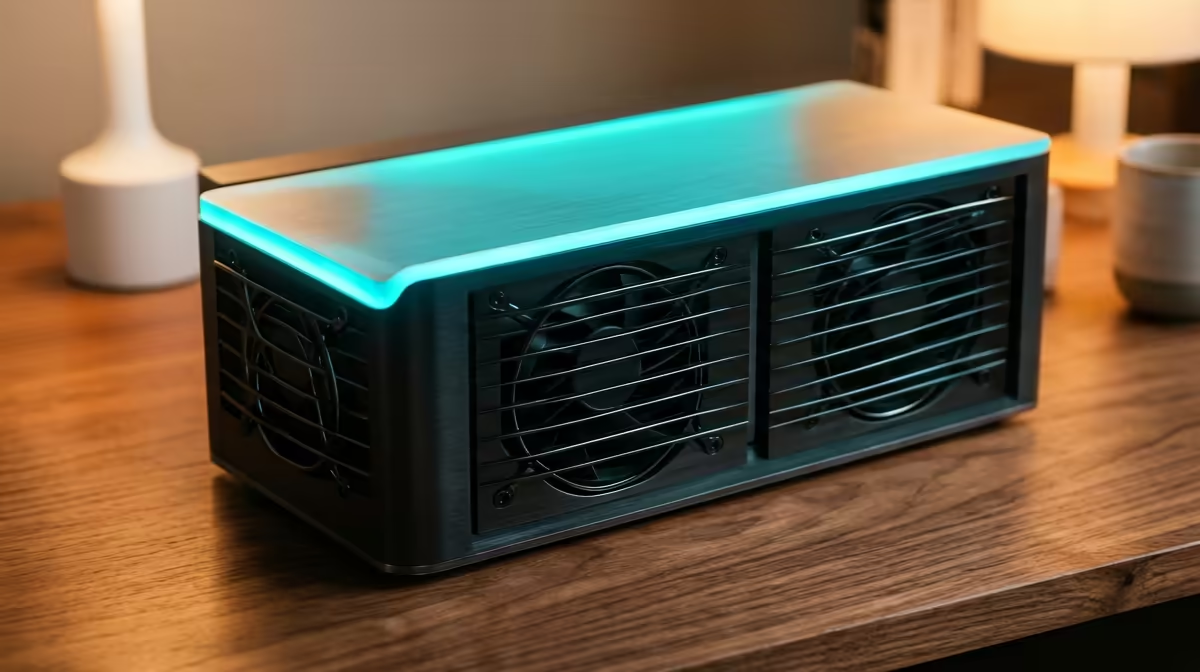
Family photos scattered across phones, a tablet running out of space, and documents lost somewhere in a free cloud account that keeps nagging you to upgrade. The best home server for a family sharing photos and documents solves all of it on hardware you own, with no monthly fees and every family member getting their own private account. A single low-power mini PC running the right two apps handles years of photos and files for the whole household.
Quick Answer
A compact, low-power mini PC running Immich for shared photo backup and Nextcloud for files and calendars is the sweet spot for a family. Immich replaces a phone photo cloud, Nextcloud replaces a file-sync service, and per-user accounts give everyone their own space. Budget for 1TB to 2TB of dedicated storage and a machine with at least 8GB of RAM to run both comfortably.
The Two Apps That Do the Heavy Lifting
You do not need a rack of software. Two well-chosen self-hosted apps cover what most families actually use cloud services for.
Immich for photos
Immich is built for one job and does it superbly: backing up and organising photos and videos from phones automatically. It behaves like the photo app your family already knows, with a timeline, albums, search and automatic phone backup, but the library lives on your own server. Each family member installs the app, signs in to their account, and their camera roll backs up in the background.
Nextcloud for files and calendars
Nextcloud is the broader tool, a full personal cloud for documents, shared folders, calendars and contacts. Where Immich is specialised, Nextcloud is the versatile workhorse for everything that is not a photo: school documents, household paperwork, shared family calendars and synced contacts across devices.
Running both side by side gives a family the full picture, automated photo backup and a flexible document cloud, without paying anyone a subscription.
Sizing the Hardware
The good news is that a family server is a light workload by modern standards, so a small, quiet, low-power machine is ideal rather than a power-hungry tower.
Memory
Plan memory per service. Nextcloud with its database wants around 1GB to 2GB, Immich with its AI-powered search and face recognition needs roughly 2GB to 4GB, and the operating system takes its share. A practical figure is to budget around 1GB per service. For a family running both apps comfortably with room to grow, 8GB of RAM is a sensible starting point, with 16GB giving more breathing room.
Storage
This is where you should not skimp, because it holds years of irreplaceable family memories. Plan for 1TB to 2TB minimum. A smart approach is to keep your operating system on a smaller, separate drive under 256GB so it backs up quickly, and put all your photos and documents on a dedicated data drive. The mini PC range at Evetech includes compact machines that take both a system drive and a larger data drive, which is exactly the layout you want.
The machine itself
A modern mini PC is the natural fit. It is small enough to tuck on a shelf, quiet enough to leave running day and night, and sips power, which matters when it is on permanently. For a family that wants something with more expansion room, the best-selling desktops at Evetech offer more drive bays for a larger photo and document archive down the line.
Setting It Up Sensibly
Choose a stable, well-supported operating system as your base. A long-term-support Linux release is the standard choice for home servers because it gets years of security updates and runs the apps reliably.
Add services one at a time. The temptation is to install everything at once, but the reliable path is to start with three or four services, confirm each is stable, then add more. Stand up Immich, get the family backing up their phones, then add Nextcloud for documents.
For accessing your photos and files when you are away from home, a secure tunnel tool is the easiest and safest method. It lets the family reach the server from anywhere without exposing it directly to the internet through risky port forwarding. That keeps the whole setup private while still being reachable from a phone on mobile data.
Backing Up the Family Server
A self-hosted server that stores irreplaceable family photos must have a backup, not as an afterthought but as part of the initial setup. The data drives everything, and a single drive failure without a backup means those memories are gone.
The practical approach is a 3-2-1 model adapted for home use: keep three copies of the data, on two different media, with one copy somewhere other than your lounge. In practice this might mean the server itself, an external drive that updates weekly via automated backup script, and an off-site copy on a remote drive at a family member's home or a small cloud storage allocation. The key is that the backup runs automatically on a schedule, not manually when you remember.
Both Immich and Nextcloud expose their data in predictable directories, so scripting a nightly backup of those directories to an external drive is straightforward. Tools like rsync or restic handle this cleanly. Run the backup job before bed and know that a new day's worth of photos is protected before morning.
Per-User Accounts Keep It Private
The feature that makes this a family server rather than a shared drive is individual accounts. Both Immich and Nextcloud support multiple users, so each person gets their own private library and files, with shared albums and folders for the things everyone should see. Parents get their space, kids get theirs, and the family holiday album is shared across all of them. No one scrolls through anyone else's private photos by accident.
Frequently Asked Questions
What is the difference between Immich and Nextcloud?
Immich is specialised for photos and videos, working like a private version of a phone photo cloud with automatic backup. Nextcloud is a broader personal cloud for documents, calendars, contacts and file sync. Running both covers a family's full needs.
How much storage does a family server need?
Plan for 1TB to 2TB minimum, since photos and videos accumulate quickly over the years. Keeping the operating system on a separate smaller drive and the data on a dedicated larger drive makes backups simpler and faster.
Can each family member have their own private account?
Yes. Both Immich and Nextcloud support multiple users, so everyone gets a private space for their own photos and files, alongside shared albums and folders for content the whole family should access.
Do I need a powerful PC for a home server?
No. A small, low-power mini PC is ideal because it runs quietly day and night and uses little electricity. Around 8GB of RAM comfortably runs both apps for a family, with storage being the spec to prioritise.
How do I access my server when away from home?
Use a secure tunnel tool, which lets you reach the server from anywhere without exposing it directly to the internet. It is the easiest and safest method, avoiding the security risks that come with manual port forwarding.
Take your family's photos and documents off rented cloud storage and onto hardware you own. Start with a compact machine from the mini PC range at Evetech and run your own private family cloud.