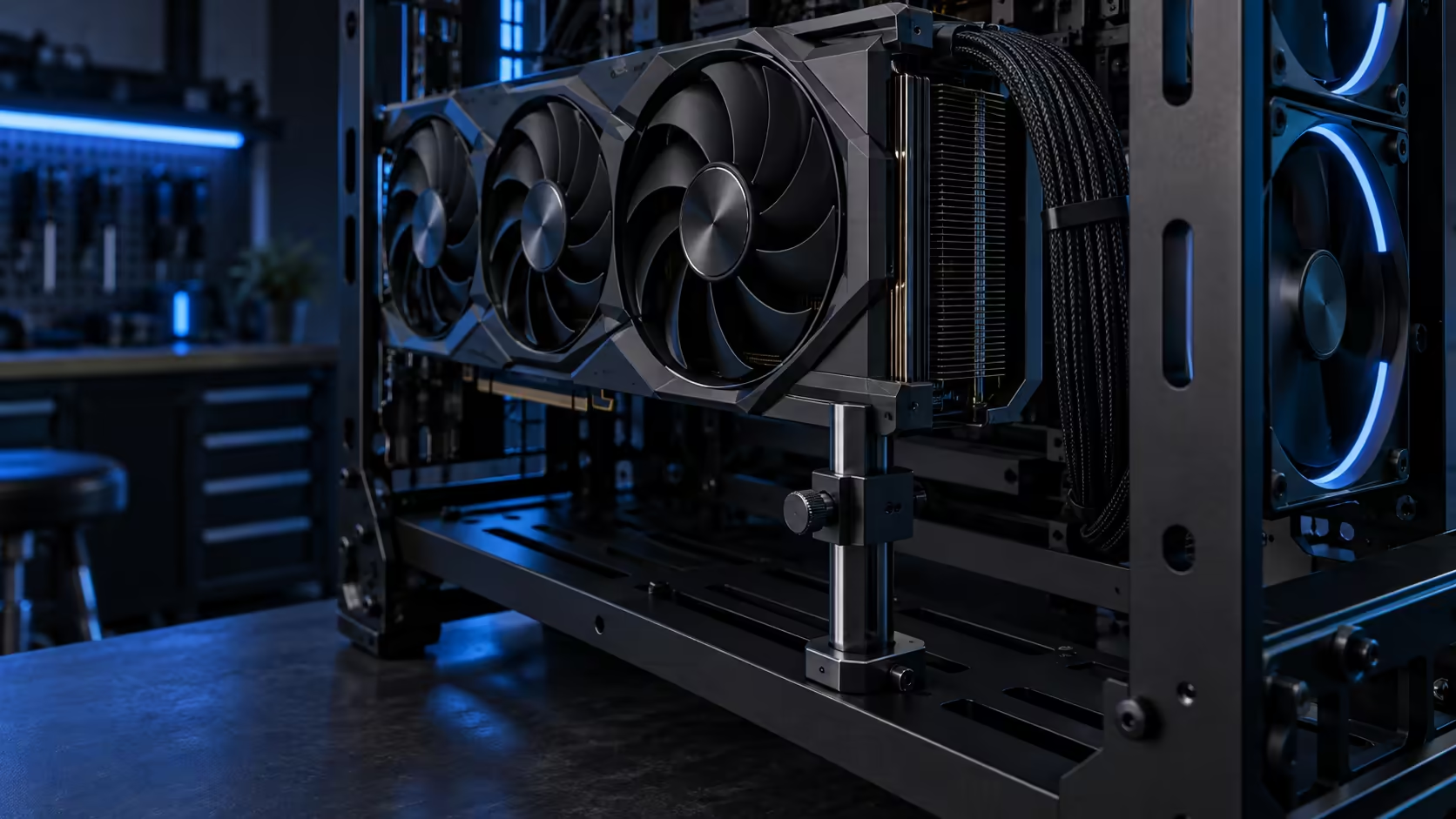
Three separate problems get lumped into one conversation whenever someone asks about fitting a big graphics card: whether it physically fits, whether it should stand up or lie flat, and what stops it drooping either way. GPU clearance, mounting orientation and anti-sag support are related but distinct decisions, and treating them as one question is how a build ends up with a card that fits, looks wrong, and sags anyway.
Quick Answer
Clearance is a hard number: confirm your card's length with its power cable attached against the case's rated figure before anything else, since nothing downstream matters if the card does not physically go in. Orientation is a choice between display appeal and mechanical simplicity, with horizontal being the lower-risk default. Anti-sag support is cheap insurance that belongs on any card of real weight regardless of which way it is mounted. The ROG GR20 Edition 20 handles all three at R15,999, rated to 368mm with three stances and enough room for a proper bracket.
📏 Clearance: settle this before anything else
A case's clearance rating is measured under specific conditions, usually the bare card without an attached power connector, so the published figure is where the check begins, not where it ends. Add the depth of whatever plug you will actually use, straight or right-angle, and compare that total against the case's number.
Case size does not automatically predict this figure the way people assume. A full-tower case is taller and typically offers more drive bays than a mid-tower, but its horizontal clearance for a graphics card depends on the specific layout between the front and the rear I/O, not on the category the case belongs to. Always check the number, never the size class.
Buy from a source that publishes the figure plainly rather than hiding it in a downloadable manual, and treat a listing that only says "supports most graphics cards" as a listing that has not actually answered the question.
🔄 Vertical mounting: the display choice, done properly
Mounting a card vertically through a PCIe riser is chosen for how it looks, not for any mechanical advantage over horizontal, and that trade-off deserves saying plainly rather than glossed over. The riser cable itself matters as much as the mount: a cheap or mismatched one, rated for an older PCIe generation than your board and card actually use, can quietly cap throughput or introduce glitches you would otherwise blame on the graphics card itself.
Vertical mounting also needs breathing room in front of the card's fans, typically at least 40mm to 60mm of clearance to the nearest panel or frame member, since a card starved of intake air by a nearby surface will run hotter regardless of how good the cooler itself is. Measure that gap before finalising a vertical build, not after the card is already installed.
Cable management deserves a mention here too, since a riser routed carelessly behind an upright card can itself block part of that intake gap. Route it flat against the frame, out of the card's direct airflow path, rather than letting it loop wherever it happens to fall during assembly.
⚙️ Anti-sag support: cheap, and worth fitting early
A support bracket or adjustable arm removes weight from the slot rather than disguising the appearance of sag, which is the entire difference between a real fix and a cosmetic one. Set an adjustable arm to just touch the card's underside without lifting it; over-tightening bends the card upward with the same force gravity would have bent it down.
A card at or above roughly 1.5kg is the point where a bracket stops being optional in most builds, and a flagship card near the top of a generation's lineup is almost always in that category. Order one from the graphics card accessories range alongside the card itself and get its base installed early, since a slot left to carry that weight unsupported for months has already taken stress that a bracket added later cannot undo.
🧭 Putting the three decisions together
Work through them in this order: confirm clearance first against your card's actual length plus its power connector, since it is the only one of the three that can outright disqualify a case. Decide orientation second, weighing display appeal against the added complexity of a riser cable. Fit anti-sag support last, sized and positioned to a card that is realistically pushing 1.5kg or more, rather than as a generic afterthought bought separately.
Treating these as one combined decision, rather than three sequential ones, is where most fitment surprises come from. A card that clears the frame but sags because support was an afterthought, or a support bracket bought before the final orientation was settled, both trace back to skipping this order.
Write the three numbers down before you shop: your card's real length with connector, your preferred orientation, and your card's approximate weight. That short list, checked against a case's own listing rather than a general impression of the brand, catches almost every fitment problem this kind of build runs into before a single screw goes in.
Keep that same list handy for the next upgrade too. A card swapped in two years from now rarely matches the original in length or weight, and revisiting the same three checks at that point takes a few minutes and avoids exactly the surprise this guide exists to prevent the first time around.
Frequently Asked Questions
Does a bigger case always mean more GPU clearance?
No. Clearance depends on the specific internal layout between the front of the case and the rear I/O, not on whether the case is classed as mid-tower or full-tower.
Is vertical mounting ever the mechanically better choice?
Rarely. It is chosen for display appeal, and it introduces a riser cable and an intake clearance requirement that horizontal mounting does not need.
At what weight does a card need a support bracket?
Once a card is pushing 1.5kg or more, treat a bracket as part of the build, not a fix you reach for after the fact.
Should I buy the support bracket before or after mounting the card?
Before. Get the bracket's base fixed in position first, then raise it to the card once everything else is seated, rather than reaching for one only after a lean has already set in.
Ready to plan clearance, orientation and support as one job, not three?
Confirm the fit first, then choose your stance, then fit support before the card goes in.