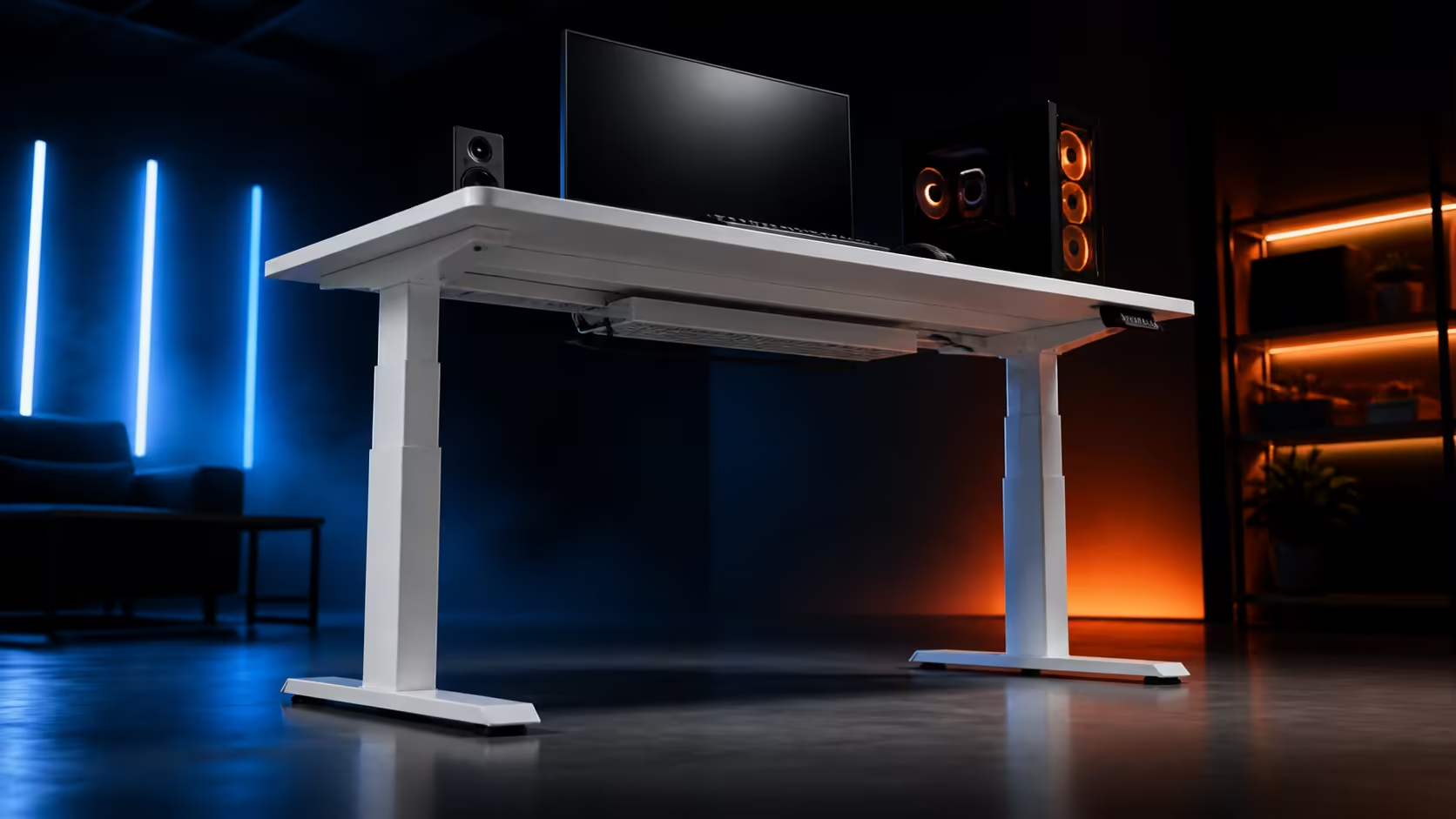
Stability is the outcome of a chain: material, geometry, assembly, floor contact, equipment position and user input. Focusing on one link produces a poor diagnosis. This guide to steel standing desk frame stability uses the R4,999 AROZZI Arena Nordico, whose sturdy steel structure carries a white worktop through 71-115cm electric travel.
Quick Answer
A steel frame gives gaming equipment a strong structural basis, but stability at standing height also depends on correct assembly, level feet, balanced loads and free cables. The R4,999 Arena Nordico combines sturdy steel with LED memory presets. Its rear zone adapts around monitor hardware, while two baskets release independently for cable service.
🧱 Understand the work performed by the frame
Steel contributes strength and rigidity, but material does not act alone. Leg-column design, cross support, feet, fasteners and the worktop connection determine how force travels through the desk. A loose connection can make good material perform poorly.
Inspect the frame before loading equipment. Components should sit fully in place and fasteners should follow the intended tightening sequence. Maximum effort is not the goal; even, correct assembly is. Recheck after several days, when initial use may reveal a settling accessory or connection.
The Arena Nordico uses a sturdy steel frame beneath its Scandinavian-style white top. Compare complete designs in the Evetech gaming desk range rather than ranking one material word without geometry or height behaviour.
Durability also follows use. Keep the vertical path clear, avoid dropping a heavy computer onto one corner and investigate new movement instead of compensating with greater force.
🦶 Make the floor part of the structure
A frame can rock when one foot rests on a grout line, rug edge or compressed section of carpet. Level the desk in the exact room position where it will operate. Test every contact and move the unit slightly if the source remains unclear.
If movement changes with floor position, correct that condition before tightening monitor hardware. Re-level after relocating from hard flooring to carpet. Discreetly noting successful foot positions can help in a room that is rearranged often.
Run the empty worktop slowly from 71cm to 115cm. Watch both leg columns, listen for contact and stop if a wall, drawer or stored item enters the path. A monitor arm may touch the wall only after rising, creating a sideways input that appears to be frame wobble.
Check the worktop attachment from several angles before reinstalling equipment. A desk mat or accessory can hide a loose object near a connection. Remove those layers during diagnosis, verify the bare structure and return them one at a time so a rattle is not confused with platform motion.
The everyday standing point deserves the main assessment, while 115cm exposes maximum extension and cable limits. Both checks matter, but a hard corner push is less representative than repeatable typing and mouse input.
⚖️ Arrange gaming equipment around support
Place heavy devices nearer central support instead of concentrating them at a far corner. A computer case, large speaker or extended monitor arm creates leverage. Add equipment one item at a time and repeat the same test to see when movement changes.
Distinguish the display from the platform. Gently steady the monitor while making an ordinary mouse sweep. If visible shaking falls while the desktop remains controlled, inspect arm tension and clamp placement. Do not treat a flexible display joint as a leg-frame fault.
Use the adjustable rear panel to choose supported monitor locations and distribute multiple mounts. Leave clamp access for later tightening. Fold each arm into its normal viewing position before testing; a far-side extension applies a different load from daily use.
Mouse movement can be quick and broad. Bring the desk to a height where the torso remains balanced and the forearm does not lean heavily against the front edge. User pressure often exceeds the force created by the mouse itself.
Speaker vibration and loose accessories can imitate structural movement. Remove desk mats during a stubborn diagnosis, secure rattling items and restore them only after the underlying platform passes. The AROZZI gaming setup page supplies family context for the full station.
🔌 Exclude cable pull before judging stability
A wall lead that becomes taut at standing height can tug the worktop or an attached device sideways. Put heavy adaptors and excess cable into the two quick-release baskets, then leave a relaxed service loop wherever the moving assembly meets the room.
Monitor leads need additional freedom at every arm pivot. Guide them through the adjustable rear zone without crossing clamp surfaces. At 115cm, connectors should remain neutral; at 71cm, returning length must stay away from feet, chair wheels and frame parts.
Include occasional audio, charging and controller leads. The broader gaming setup collection can help inventory every peripheral. A temporary cable introduced during a gaming session can become the shortest route after installation has already passed.
Once floor, frame, load and cables are controlled, compare three positions with one input sequence: type a passage, make a normal gaming mouse movement and adjust the monitor once. Consistency makes the result useful.
🎛️ Maintain the stable result
Save seated and standing levels on the LED controller only after the loaded station passes. Memory keys make the mechanical position repeatable, while a clear key map prevents shared users from stopping at unfamiliar heights.
Check visible connections after moving the desk, adding a monitor or noticing a new symptom. Constant tightening without evidence can damage hardware; targeted inspection protects both the frame and the diagnosis.
Photograph equipment placement and cable loops. If a later room change recreates movement, the image shows what differed. Record whether floor levelling, load position, arm tension or cable slack corrected the issue.
Stability should be judged through ordinary work and gaming behaviour, not one dramatic push. When the platform, screen and leads remain controlled at the user's real standing height, the steel frame is serving the complete setup as intended.
Keep the test sequence written beside any maintenance note. Another person can then reproduce the same typing, mouse and monitor inputs after a room move. Comparable evidence prevents a stronger shove or a different arm position from looking like a change in the frame.
Frequently Asked Questions
Why does a gaming standing desk need a strong base?
Screens, computers and broad mouse movement place varied loads on the moving platform. A strong base helps carry them predictably.
What causes movement to increase at standing height?
Greater extension gives sideways input more leverage. Uneven feet, extended arms and leaning can therefore become easier to notice.
How should gaming equipment be arranged?
Keep heavier items near supported areas, distribute mounts and test the normal load rather than clustering everything at one corner.
Do under-desk baskets help the gaming layout?
Yes. They support heavy adaptors and keep cable pull from being mistaken for frame movement.
Which frame and range are used here?
The Arena Nordico uses sturdy steel and adjusts electrically from 71cm to 115cm.
Can memory presets separate work and gaming modes?
They can store repeatable worktop positions where distinct tasks genuinely need them, provided each setting is tested first.
What is the steel-frame desk price?
The white AROZZI Arena Nordico costs R4,999.
Ready to test stability through the frame, floor, load and cable chain?
Compare Evetech gaming desks with your complete equipment layout and one repeatable input test ready for every height.