Quick Answer
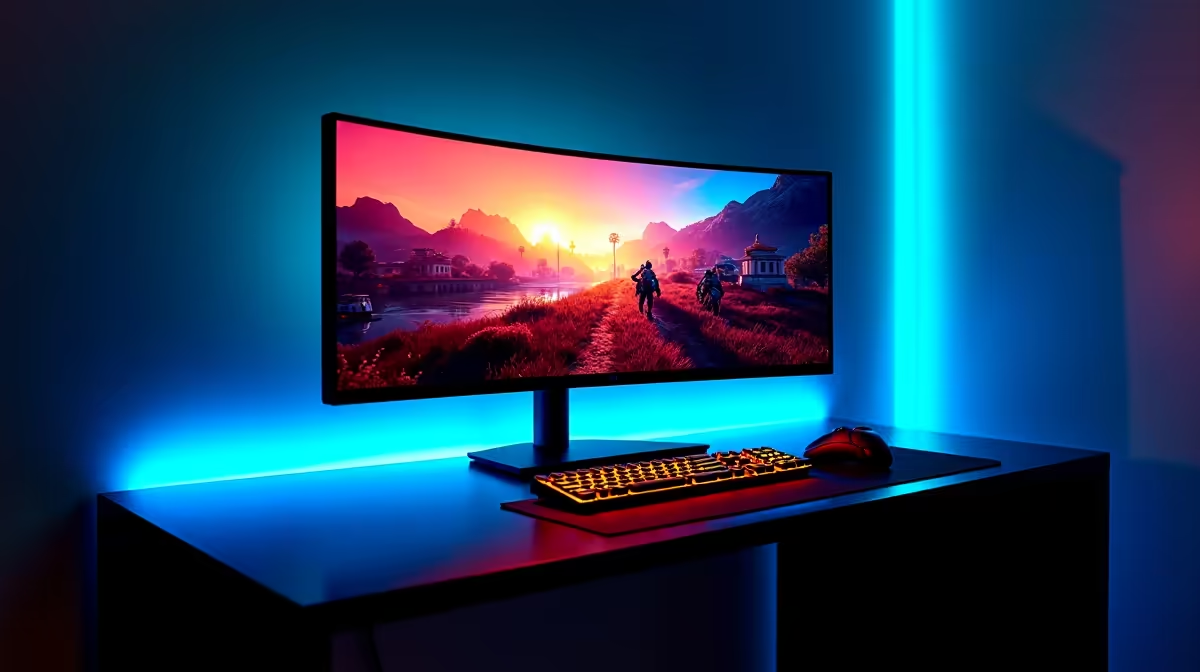
A 49-inch DFHD (Dual Full HD, 5120x1440 or 3840x1080) ultrawide monitor is effectively two 27-inch monitors joined seamlessly in one panel. It delivers a panoramic field of view ideal for simulation games, flight sims, and wide productivity workflows, but demands a powerful GPU and a desk at least 1.2 m wide to be usable.
What DFHD Resolution Actually Means 📐
DFHD stands for Dual Full HD and refers to a panel that combines two 1920x1080 or two 2560x1440 viewports side by side. The more common 49-inch format uses 5120x1440 (also called DQHD or Super Ultrawide 32:9), which gives you the pixel density of two QHD monitors. Some older or budget 49-inch models use 3840x1080, which matches two FHD panels and is noticeably softer at the same screen size. For gaming, 5120x1440 is the clear target: you get sharp text across the full width and enough pixel density (around 109 PPI) that individual pixels are not visible at 70 cm viewing distance. The Samsung Odyssey G9 and similar models using VA panels with 1000R curvature are the benchmark units in this category, typically priced from R12,000 to R25,000 depending on refresh rate and HDR tier.
GPU Requirements for 49-Inch Ultrawide Gaming 🖥️
Driving 5120x1440 at 144Hz puts significant load on your graphics card. An RTX 4070 Ti Super or RX 7900 XTX is the practical minimum for smooth 100-plus fps at high settings in demanding open-world titles. More forgiving games like simulators and strategy titles will run well on an RTX 4070 or RX 7900 GRE. At the top of the range, an RTX 5090 or RX 9070 XT can push closer to native 165 to 240Hz on these panels. Note that many competitive multiplayer games do not support 32:9 aspect ratios in their engines, so check compatibility before purchasing if that is your primary use case.
Productivity and Multitasking on a 49-Inch Panel 💼
The main productivity advantage is eliminating the physical bezel between two monitors. Video editors can run a full timeline on one half and a preview window on the other without a dead zone in the middle. Developers commonly run a code editor, terminal, and browser in a three-column layout with no overlap. South African streaming and content creators using DaVinci Resolve or Adobe Premiere will find the wide canvas genuinely speeds up colour grading workflows. The downside is that not all software respects 32:9 ratios: some applications open maximised windows that stretch awkwardly across the full width. Windows 11's Snap Layouts feature handles multi-zone management reasonably well.
Check Game Support Before Buying ⚡
committing to a 49-inch ultrawide, open the settings menu of your three most-played games and confirm they list 5120x1440 or a 32:9 option. Games like Counter-Strike 2 and Valorant cap at 16:9 by default and will either stretch the image or add black bars at the sides.
FAQ
Do I need a special desk for a 49-inch monitor?
Yes. Most 49-inch panels are 110 to 120 cm wide and require a desk at least 140 cm across for safe placement with room for keyboard and mouse. A depth of at least 70 cm is also recommended so the curved panel does not feel overwhelming at close range.
Does 3840x1080 look bad on a 49-inch screen?
At close viewing distances of under 70 cm it can look noticeably softer than 5120x1440, particularly for text. If you plan to use the monitor for reading, coding, or document work, 5120x1440 is worth the extra cost. For sim gaming at a normal desk depth, 3840x1080 is still enjoyable.
Is FreeSync or G-Sync necessary on a 49-inch ultrawide?
Adaptive sync is strongly recommended. At the GPU budgets required to drive these panels you will still drop below the native refresh rate in demanding games, and screen tearing across a 49-inch panel is far more distracting than on a 27-inch screen. Look for FreeSync Premium Pro or G-Sync Compatible certification.
Looking for a 49-inch ultrawide monitor?
Evetech stocks 49-inch DFHD and DQHD ultrawide gaming monitors including curved 1000R panels, browse the full range online or visit the Evetech store.