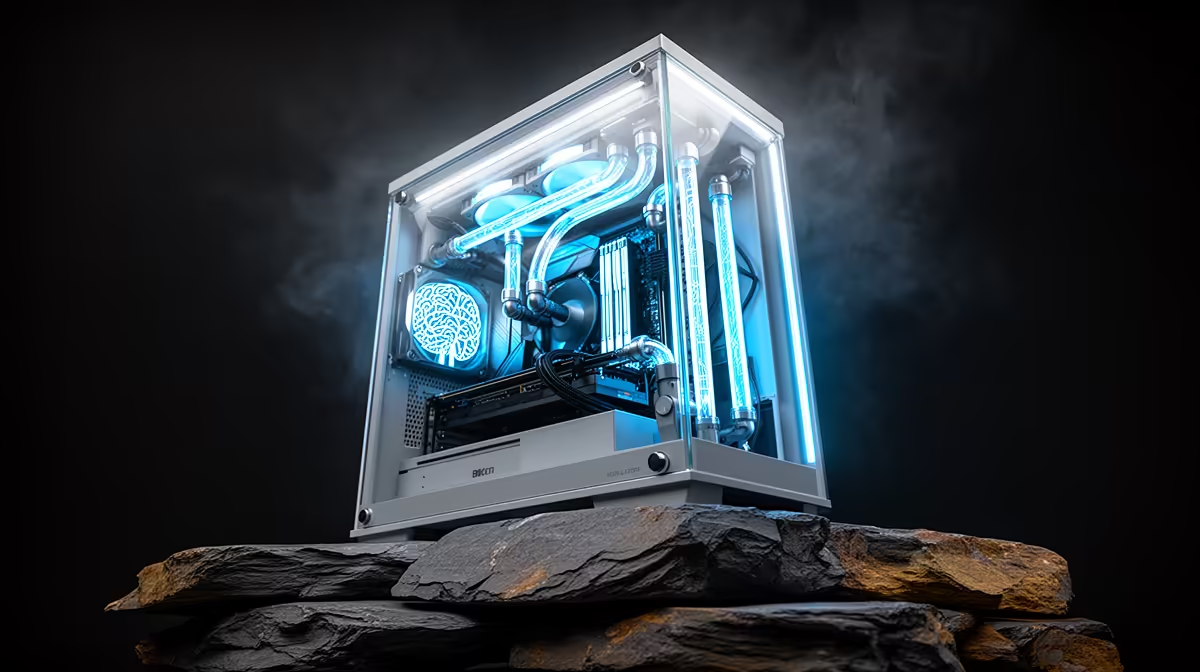
There is a quiet split forming in how developers use AI to write code. One camp leans on cloud agents that orchestrate large frontier models over the internet. The other runs smaller open models entirely on local silicon for privacy, offline work and zero per-token cost. The hybrid AI coding rig refuses to choose, putting both workflows on one machine: a powerful GPU drives local inference while the same box quietly talks to cloud agents that barely touch its hardware.
Quick Answer
A single RTX 5090 with 32GB of VRAM runs quantised 32B local models (roughly 19 to 20GB at Q4, around 60 tokens per second) while cloud agents like Claude Code lean almost entirely on bandwidth and need only a few GB of RAM to run their terminal client. Pair the GPU with a modern 12 to 16 core CPU and 64GB of system RAM and one tower handles both styles of AI coding comfortably.
What "hybrid" actually means here
The two workflows place wildly different demands on a PC, and that asymmetry is exactly why they coexist so well.
Local inference is GPU-bound. The model weights must fit in VRAM, and the faster the memory, the faster the tokens stream back. Cloud agents are the opposite: the heavy model lives in a data centre, so your machine just runs a lightweight client, sends prompts and receives diffs over your fibre line. One job hammers the graphics card; the other sips a handful of CPU cycles and some bandwidth. Build for the demanding half and the easy half comes free.
The GPU is the whole ballgame for local models
VRAM capacity sets a hard ceiling on which models are even loadable, while memory bandwidth governs how fast tokens arrive once a model is running. The RTX 5090 launched in early 2025 with 32GB of GDDR7 on a 512-bit bus, delivering around 1.79 TB/s of bandwidth, a large jump over the previous generation.
That 32GB is the sweet spot for serious local coding assistants:
- A 32B-parameter model in Q4 quantisation occupies roughly 19 to 20GB of VRAM, with room left over for the context cache.
- Benchmarks put the 5090 at around 60 tokens per second on a 32B model, fast enough for interactive use rather than waiting on a wall of text.
- Smaller 7B and 8B coding models scream along at well over 200 tokens per second, ideal for quick autocomplete-style help.
If your budget sits below the 5090, a 24GB card still runs 32B models at heavier quantisation or comfortably handles 13B to 14B models, which are very usable for everyday coding. The principle does not change: prioritise VRAM first, then bandwidth. The current AI PC range is built around exactly this logic, with GPU-forward configurations aimed at local inference.
Why cloud agents need almost nothing locally
Tools like Claude Code run as a terminal client. The actual reasoning happens server-side, so your machine spends its effort displaying output, applying file edits and running your project. A few GB of RAM for the client and your normal development environment is plenty. This is the part many people overspend on without realising the work is happening elsewhere.
The supporting cast: CPU, RAM and storage
A GPU cannot work in isolation, and a hybrid rig has a second life as your everyday development machine.
- CPU: a current 12 to 16 core chip keeps compilers, test suites, containers and the local model's overhead fed. You do not need the absolute flagship; you need consistent multi-threaded throughput.
- System RAM: 64GB is the practical target. It covers a fat IDE, multiple browser tabs, several Docker containers and the model loader at once. 128GB only earns its place if you push toward very large models or heavy virtualisation.
- Storage: an NVMe SSD matters more than people expect, because model weights are many gigabytes and load far faster off fast flash. A roomy NVMe drive shortens the wait every time you swap models.
Cooling, power and the SA reality
The 5090 draws around 575W on its own, so a hybrid rig needs a generous, quality power supply and real airflow. A case with proper intake and exhaust, and ideally a high-airflow or AIO cooling layout, keeps both sustained local inference and long compile jobs from throttling. Budget for a PSU with comfortable headroom rather than one running at its limit.
On running costs, the maths is genuinely friendly. Local inference turns a fixed hardware outlay into effectively unlimited free tokens, which suits privacy-sensitive code and offline work. Cloud agents add a usage fee but hand you frontier-class reasoning for the hard problems. Running both means you route cheap, private, repetitive work to the local model and save the cloud calls for the moments that truly need a bigger brain. For a clear view of which complete builds are already configured for GPU-heavy workloads, browsing the PC best sellers puts popular high-end towers side by side without having to spec from scratch.
Who this rig is for
This is not a beginner's first PC. It makes sense for developers who already lean on AI daily and want to stop choosing between privacy and power: indie founders shipping a product, freelancers handling client code that cannot leave the building, and engineers who want a local fallback when the line drops. If you only ever use cloud tools occasionally, a mid-range machine is smarter. If local AI is becoming part of how you work every day, the hybrid approach earns its keep.
Frequently Asked Questions
Do I really need 32GB of VRAM for local AI coding?
For 32B-class models, effectively yes. They need roughly 19 to 20GB at Q4 quantisation, and 32GB leaves room for context and a comfortable margin. With a 24GB card you can still run 32B at heavier quantisation or run excellent 13B to 14B models, so it is a capable step down rather than a dead end.
How much system RAM should a hybrid rig have?
64GB is the sweet spot for most developers. It comfortably holds a heavy IDE, browser, containers and the local model loader together. Move to 128GB only when your workload genuinely involves very large models or multiple virtual machines running concurrently with inference.
Will cloud agents like Claude Code slow down my PC?
No. They run as a lightweight terminal client while the model itself runs in the cloud, so they use only a small amount of RAM and rely mainly on your internet connection. The demanding work, if any, comes from your own builds and tests, not the agent.
Is the RTX 5090 overkill if I mostly use cloud tools?
If your work is almost entirely cloud-based, a more modest GPU is the wiser spend. The 5090's value lies in fast local inference. Buy it because you intend to run capable models on your own machine, not just to drive a cloud client.
What internet speed do cloud coding agents need?
A stable SA fibre connection is the real requirement rather than raw peak speed. Cloud agents exchange prompts and code diffs, which are modest in size, so consistent low-latency bandwidth matters more than a huge headline figure.
Building one machine to handle both local models and cloud agents starts with the right GPU and a balanced platform around it. Explore GPU-forward configurations in the AI PC range and match the rest of the build to the way you actually code.