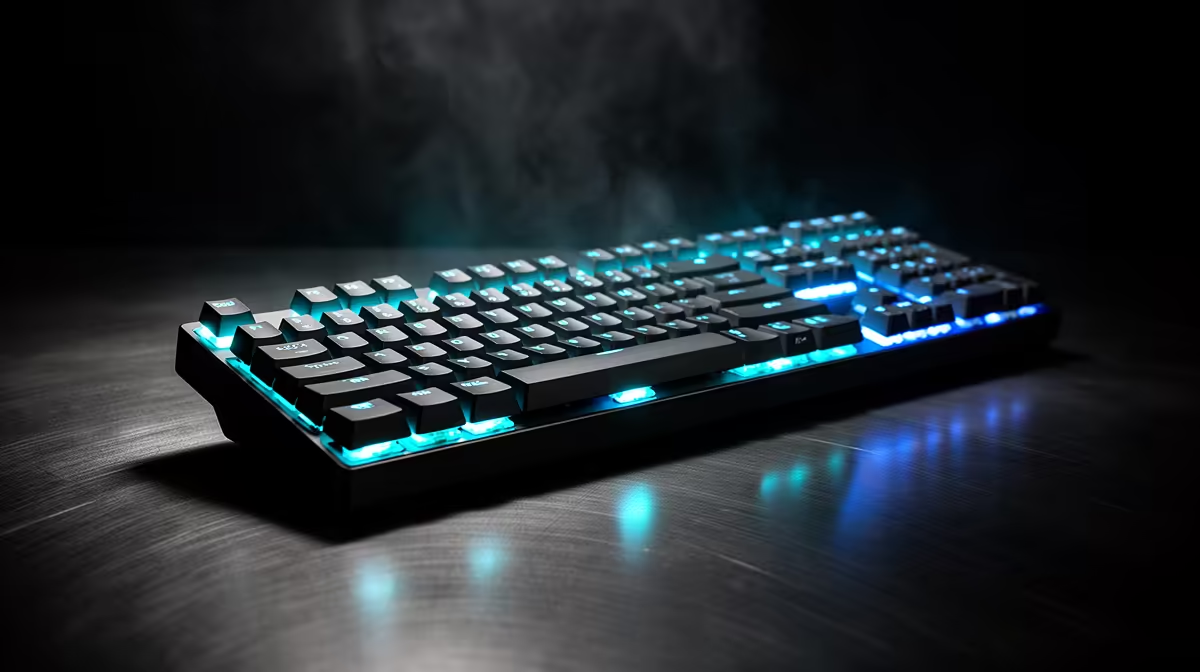
Tenkeyless keeps the function row, arrows and navigation cluster while removing the number pad. Full-size adds that number pad on the right. Your daily number entry and mouse space decide which trade makes sense.
Quick Answer
Choose TKL when you want familiar keys and more room for the mouse arm. Choose full-size when you enter numbers, use numpad shortcuts or rely on dedicated calculator-style controls every day.
A separate numpad can give you both: place it beside the keyboard for work and move it away for games. Compare the physical options through gaming keyboard deals, then check popular keyboard models for layouts and switch types that match the desk.
What TKL Keeps
TKL stands for tenkeyless. A common layout retains the alphanumeric block, F1 through F12, a separated arrow cluster and keys such as Insert, Delete, Home, End, Page Up and Page Down.
That makes it easy to move from a standard office keyboard. Most shortcuts remain where your muscle memory expects them, and games with function-key commands do not need a layer.
The missing block is the numpad. Number-row entry remains available, and some TKL models provide embedded numpad layers. Neither feels the same as a dedicated grid to a frequent data-entry user.
What Full-Size Adds
Full-size places a number pad on the right, normally with arithmetic keys, Num Lock and a separate Enter. It suits spreadsheets, accounting tools, point-of-sale work, creative shortcuts and games that bind extra controls there.
The added width pushes the mouse farther from the keyboard if both sit straight. You can rotate the board or move it left, but the main typing position may leave the centre of your body.
Some full-size keyboards add media buttons, macro columns and a wrist rest, making the footprint larger again. Measure the actual product rather than assuming every 100 percent layout uses the same case width.
Mouse Room Is the Main Gaming Argument
Low-sensitivity players use broad arm swipes. A full-size board can occupy the space where the mouse needs to travel, especially on a narrow desk. Contact between mouse and keyboard breaks a turn and encourages you to angle the board.
TKL removes a wide block while keeping direct arrows and function keys. The mouse can sit closer to the shoulder line, and the keyboard can remain straighter.
High-sensitivity players make smaller wrist and finger movements and may have enough space for full-size. Measure your largest comfortable swipe before changing a layout you like.
Centre the Typing Position
Place the G and H area near the centre of your body for ordinary typing. Let the mouse sit where the forearm can move without pushing the elbow out.
A wide keyboard can force one device away from that neutral area. Moving the keyboard far left makes number entry convenient and can twist the typing posture. Moving the mouse far right increases shoulder reach.
TKL reduces the conflict. A full-size board can work on a deep, wide desk or for someone who alternates between typing and mouse tasks rather than using both at once.
Adjust chair, armrest and desk height with the layout. Stop and reassess if you feel pain, tingling or numbness.
Count Real Numpad Work
Track your use for a week. Count number-heavy spreadsheet rows, calculator entry, invoices, codes and keyboard shortcuts assigned to the pad. Include work applications that treat numpad Enter or operators differently.
Occasional numbers can be quicker on the top row than moving your hand to a separate block. Hours of numeric entry favour the grid and its tactile home point on 5.
Some games use numpad keys for cameras, views or simulation controls. Remapping can help, but a full-size board gives you the commands without layers.
A Separate Numpad Is a Flexible Answer
An external numpad can sit on the right during data entry and go into a drawer during a shooter session. Put it on the left to keep the mouse close while entering numbers with the other hand.
Check connection, switch feel and key map. A wireless pad avoids another cable, while a wired unit is ready without charging. Onboard remapping can turn it into a macro or shortcut panel where software and workplace rules allow it.
Make sure Num Lock and operating-system behaviour work with your applications. Some compact pads omit operators or use a non-standard zero key. Compare the exact layout.
The two-device approach costs more and creates another item to charge or pack. It earns that complexity when your desk changes between work and play.
Shorter Full-Size Alternatives
Compact full-size and 96 percent layouts squeeze the arrows, navigation keys and numpad together. They preserve number entry in less width than a traditional full-size case.
The dense arrangement can make it harder to find arrows or Delete by touch. Key sizes and positions may differ, which affects replacement keycap sets and muscle memory.
Consider one when the numpad is essential and every centimetre matters. Look at the actual diagram and case measurement because percentage labels vary.
Switch Feel Does Not Follow Size
TKL and full-size boards can use membrane, mechanical, optical or magnetic switches. The layout says nothing about actuation, latency or sound.
Linear switches offer smooth travel, tactile switches add a bump, and clicky switches add audible feedback. Magnetic designs can provide adjustable actuation and rapid trigger. Choose those features after the key count.
A full-size board has more switches and keycaps, which can affect price within the same series. It can also offer a broader wrist rest. Compare the named models and included accessories.
Keycap and Layout Compatibility
Standard TKL and full-size ANSI boards are easy to cover with many replacement keycap sets. ISO versions use a different Enter key and left Shift area. South African users should confirm the physical arrangement and legends they expect.
Compact full-size designs can use non-standard right-side keys. Read the key sizes before buying a custom set.
The numpad gives you additional stabilised keys such as zero, plus and Enter. Stabiliser quality affects their sound and feel. Test those keys if number entry is the reason for buying full-size.
Wireless and Shared Desks
A wireless TKL is easy to move out of the way for a laptop or drawing tablet. Check whether it uses a low-latency 2.4GHz receiver, Bluetooth, or both. Receiver storage helps when you travel.
Full-size wireless boards need a battery sized for more lighting and a larger case, though real battery performance depends on electronics and settings. Check the model's supported modes.
In a shared home office, onboard profiles can preserve remaps between computers. Confirm whether the board switches devices cleanly and whether security policy permits its wireless mode.
Tournament and LAN Use
TKL fits into a bag more easily than full-size and occupies less of a crowded station. Use a case that protects switches and the USB connector.
Full-size can still be the right event board for a simulation title or a player with numpad binds. Check the event desk and permitted equipment before arriving.
Bring the cable even for a wireless model. A crowded radio environment or flat battery should not end the session.
Make the Choice With Tape
Find the dimensions of the two candidates. Mark each outline on the desk with removable tape. Place the mousepad and trace your normal swipe area.
Work inside each outline for an afternoon. Enter numbers on the top row for the TKL simulation. For the full-size outline, keep the mouse outside the marked keyboard edge.
The exercise shows whether saved width changes your arm position and whether losing the numpad slows actual work. It is more useful than choosing from a percentage name.
Who Should Buy TKL?
TKL suits mixed work and gaming when direct function, arrow and navigation keys matter but number entry is occasional. It gives most of the familiar desktop layout in a narrower body.
It is also a comfortable first compact keyboard. You avoid the layer learning of 60 or 65 percent while gaining obvious mouse room.
Add a separate pad later if a new job or hobby creates heavy number entry.
Who Should Keep Full-Size?
Full-size suits anyone whose numpad saves time every day. It works well on a broad desk, in a number-heavy role or in a simulator with many binds.
Do not remove a productive tool because TKL is popular in shooters. Create space through desk layout, a larger pad or a separate gaming station when number entry is central to your work.
The best keyboard keeps your common commands under one press and leaves enough room for the mouse movement you use.
FAQ
Is TKL better for gaming?
It creates more mouse room while keeping arrows and F-keys. Full-size can play the same games and may suit titles with numpad binds.
Can you add a numpad to a TKL keyboard?
Yes. A separate USB or wireless numpad can sit on either side and be removed when you need mouse space.
Is a 96 percent keyboard the same as full-size?
It keeps most or all full-size functions but packs the groups into a narrower arrangement. Check its exact navigation keys and keycap sizes.
Count your real numpad hours and mark the mouse space on your desk, then choose TKL or full-size from that evidence.