



PCIe 5.0 vs PCIe 4.0 for Strategy and Sim Games in SA
PCIe 5.0 and PCIe 4.0 differ most in lane support, compatibility, and upgrade value for strategy and sim games. SA buyers should match the choice to their actual hardware and games.
Read moreA USB microphone houses its own analogue-to-digital converter and records directly into any PC without additional hardware, while an XLR microphone is a purely analogue device requiring an audio interface or mixer to supply gain and phantom power for condenser models.
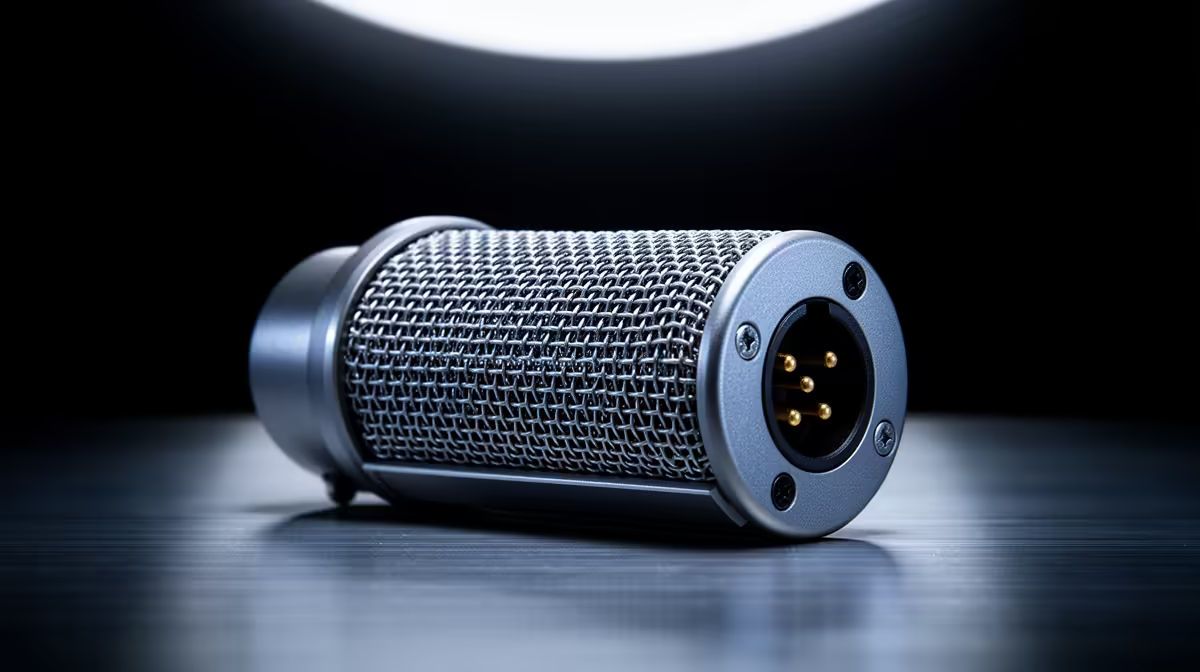
The single question that decides your whole home studio chain is where the analogue-to-digital conversion happens. A USB microphone does it inside the mic body and drops straight into a USB port. An XLR microphone is a purely analogue device that hands its signal to an external audio interface, which supplies the gain and, for condenser models, the phantom power. Everything else, from cost to upgrade path, flows from that one difference.
For most people starting out, a USB microphone is the right call: plug it in, pick it in your software, and you are recording within minutes. Choose XLR with an audio interface when you want a modular chain you can upgrade piece by piece, run condenser mics on phantom power, or expand to a second mic later. USB wins on simplicity, XLR wins on long-term flexibility.
A USB mic carries its own converter, often called an ADC, plus a small preamp, all on a chip inside the housing. The computer sees it as an audio device the moment you connect it, with no driver fuss on any current operating system. There is nothing to set up between the capsule and the recording.
An XLR mic outputs an analogue signal over a three-pin balanced cable. That signal needs an audio interface or mixer to add gain, convert it to digital, and pass it to the PC over USB. Condenser mics also need 48V phantom power, a switch the interface provides, to charge the capsule before it can produce a signal at all.
A USB mic is the cheaper entry because the converter and preamp are already inside it, so there is no second box to buy. An XLR setup costs more to start because the mic is only half the chain: you also need an interface and a cable. That extra outlay is not wasted money, it is what buys you the upgrade path, but it is a real difference on day one and worth budgeting for before you commit.
It is also worth knowing that at the budget end, a well-made USB mic often sounds better than a cheap XLR mic paired with a cheap interface, because the USB unit is engineered as one matched system with no mismatch between mic and preamp. The XLR advantage shows up as you climb in price.
Where XLR pulls ahead is at the mid and upper tiers. A good condenser on a clean interface gives you a lower noise floor and more headroom, and crucially, every link in the chain is swappable. You can change the interface, add a better preamp, or try a different mic without replacing everything. A USB mic is a closed system: when you outgrow it, you replace the whole unit.
For monitoring, most interfaces offer near-zero-latency direct monitoring so you hear yourself in real time, and many USB mics now include a headphone jack that does the same. If you want a sense of what the market is reaching for, the headsets and headphones range pairs naturally with either mic type for monitoring, and the fastest-moving headset picks are a quick read on what creators are pairing with their mics.
The quality gap between USB and XLR has narrowed considerably. Premium USB mics now achieve 24-bit/96kHz conversion with very low noise floors, approaching the performance of budget XLR interfaces. Hybrid microphones, those with both USB and XLR outputs like the Shure MV7, offer a practical entry point: you start on USB for simplicity and shift to XLR and an interface when your needs grow, without buying a new microphone. That flexibility makes hybrids particularly good value for creators who are not yet sure how far they intend to take their setup.
Running two USB mics simultaneously on one computer is genuinely awkward. Operating systems treat each USB audio device as a separate clock, which causes synchronisation drift over time, audible as a gradually shifting delay between the two channels. Solving it requires routing software and careful configuration that most beginners do not want to deal with. Two XLR mics into a two-input interface, on the other hand, are perfectly synchronised by design. If you plan to run a co-host or record a second source at the same time, that is the decisive argument for XLR.
Choose USB if you stream, podcast solo, or take a lot of calls and value getting clean audio fast with no signal-chain knowledge required. Choose XLR if you record music, plan to add a co-host mic, or expect your needs to grow, because the modular chain rewards investment over time. Neither is a downgrade; they are answers to different questions about how far you intend to take it.
Yes, for streaming, podcasting and calls a quality USB mic delivers clean, professional-sounding audio. XLR only meaningfully pulls ahead once you spend up into better interfaces and condenser mics.
No. Condenser mics need 48V phantom power to charge the capsule, but dynamic mics work without it. Phantom power is a switch on the interface, and you only enable it for mics that require it.
That depends on the interface. A two-input interface lets you run two XLR mics at once, each with its own gain. This expandability is one of the main reasons people choose XLR over USB.
Because the USB mic is built as one matched system, while a budget XLR chain pairs a cheap mic with a cheap preamp that may not complement each other. The XLR advantage appears as you move up in quality.
You might, if you move into multi-mic recording or want to fine-tune your signal chain. A USB mic is a single closed unit, so upgrading means replacing it, whereas an XLR chain lets you swap one component at a time.
Building a home studio and weighing USB against XLR? Pair your choice with proper monitoring from the headphones and headset range at Evetech (https://www.evetech.co.za/components/headphone-headsets-100) and get the full chain right the first time.
Yes, for streaming, podcasting and calls a quality USB mic delivers clean, professional-sounding audio. XLR only meaningfully pulls ahead once you spend up into better interfaces and condenser mics.
No. Condenser mics need 48V phantom power to charge the capsule, but dynamic mics work without it. Phantom power is a switch on the interface, and you only enable it for mics that require it.
That depends on the interface. A two-input interface lets you run two XLR mics at once, each with its own gain. This expandability is one of the main reasons people choose XLR over USB.
Because the USB mic is built as one matched system, while a budget XLR chain pairs a cheap mic with a cheap preamp that may not complement each other. The XLR advantage appears as you move up in quality.
You might, if you move into multi-mic recording or want to fine-tune your signal chain. A USB mic is a single closed unit, so upgrading means replacing it, whereas an XLR chain lets you swap one component at a time.
PCIe 5.0 and PCIe 4.0 differ most in lane support, compatibility, and upgrade value for strategy and sim games. SA buyers should match the choice to their actual hardware and games.
Read more
AM5 vs AM4 for video editing in 4K Difference explained is mostly about compatibility, budget, upgrade path, and setup fit. SA buyers should check device support and real needs before expecting a clear win from either option.
Read more
OLED vs QD-OLED for strategy and sim games buyers - what changes is mostly about compatibility, budget, upgrade path, and setup fit. SA buyers should check device support and real needs before expecting a clear win from either option.
Read more
DisplayPort 2.1 and 1.4 differences matter when SA PC builders match GPUs, monitors, and refresh targets. Use this difference between displayport 2 1 and displayport 1 4 explained pc builders guide to avoid mismatched parts.
Read more
Ray tracing vs Path tracing depends on Strategy and sim games needs, platform limits, and budget fit. Compare compatibility, latency, upgrade path, and real setup constraints before choosing for an SA build.
Read more
wireless mouse guide for Gqeberha gamers should be shortlisted around the job it must do. South African buyers should compare sensor, shape, weight, and wireless latency, warranty path, and upgrade room before treating any pick as best.
Read more
From 1 October 2026, WhatsApp Business Platform service replies in South Africa are expected to cost about $0.0076, or 12 cents, per delivered message.

DDR5-8000 RAM Kits pros and cons depend on the build, budget, and workload. Weigh gaming needs, platform fit, power, cooling, warranty support, and South African pricing context before shortlisting it.

Wi-Fi 6E vs Wi-Fi 6 depends on AAA single-player gaming needs, platform limits, and budget fit. Compare compatibility, latency, upgrade path, and real setup constraints before choosing for an SA build.

Ryzen 9 9950X3D dead pixel checks should isolate the panel first. Run colour fills, inspect the monitor menu, test another cable or input, and capture proof before linking it to the SA CPU upgrade.

YouTube will count public views from the first frame across video formats from 24 August, while earnings and eligibility remain tied to engaged viewing.

Canonical expects Ubuntu on WSL users to outnumber native Ubuntu desktop users before the end of 2026. The software is open source and runs inside supported Windows PCs.

Telkom's daily bundles pair WhatsApp access with 10 all-network voice minutes. The R15 option includes 300MB, while the R17 option uses a fair-use threshold.

A 10,000-hour test found similar image retention across older and newer OLED TVs, while newer panels were brighter and more efficient. Local OLED monitors started at R9,999.

Windows 11 update KB5121003 is linked to crashes in several multiplayer games on versions 24H2 and 25H2. Check the build, report the fault and avoid risky file or update changes unless the problem is confirmed on your PC.

Comsol's standalone 5G network covers about one million Gauteng homes and starts commercial ISP service in September. Early packages range from R275 to R875 a month, but coverage and fair-use rules still decide the real value.

Sennheiser's Momentum True Wireless 5 adds user-replaceable batteries, 12-hour playback and a $299.95 launch price. There is no confirmed South African date, so compare longevity with live earbuds from R199 to R2,999.

AVerMedia's GC531 and GC535 are professional HDMI capture devices for continuous streaming, with RGB24 capture up to 2K30 and 4K30. South African creators should compare them with live 4K capture cards from R2,099.