


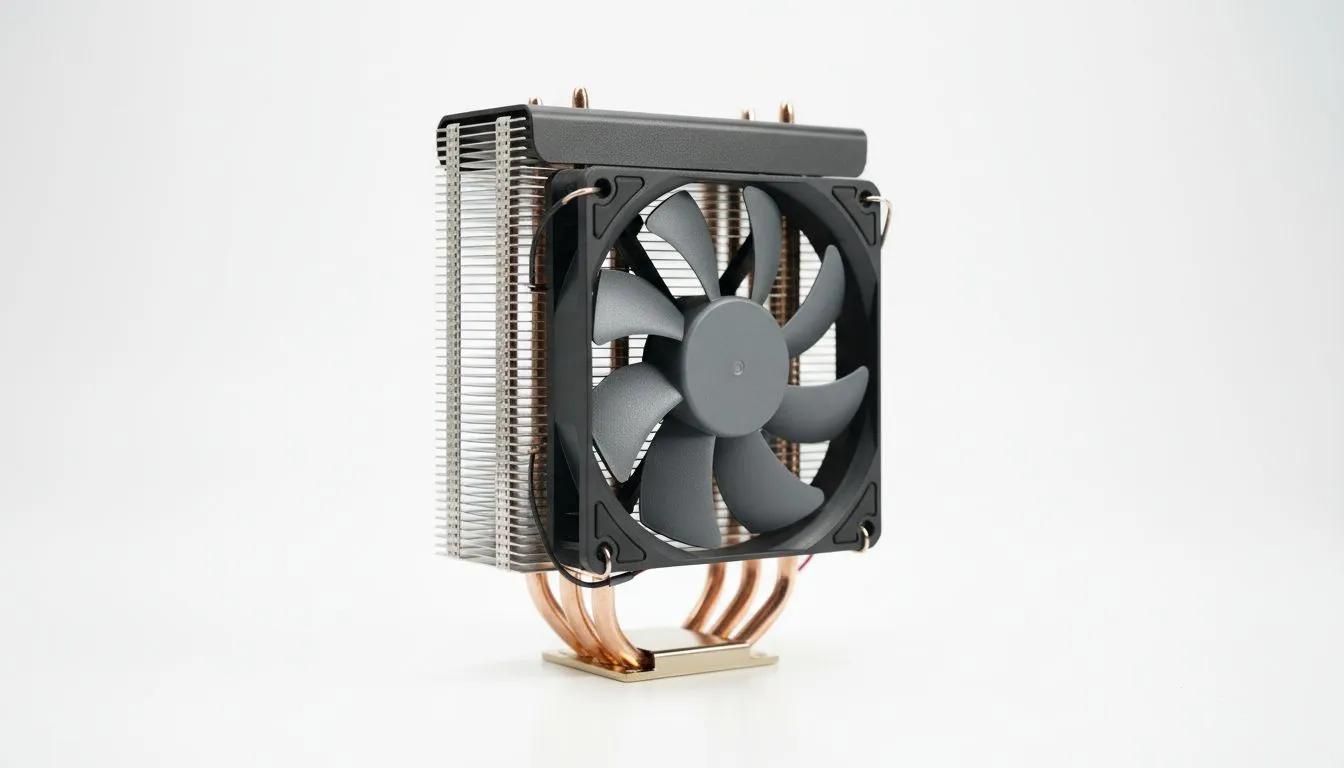
Is your PC case getting a bit too warm during those intense Helldivers 2 sessions? Before you think about complex and pricey cooling solutions, take a step back. For most South African gamers, the best single tower CPU cooler offers a fantastic blend of performance, price, and simplicity. It’s the smart, no-fuss upgrade that keeps your processor frosty and your frames high, ensuring your rig runs smoothly even when the action... and the weather... heats up.
The Case for Simple and Effective Cooling
In the world of PC building, it's easy to get caught up in the hype. While powerful liquid coolers (AIOs) certainly have their place for extreme overclocking, they add complexity, cost, and more points of potential failure. Many builders assume they need a massive 360mm radiator to tame a modern CPU, but that's often overkill.
A high-quality single tower CPU cooler provides a more direct and reliable path to effective cooling. With fewer moving parts (just a fan!) and a straightforward design, they are incredibly durable and often much quieter. For anyone building a mid-range to high-end gaming PC in 2025, a great air cooler is frequently the most logical and cost-effective choice.
Key Features of the Best Single Tower Coolers
Choosing the right cooler isn't just about grabbing the biggest one. To find the best single tower CPU cooler for your specific build, you need to consider a few key factors. Getting this right means a quieter, cooler, and more stable PC. 💪
TDP (Thermal Design Power) Rating
Think of TDP as the maximum amount of heat a cooler is designed to dissipate, measured in watts. Your CPU also has a TDP rating. Your goal is simple: pick a cooler with a TDP rating that is equal to or, ideally, higher than your CPU's TDP. This ensures you have enough cooling headroom, especially for turbo boosting or light overclocking.
Check Your Clearances! 🔧
Before you click 'buy', grab a ruler. Check your PC case specifications for the maximum CPU cooler height it supports. Then, check the cooler's specs to ensure your RAM sticks, especially those with tall heat spreaders, won't clash with the cooler's fan or heatsink. This five-minute check can save you a massive headache later.
Fan Quality and Noise Levels
A heatsink is only as good as the fan attached to it. Look for coolers with PWM (Pulse Width Modulation) fans. This allows your motherboard to control the fan speed automatically based on temperature, keeping things whisper-quiet during idle and ramping up only when necessary. Noise levels are measured in decibels (dBA)—anything under 30 dBA at load is generally considered quiet. Premium options from brands like Corsair often excel in this department.
Mounting System and Build Quality
A modern cooler should be easy to install. Look for models with a solid backplate and a simple, secure mounting mechanism that supports the latest sockets from Intel (LGA 1700) and AMD (AM5). Good build quality, featuring copper heat pipes that make direct contact with the CPU and densely packed aluminium fins, is a hallmark of an effective cooling solution that will last for years. ✨
Finding Your Perfect Cooling Match
Ultimately, the goal is to balance performance, noise, and budget. For a new Ryzen 5 or Core i5 build, a solid cooler in the R600-R900 range will be a massive upgrade over the stock solution. If you're running a more powerful chip or simply value a silent PC, investing R1000+ into a premium single tower cooler is one of the smartest upgrades you can make. It's a simple component that has a huge impact on your daily gaming experience.
The best single tower CPU cooler of 2025 doesn't need flashy lights or complex plumbing to do its job. It just needs to deliver simple, effective cooling you can rely on, build after build.
Ready to Beat the Heat? A single tower cooler is a smart, reliable investment for any PC build. Explore our full range of CPU coolers and find the perfect model to keep your temps low and your framerates high.









