



R10,000 Gaming PC Now Costs R25,000: The SA Upgrade Plan
A South African R9,999 gaming PC was estimated at R25,091 eight months later. Current in-stock gaming desktops start from R6,929, so upgrade only the part that limits your games.
Read moreThe 2026 Zephyrus G16 review tested its RTX 5080 at 135W, below its 160W maximum. Current local G16 listings start at R36,999, so compare exact GPU, power limit and screen.
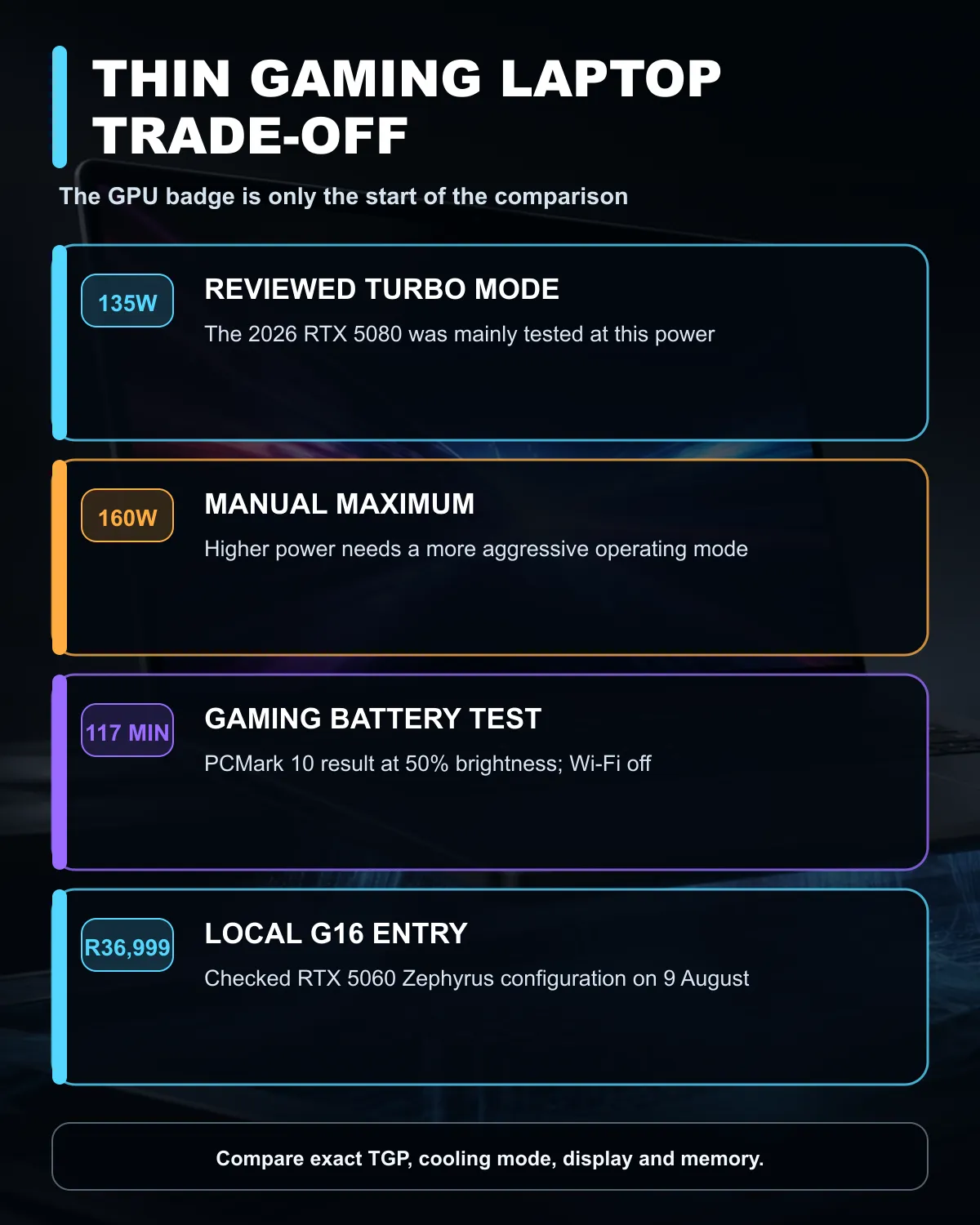
The GPU badge on a gaming laptop leaves out one of the most important numbers. A new 2026 Zephyrus G16 review tested its RTX 5080 mainly at 135W in Turbo mode, even though Manual mode can raise the maximum to 160W. A larger laptop with the same RTX name can run a higher power limit and deliver different sustained performance.
Compare the exact GPU power, screen, memory and cooling profile before choosing a thin gaming laptop. The 9 August catalogue snapshot found live Zephyrus G16 configurations from R36,999 for a Core Ultra 9 and RTX 5060 model. The reviewed 2026 machine is a different generation, and no South African price for that exact GU606 review specification was confirmed.
Laptop graphics processors share a product name across many chassis sizes. The cooling system and manufacturer power profile decide how much electrical power the GPU can use. More power can support higher sustained clocks, but it also creates more heat and fan noise. A slim notebook must balance those effects inside a smaller volume.
The reviewed RTX 5080 configuration supports a 160W maximum in Manual mode. The reviewer used 135W Turbo mode for most testing because that is closer to the setting an ordinary owner is likely to select. A larger comparison laptop used a 175W RTX 5080 and delivered stronger results in several tests, helped by its larger cooling system and different processor.
This does not make the thinner machine defective. It tells you what you are buying. A portable aluminium chassis, lower weight and quieter daily behaviour have value for someone who carries the laptop between work and home. A desk-bound buyer may prefer a heavier machine that keeps the GPU at a higher limit for long gaming sessions.
Asus lists the 2026 G16 with a 16-inch 2.5K OLED panel, 240Hz refresh rate, 0.2ms response time and up to 1,100 nits peak panel brightness. The official range supports up to an RTX 5080 Laptop GPU and a Core Ultra 9 386H processor. Exact specifications vary by configuration, so the store model code matters.
The reviewed machine recorded 117 minutes in the PCMark 10 gaming battery test with the screen at 50% brightness and Wi-Fi disabled. That was the best result in the reviewer's comparison group. Gaming battery tests are useful for relative comparison, but demanding games still perform best on mains power with the appropriate performance mode selected.
The current South African catalogue contains earlier Zephyrus G16 configurations. The checked list included an RTX 5060 model at R36,999, an RTX 5070 model at R40,999 and another RTX 5060 configuration with 2TB storage at R42,499. These are live local references, not the same 2026 RTX 5080 review unit.
Compare current Asus laptop listings and the Asus ROG and TUF range before narrowing by GPU. The RTX 5060 laptop range helps reveal how chassis, memory and display change around the same GPU tier.
Ask for the GPU's total graphics power or maximum graphics power in the exact configuration. Then check whether that figure applies only to a manual profile. A maximum number that requires louder fans may not describe how the laptop performs in its normal balanced mode.
Look for sustained game tests rather than one short benchmark. CPU temperature, GPU temperature and fan noise after 20 minutes matter more than a burst score. Check whether the underside needs clear airflow and whether the charger can supply full performance.
Memory is another fixed decision on many thin laptops. The official 2026 G16 uses LPDDR5X memory, which is normally soldered. Buy enough capacity for the expected life of the notebook. Storage is easier: the official design lists a second M.2 slot, but always confirm the exact local model before planning an upgrade.
Choose a thin G16-style machine when one computer must handle travel, office work, media and gaming. The OLED screen, lower weight and stronger unplugged result support that role. Accept that a larger laptop can be faster with the same GPU badge.
Choose a full-size performance model when the laptop will live on a desk and maximum sustained frame rates matter more than mass, noise and battery. Compare both at the same resolution and quality settings. A 240Hz display does not guarantee that every game reaches 240 frames per second.
Most tests used 135W Turbo mode. Manual mode can raise the reviewed 2026 Zephyrus G16 to a 160W maximum.
A live Core Ultra 9 and RTX 5060 Zephyrus G16 configuration was R36,999 on 9 August.
The official range uses LPDDR5X memory, which is normally soldered. Confirm the exact configuration and buy enough capacity at the start.
Yes. GPU power, cooling, processor, memory, firmware and performance mode can all change sustained results.
It was the reviewed machine's PCMark 10 gaming result under controlled settings. Actual play time changes with the game, brightness and power profile.
Comparing gaming laptops with the same GPU badge? Check the exact TGP, cooling mode, display and memory before using price or chassis thickness as the deciding number.
The reviewer mainly tested the RTX 5080 at 135W in Turbo mode, while Manual mode can raise the maximum to 160W.
Two laptops with the same GPU name can run different power limits, which changes sustained clock speed, heat, noise and game performance.
The 9 August catalogue snapshot found a live Core Ultra 9 and RTX 5060 Zephyrus G16 at R36,999.
The official 2026 model supports a 16-inch 2.5K OLED panel with a 240Hz refresh rate, depending on the exact configuration.
The reviewed configuration recorded 117 minutes in the PCMark 10 gaming battery test at 50% brightness with Wi-Fi disabled.
Choose thin for mobility and daily use. Choose a larger chassis when maximum sustained performance and cooling matter more than weight.
A South African R9,999 gaming PC was estimated at R25,091 eight months later. Current in-stock gaming desktops start from R6,929, so upgrade only the part that limits your games.
Read more
Testing across 11 games found no meaningful advantage between PCIe SSD generations. Checked SSDs start at R1,199, so buy enough capacity and the right interface before chasing peak speed.
Read more
How to fix FPS drops after a RTX 5080 build starts with driver cleanup, BIOS checks, and power testing. Work through SA-friendly checks for chipset drivers, display refresh, PCIe seating, frame caps, and game settings before blaming the GPU.

How to fix fps drops after a steam deck upgrade starts by checking power profile, storage, shader cache, and game settings. Test the Steam Deck upgrade step by step so SA players can separate install issues from normal handheld limits. Keep settings notes.

Valorant keyboard choices in SA should match switch feel, layout, latency, key rollover, and desk space. Compare practical setup needs, comfort, reliability, and upgrade room before buying gear for long gaming sessions.

DDR5 build upgrade dead pixel checks should begin with the monitor. Run solid colour tests, compare screenshots, reseat display cables, and review GPU output before blaming RAM changes in an SA gaming PC. Document repeatable proof for support.

South African builders should prioritise exact CPU support, DDR5, chassis fit and device requirements before premium motherboard breadth. The E-ATX X870E Extreme then adds five M.2 positions, Wi-Fi 7, multi-gig LAN, USB4 Type-C and named AI tools.

South African buyers considering 32GB GDDR7 should confirm whether their games, AI models or creative projects place real pressure on smaller memory pools. The RTX 5090 costs R73,599, so its capacity must be weighed against the rest of the system budget.

A large cache can reduce costly trips to slower memory in workloads that reuse data effectively, but FPS gains vary by game engine and settings. The Ryzen 7 5800X3D provides 100MB cache alongside eight Zen 3 cores, so representative game tests matter.
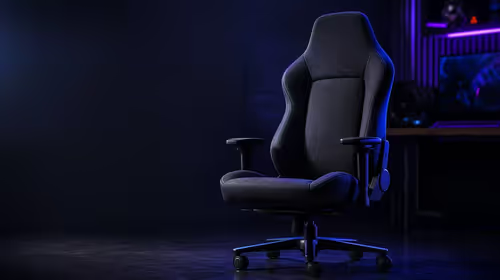
A fabric gaming chair price tier is useful only when the added spend improves fit, cushioning, hardware or daily surface comfort. At R7,899, the HERO TX provides a premium South African benchmark with TX fabric, cold-foam, 4D armrests and stainless-steel levers.
A South African R9,999 gaming PC was estimated at R25,091 eight months later. Current in-stock gaming desktops start from R6,929, so upgrade only the part that limits your games.

Microsoft now warns developers about Manifest V2 and expects enterprise deprecation to begin in early 2027. Edge users should audit essential extensions now, not uninstall everything today.
Testing across 11 games found no meaningful advantage between PCIe SSD generations. Checked SSDs start at R1,199, so buy enough capacity and the right interface before chasing peak speed.
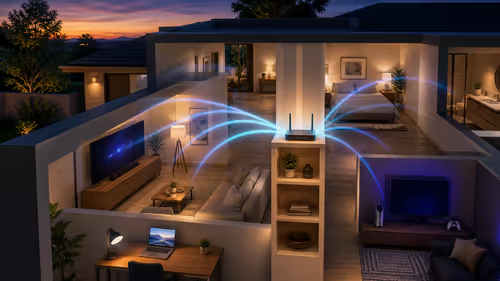
Better router placement costs R0 and can fix weak home Wi-Fi. Start centrally, high and in the open, then test 2.4GHz, 5GHz and channels before buying mesh or an extender.