



Improve Home Wi-Fi for Free: A South African Room-by-Room Fix
Better router placement costs R0 and can fix weak home Wi-Fi. Start centrally, high and in the open, then test 2.4GHz, 5GHz and channels before buying mesh or an extender.
Read moreMicrosoft now warns developers about Manifest V2 and expects enterprise deprecation to begin in early 2027. Edge users should audit essential extensions now, not uninstall everything today.

Microsoft has added an August 2026 developer warning for Manifest V2 extensions and expects enterprise deprecation to begin in early 2027. The timeline is a reason to audit important Edge add-ons now. It is not a signal to uninstall every extension today.
The extension audit costs R0. Open Edge's extension page, list the add-ons you rely on and check whether each publisher has a current Manifest V3 version. Microsoft has not published a final consumer shutdown date. Businesses should test replacements before the expected enterprise deprecation starts in early 2027.
Microsoft stopped accepting new Manifest V2 extensions in July 2022. From August 2026, its developer submission dashboard displays a deprecation warning when an extension still uses the older format. Enterprise deprecation is expected to begin in early 2027, while the date for blocking updates to remaining V2 extensions is still marked as TBD.
That distinction matters for ordinary users. A developer warning does not disable an installed extension on the same day. The exact effect depends on the extension, its publisher and the version of Edge in use. Microsoft advises developers to migrate now, but it has not set one final date for every consumer add-on.
Chrome is further along. Google says Manifest V2 was disabled for Chrome users in July 2025. Remaining V2 extensions are scheduled for removal from the Chrome Web Store on 31 August 2026. An extension already installed on Chrome 138 or earlier may remain installed, but it cannot receive updates or be reinstalled from the store after removal.
Open the Edge menu, go to Extensions and choose the management page. Write down the add-ons that affect passwords, ad blocking, shopping, accessibility, work systems or security. Ignore extensions you no longer recognise or use until you have checked their origin.
Visit each publisher's official support page or store listing. Look for a recent update, a Manifest V3 note and clear maintenance activity. Avoid downloading a replacement from a random link in a forum or comment. Browser extensions can read sensitive page content, so source and permissions matter.
If a work extension is essential, test its current version in a separate Edge profile. Confirm login, sync, export and policy behaviour before switching a team. A rushed removal can interrupt work, while an untested replacement can request broader permissions than the original.
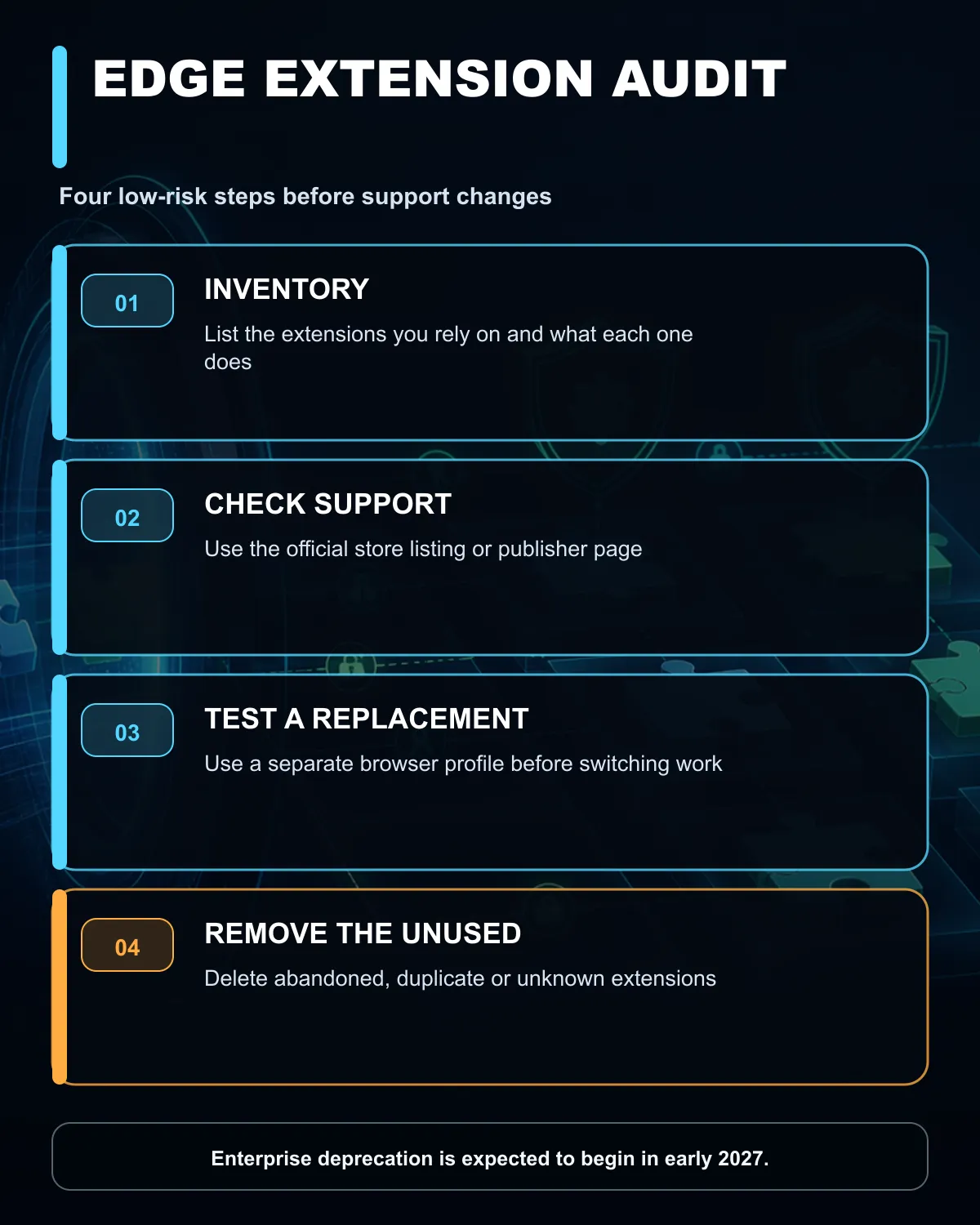
Start with unused extensions. Remove duplicates, old coupon tools, abandoned utilities and anything with an unknown publisher. Keep the essential set small. Fewer extensions reduce conflicts and make future support changes easier to track.
Review permissions after every update. An extension that suddenly asks to read all site data deserves a closer check. Export settings from password managers or specialist tools using the publisher's approved method, then confirm that the backup can be restored.
The computer still needs current browser and operating-system updates. Browse the current laptop range if an older machine can no longer run supported software. Laptop best sellers and the networking range can help when the wider setup, rather than an extension, is the actual limit.
Keep an extension when it is maintained, trusted and necessary. Replace it when the publisher provides a supported V3 version or a tested alternative meets the same need. Remove it when it is unused, abandoned or asks for permissions that do not fit its job.
Businesses should record the owner, purpose and replacement plan for each managed extension before early 2027. Home users need only a short list and a reminder to recheck it after major Edge updates.
No. August 2026 introduces a developer warning. Microsoft still lists the final consumer end date as TBD.
Microsoft expects the enterprise phase to begin in early 2027.
Check the official store listing, publisher support page or release notes. Do not rely on a similarly named third-party download.
Remove it only if it is abandoned, unsafe or no longer works. First check whether the publisher offers a supported current version.
Inventory essential extensions, name an owner for each one and test supported replacements in a separate browser profile.
Replacing an old work or home PC? Check current laptops and networking only after confirming that the real issue is hardware rather than one unsupported browser extension.
Microsoft expects enterprise deprecation to begin in early 2027. The full consumer end date remains listed as TBD.
No. August 2026 introduces a Partner Center warning; it is not a same-day shutdown for every installed extension.
Open the browser's extension management page, list the add-ons you rely on, and check each publisher's current support information.
Look for an official replacement, export settings where possible, and test the alternative before removing an essential working add-on.
Google says Chrome disabled it everywhere in July 2025 and will remove remaining V2 store listings on 31 August 2026.
Microsoft says Manifest V3 is intended to reduce fragmentation and improve privacy, security and performance for users.
Better router placement costs R0 and can fix weak home Wi-Fi. Start centrally, high and in the open, then test 2.4GHz, 5GHz and channels before buying mesh or an extender.
Read more
For cloud AI-coding agents you need bandwidth, not a GPU, because the 2026 agent-first tools including Codex CLI Goal Mode, Antigravity 2.0, and Cursor 3 all run inference on remote servers where responsiveness is determined by connection speed rather than local VRAM.
Read more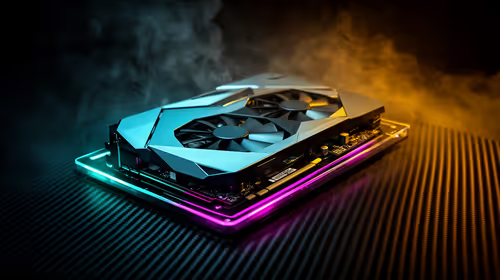
How to fix FPS drops after a RTX 5080 build starts with driver cleanup, BIOS checks, and power testing. Work through SA-friendly checks for chipset drivers, display refresh, PCIe seating, frame caps, and game settings before blaming the GPU.

How to fix fps drops after a steam deck upgrade starts by checking power profile, storage, shader cache, and game settings. Test the Steam Deck upgrade step by step so SA players can separate install issues from normal handheld limits. Keep settings notes.

Valorant keyboard choices in SA should match switch feel, layout, latency, key rollover, and desk space. Compare practical setup needs, comfort, reliability, and upgrade room before buying gear for long gaming sessions.

DDR5 build upgrade dead pixel checks should begin with the monitor. Run solid colour tests, compare screenshots, reseat display cables, and review GPU output before blaming RAM changes in an SA gaming PC. Document repeatable proof for support.

South African builders should prioritise exact CPU support, DDR5, chassis fit and device requirements before premium motherboard breadth. The E-ATX X870E Extreme then adds five M.2 positions, Wi-Fi 7, multi-gig LAN, USB4 Type-C and named AI tools.

South African buyers considering 32GB GDDR7 should confirm whether their games, AI models or creative projects place real pressure on smaller memory pools. The RTX 5090 costs R73,599, so its capacity must be weighed against the rest of the system budget.

A large cache can reduce costly trips to slower memory in workloads that reuse data effectively, but FPS gains vary by game engine and settings. The Ryzen 7 5800X3D provides 100MB cache alongside eight Zen 3 cores, so representative game tests matter.
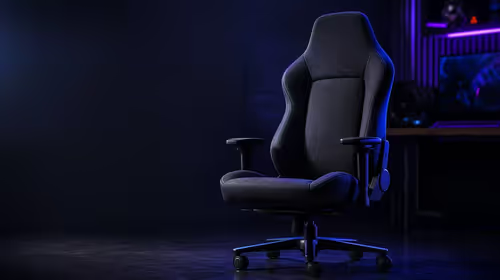
A fabric gaming chair price tier is useful only when the added spend improves fit, cushioning, hardware or daily surface comfort. At R7,899, the HERO TX provides a premium South African benchmark with TX fabric, cold-foam, 4D armrests and stainless-steel levers.

A South African R9,999 gaming PC was estimated at R25,091 eight months later. Current in-stock gaming desktops start from R6,929, so upgrade only the part that limits your games.

Microsoft now warns developers about Manifest V2 and expects enterprise deprecation to begin in early 2027. Edge users should audit essential extensions now, not uninstall everything today.

Testing across 11 games found no meaningful advantage between PCIe SSD generations. Checked SSDs start at R1,199, so buy enough capacity and the right interface before chasing peak speed.
Better router placement costs R0 and can fix weak home Wi-Fi. Start centrally, high and in the open, then test 2.4GHz, 5GHz and channels before buying mesh or an extender.