Why Modern Games Often Look Blurry by Default
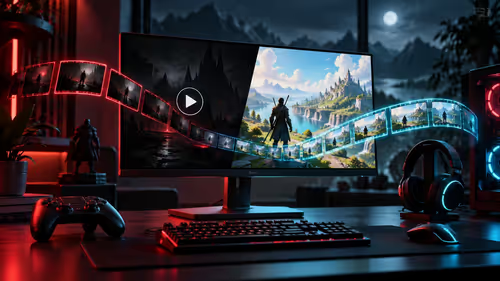
You have just spent a small fortune on a high-end GPU... but your favorite shooter looks like an old VHS tape. It is a common frustration for South African gamers. Developers often enable effects like film grain and motion blur to create a "cinematic" feel. In reality... these settings usually just obscure your vision and make it harder to track moving targets. To truly reduce film grain and motion blur and find the best visibility settings... you need to understand what these toggles actually do to your frame. If you are looking to start fresh with a new screen... checking out the best PC monitor deals is the first step toward visual clarity.
Optimise Your In-Game Visibility Settings
Film grain adds a layer of moving noise over your image. While it looks "gritty" in a horror game... it is a nightmare for competitive play. Motion blur is even worse... it smears the environment whenever you move your mouse. For the cleanest image... navigate to your graphics menu and set Film Grain to 0. Disable both World Motion Blur and Weapon Motion Blur. This immediately sharpens the image and reduces eye strain during long sessions. If your current display still feels sluggish after these changes... browsing our full range of PC monitors might reveal that your panel's response time is the real bottleneck.
Sharpen Your Image ⚡
After you disable blur effects, your game might look slightly "soft". Use your GPU driver settings or the in-game "Image Sharpening" slider. Setting this to roughly 25% will make textures and edges pop without creating distracting artifacts. It is a simple way to get that extra edge in visibility without sacrificing performance.
Hardware Solutions for Maximum Clarity
Sometimes software tweaks can only go so far. If you are dealing with ghosting or "smearing"... it might be your monitor's panel technology. Upgrading to one of the all gaming monitors featuring high refresh rates and low response times can solve these issues instantly. For those who want more immersion... you can buy curved monitors that help maintain a consistent viewing angle across the entire screen.
If you really want to kill the blur... resolution is your best friend. When you buy 5K & 4K monitors... the high pixel density makes every detail sharp enough that you will never miss a distant enemy again. Even for those on the move... you can buy portable monitors that offer great specs for competitive play at LAN events. Finally... ensure your connection is stable. It is always wise to buy monitor accessories like high-bandwidth DisplayPort cables to support those high refresh rates without signal dropouts. 🔧 ⚡
Ready to Find Your Perfect Match?
Finding the right balance between settings and hardware is the key to victory. For maximum power, choice, and value in South Africa, Evetech has you covered. Explore our massive range of gaming monitors and find the perfect screen to conquer your world.