Ever finished an epic session of Helldivers 2 or Apex Legends only to feel… well, a bit green? That dizzy, head-achy feeling isn't just you. It's a common complaint among South African gamers, and the culprit might be sitting right on your desk. We're talking about the link between your monitor's refresh rate and motion sickness. The good news? Fixing it for much smoother gaming is easier than you think. Let's get you back to the fight, nausea-free.
Understanding the Link: Refresh Rate and Gaming Sickness
So, what’s actually happening when your screen makes you feel ill? It boils down to a sensory mismatch. Your eyes see rapid, sometimes jerky movement in the game, but your inner ear, which controls balance, tells your brain you're sitting perfectly still. This conflict can trigger symptoms of motion sickness.
A low refresh rate (measured in Hertz or Hz) makes this problem much worse. Refresh rate is simply how many times your monitor updates the image per second. A standard 60Hz monitor updates 60 times. When the on-screen action is faster than your monitor can redraw it, you get motion blur, stutter, and screen tearing. This choppy visual information bombards your brain, intensifying that sensory conflict and leading to headaches and nausea. Upgrading your display is one of the most impactful changes you can make to your setup, as these are some of the most crucial PC components for a comfortable experience.
How High Refresh Rates Create Smoother, More Comfortable Gaming
This is where a high refresh rate monitor comes to the rescue. Jumping from 60Hz to 144Hz or even 240Hz means the image on your screen is updating more than twice or even four times as often.
Think of it like a flipbook. A 60-page flipbook looks choppy. A 144-page flipbook looks incredibly fluid. 🚀
This ultra-smooth motion does two critical things:
- Reduces Visual Noise: Stutter and tearing practically disappear, giving your brain a clean, consistent image to follow.
- Aligns with Your Reflexes: The on-screen action feels more natural and responsive, lessening the jarring disconnect between sight and feeling.
The result is a significant reduction in the factors that cause gaming motion sickness. Your eyes and brain have an easier time processing the fluid movement, allowing you to play for longer in complete comfort. Almost all modern gaming monitors are built with these higher refresh rates as a standard.
Sync Up for Ultimate Smoothness ⚡
For the best possible experience, make sure your graphics card and monitor are in sync. Technologies like NVIDIA G-Sync and AMD FreeSync match your monitor's refresh rate to your GPU's frame rate (FPS) in real-time. This eliminates screen tearing and stutter, which are major triggers for motion sickness. Check your monitor and GPU settings to enable it!
Actionable Steps to Reduce Gaming Motion Sickness
While upgrading your monitor is the number one fix, you can also try a few other things right now to help ease the discomfort.
Tweak Your In-Game Settings
- Turn Off Motion Blur: This setting is a known trigger. Disable it in your game's graphics options.
- Widen Your Field of View (FOV): A higher FOV (around 90-100) can create a more natural sense of space and reduce the "tunnel vision" effect that contributes to nausea.
- Disable Head Bob: If the game has an option to reduce or turn off the character's head movement while running, use it.
Optimise Your Environment
Playing in a dark room can heighten the sensory mismatch. Keep your room softly lit and try to sit a comfortable distance from your screen. Taking a short break every hour also helps your brain reset. Of course, the best solution is a hardware upgrade, and you can always check out the latest PC monitor deals to find an affordable path to smoother gaming.
Finding the Right Monitor for a Flawless Experience
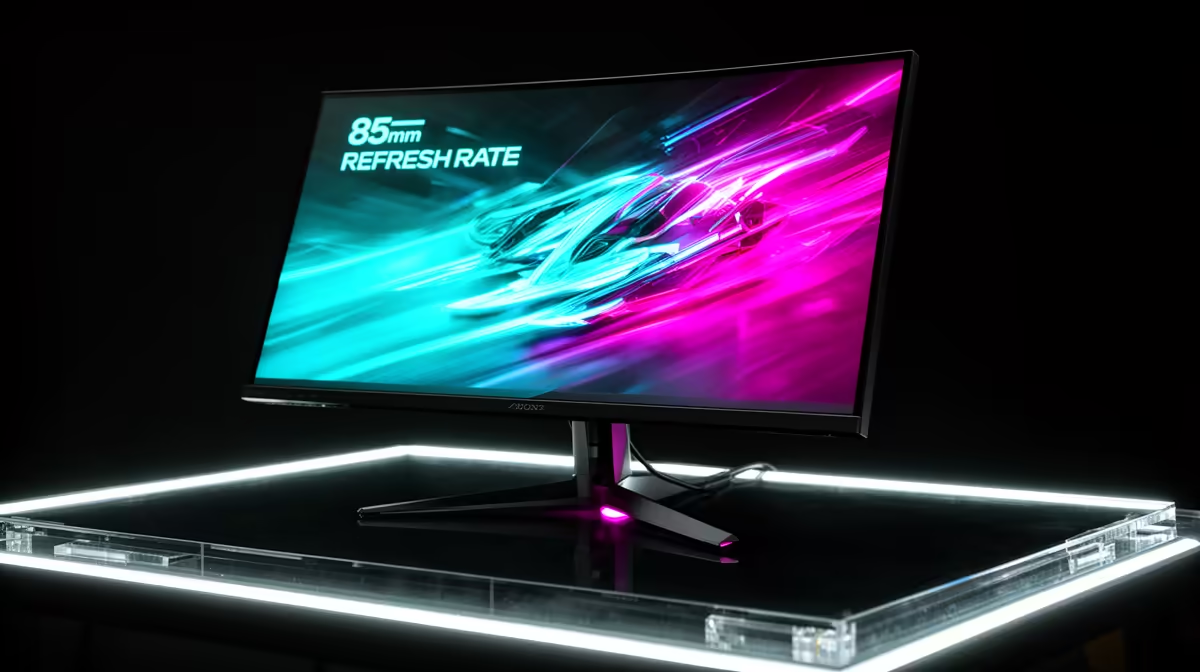
Choosing a new monitor involves balancing refresh rate, resolution, and panel type. For combating motion sickness, prioritise a refresh rate of at least 144Hz.
Many gamers find that immersive curved monitors help by filling their peripheral vision more naturally, making the experience feel less like looking at a screen and more like looking through a window. While the stunning detail of crisp 4K and 5K monitors is incredible for cinematic games, ensure your PC is powerful enough to run games at a high frame rate at that resolution. Even high-performance portable monitors now come with high refresh rates for gaming on the go. ✨
Ultimately, addressing the connection between refresh rate and motion sickness is about investing in a smoother, more comfortable gaming experience so you can focus on what matters... winning.
Ready for a Nausea-Free Victory?
Don't let motion sickness cut your gaming sessions short. A high refresh rate monitor is the key to smoother, more comfortable gameplay. Explore our massive range of PC gaming gear and find the perfect screen to conquer your world, headache-free.