Setting two ARGB devices to the same named colour sounds like it should be the end of the job. It is not. A consistent light scene needs more than matching colour names, because the same setting on two different products routinely produces two visibly different results once they are actually lit.
Quick Answer
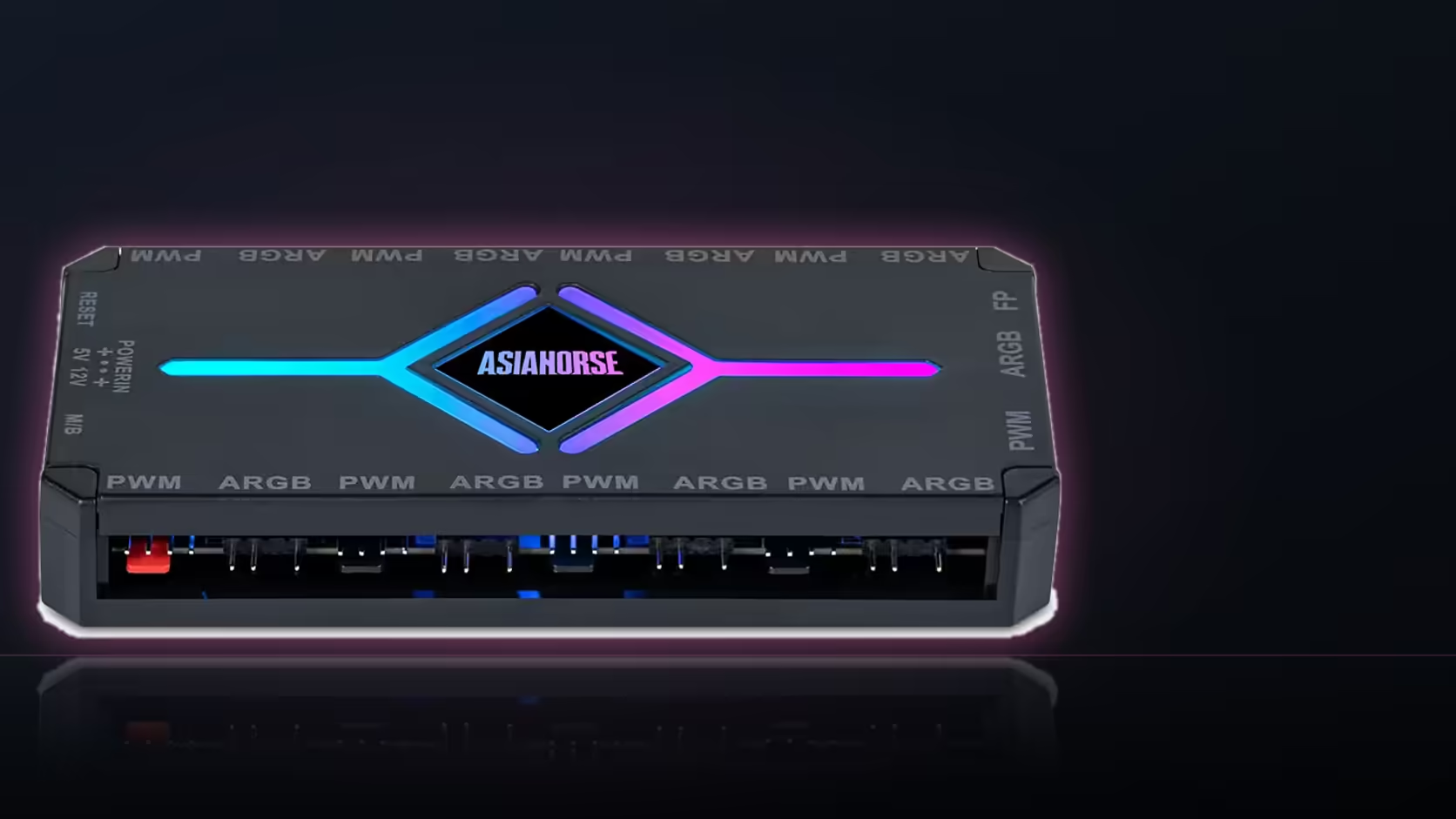
Set devices to match by eye rather than by name alone, adjusting brightness and checking effect timing rather than assuming identical colour selections produce an identical look. AsiaHorse's ASH-S1 hub, priced from around R349, offers ten brightness and ten effect levels across everything it drives, which is the most direct way to bring a mismatched scene back into line.
🎨 Why identical colours read differently
Brightness, diffusion and the surface being lit all vary between products, so the same named colour setting produces genuinely different results depending on what it is lighting. A small, concentrated LED point and a broad, diffused panel do not present the same colour the same way even at identical settings, because the light itself is being spread and mixed differently before it reaches your eye.
🌫️ Which products diffuse the most
Products with larger lit surface area diffuse light more than small point sources do. A cable cover, with its wider shell and multiple LED strands spread across a length of plastic, spreads and softens its colour considerably compared with a small, concentrated panel like the RAM cover or M.2 heatsink's compact infinity-mirror window, which tends to concentrate the same colour into a smaller, more intense area.
⏱️ Effect timing matters as much as colour
Colour is only part of the problem. Two devices running the same animated effect, a breathing cycle or a colour chase, but slightly out of step with each other reads as a fault rather than as a coordinated scheme, even when both are technically set correctly. A build with fans breathing in and out on one rhythm while a cable cover breathes on a slightly different one looks less coordinated than a build running a single static colour across everything.
🔗 Keeping timing together
The fix is driving everything from one source rather than from separate independent controllers. Whether that source is your motherboard's own RGB software via 5V 3-pin sync, or a single hub controlling every connected device, one source means one timing reference for every effect, rather than several devices each running their own internal clock slightly out of sync with the others.
🎚️ Adjusting brightness deliberately
Once timing is handled, brightness is the remaining lever worth using. A supporting element, something meant to sit in the background of a scene rather than draw the eye, should generally run at a lower brightness than whatever is meant to be the focal point. This is how a builder keeps a hidden or secondary fan from competing visually with a cable cover or fan row deliberately positioned as the centrepiece.
🕹️ Where the hub helps most
A hub-driven setup makes this adjustment genuinely practical rather than theoretical, since the AsiaHorse ASH-S1 offers ten distinct brightness and ten effect levels across everything connected to it, all controllable from one remote. That gives a builder one consistent set of settings to work from rather than tuning each device separately and hoping the results line up by coincidence.
🎯 Why a single colour is the easier target
Matching a single colour across an entire build is considerably more forgiving than coordinating a full multi-colour scheme, since there is only one value to get consistent rather than several that all have to relate sensibly to each other. Builders new to ARGB tuning are usually better served starting with one colour done well before attempting a more ambitious palette.
Look for devices that share a common control source, whether that means fans from Evetech's case fans range or covers from case accessories, before assembling a lighting scheme you intend to actually match.
Frequently Asked Questions
Why do identical colour settings look different on different devices?
Because brightness, diffusion and the surface being lit all differ between products, so the same setting produces genuinely different visual results depending on the device.
Which products diffuse light the most in this range?
Cable covers, thanks to their wider lit shells, spread colour more than small concentrated panels like the RAM cover or M.2 heatsink's compact window.
Does effect timing matter as much as the colour itself?
It does. Two devices running the same animation slightly out of step reads as a fault rather than as a coordinated lighting scheme.
How is timing kept consistent across devices?
By driving everything from one source, whether that is motherboard sync software or a single hub, rather than leaving each device on its own internal clock.
What can actually be adjusted to improve consistency?
Brightness per device, where the control allows it, letting a supporting element sit visibly below whatever is meant to be the build's focal point.
Does a hub genuinely help with this tuning?
Yes. A hub like the ASH-S1 offers ten brightness and ten effect levels across everything it drives, giving one consistent set of settings to work from.
Is a single-colour scheme easier to get right than a multi-colour one?
Considerably. Matching one colour across a build is far simpler than coordinating several colours that all need to relate to each other sensibly.
Trying to bring a mismatched ARGB scheme back into line?
Explore Evetech's case accessories range for devices you can drive from one common control source.