Battlefield 6 PC requirements are not a single shopping list to copy from an old screenshot. Large online battles stress several parts of a system at once, and publisher guidance can change as the game is updated. Start with the current official performance tiers, then judge your own PC by what happens during the kind of match you intend to play.
Quick Answer
Check Battlefield 6 requirements on the publisher current PC page, then compare processor, graphics, memory, storage and cooling as one system. A PC that launches the game is not automatically prepared for sustained large battles at the settings you want. In South Africa, a stable wired fibre connection and a sensible server choice matter separately from rendered frame rate.
🧩 Read the tier as a performance target
Minimum and recommended labels have meaning only when paired with a resolution, settings level and expected smoothness. Use the publisher material as the live source, because copied requirement tables become stale after patches. Decide whether your priority is visual detail, a steadier competitive feel or simply an accessible first setup before comparing components.
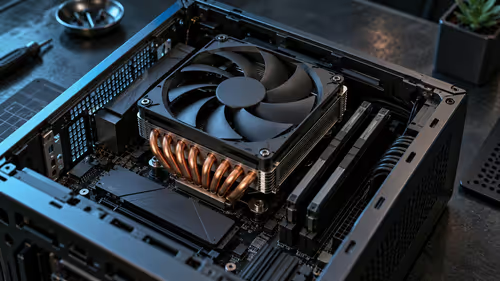
The Battlefield 6 gaming PC range gives a starting point for considering complete systems. Do not reduce that comparison to the graphics card name alone: the processor, memory capacity, storage state and cooling arrangement all have a turn to affect a crowded match.
✅ Find the first limit with a repeatable test
Use the same busy scenario when watching frame time, processor load, graphics load, memory use and temperatures. One menu screen or quiet practice area tells very little about the pressure of a populated battle. A sudden frame-time spike may have a different cause from an average frame-rate number that looks acceptable.
Storage deserves attention as well. Leave working space after installation because updates can need room to download, unpack and replace files. A nearly full drive can turn an otherwise straightforward patch into a frustrating wait.
📶 Keep the online path separate from the PC
Fast internet access does not automatically mean consistent online play. Packet loss, jitter, busy-hour congestion and the route to the selected server can all affect when actions arrive. Fibre connected by Ethernet is generally steadier than Wi-Fi or LTE for a desk-bound gaming PC, although the server region remains part of the result.
If a match feels delayed while the PC is rendering smoothly, examine the network side rather than buying an unnecessary component. Testing at the same time of day over several sessions can show whether the issue follows household use or a particular route.
🔌 Consider a laptop by sustained behaviour
A suitable gaming laptop can meet the relevant guidance, but its mobile processor and graphics hardware should be checked by their exact configuration, not a broad family name. Cooling and power mode shape how long that performance can hold after the first few minutes. The Battlefield 6 gaming laptop options are most useful when compared against the intended screen resolution and play location.
Keep the laptop on a firm surface that leaves ventilation clear. Heat, dust and blocked intake paths can make a capable machine less consistent during a long session, even though it seemed fine in a short benchmark.
Frequently Asked Questions
Where can I find current Battlefield 6 PC requirements?
Use the publisher current PC guidance. It is more reliable than an older copied chart because live-game updates can change the relevant tiers.
Why compare more than a graphics card?
Large matches can expose processor load, memory pressure, storage behaviour and cooling as well as graphics demand. The slowest part of the system shapes the experience.
Does high internet speed guarantee low latency?
No. Routing, packet loss, jitter and congestion can affect online response even when an internet package has a high headline speed.
Can a gaming laptop handle Battlefield 6?
It can if its exact mobile components and sustained cooling match the publisher guidance and your intended settings target.
Why should I leave free storage space?
Updates may need temporary room to download and unpack before old files are replaced. Keeping headroom avoids avoidable install trouble.
Ready to plan for the next big match?
Compare Battlefield-focused desktops and laptops against the official target you want to reach, then account for the network around them.