Starting a channel takes less gear than the forums suggest. The best streaming equipment for beginners comes down to five things: a PC that can encode video, a clear microphone, a 1080p webcam if you want a facecam, a soft light and an internet line with steady upload. Buy them in that order of importance and you avoid paying for extras you will never use.
Quick Answer
Spend on audio first, because viewers forgive an average picture long before they forgive muffled sound. A beginner kit can run from roughly R200 for small accessories to nearly R7,000 for a full setup of mic, webcam and light. Skip the capture card and the mixer until you actually stream a console or juggle several sources.
🎤 Audio comes first
A USB microphone is the best starting purchase. It plugs straight in, needs no interface and sounds far better than a laptop's built-in mic. Roughly R800 to R2,500 buys a solid one. A headset with a good boom mic is a cheaper way in, though a dedicated mic on a stand usually sounds cleaner.
Add a pop filter and, once you can afford it, a boom arm. They cost little and fix harsh breath sounds and desk thumps. Browse our microphone range to compare USB models before you spend.
🎥 Picture and lighting
You do not need a webcam to stream, since plenty of channels run on gameplay alone. When you do want a face on screen, a 1080p webcam is plenty. Basic models sit around R400 to R900, while premium ones climb higher. Our webcam category covers the options.
Light matters more than resolution. A cheap desk light or small panel set just above eye level and aimed at your face makes a basic webcam look clean. A bright window at your back is the classic mistake, since the camera then shows only a dark outline of you.
🖥️ The PC and the connection
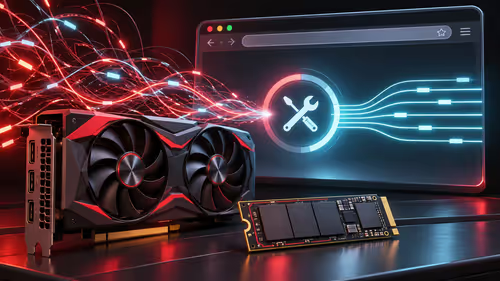
Your PC has to play the game and encode the stream at once. A modern graphics card with a hardware encoder takes most of the load off the CPU, so streaming barely dents your frame rate. Check that you have enough RAM, with 16 GB the practical minimum today, and a fast SSD for recordings.
A laptop works too if it has a modern GPU and strong cooling. Plug it in and stand it on a firm desk with clear vents, so it does not throttle on a warm Pretoria afternoon.
Then there is the line. Uncapped fibre with a steady upload is ideal. Test it in the evening, when contention can slow shared lines, and avoid LTE for streaming if data caps bite. A network cable is better than Wi-Fi.
💡 What to buy later
Hold off on these until your own streams tell you they are needed: a capture card for a console or second PC, an audio mixer, a green screen and a stream controller. Our streaming essentials category lists the add-ons for when you are ready. Stream for a few weeks, note what annoys you most, and upgrade that single thing.
Frequently Asked Questions
What is the first thing to buy as a new streamer?
A good microphone. Viewers tolerate a plain picture, but muffled or noisy audio drives them away, so give sound the first slice of your budget.
Do I need a capture card to start?
Not for PC games. A capture card only matters when you stream a console or a second computer, so leave it out until you need it.
What internet do I need to stream in South Africa?
Uncapped fibre with steady upload is best. Test at evening peak because shared lines slow down, and avoid LTE where data caps can drain a bundle quickly.
Is a webcam necessary?
No. Many channels grow without a face on screen. Add a 1080p webcam and a soft light when you want viewers to connect with you.
Can I stream from a laptop?
Yes, if it has a modern GPU encoder and good cooling. Run it plugged in on a firm surface so heat does not slow it down.
How do I avoid wasting money on gear?
Stream with what you own for a few weeks, write down what frustrates you, and upgrade only that. Buy to fix problems you have actually seen.
Ready to build your first streaming setup?
Start with a microphone and webcam from the Evetech categories, then add lights and stands from the streaming essentials range as your channel grows.