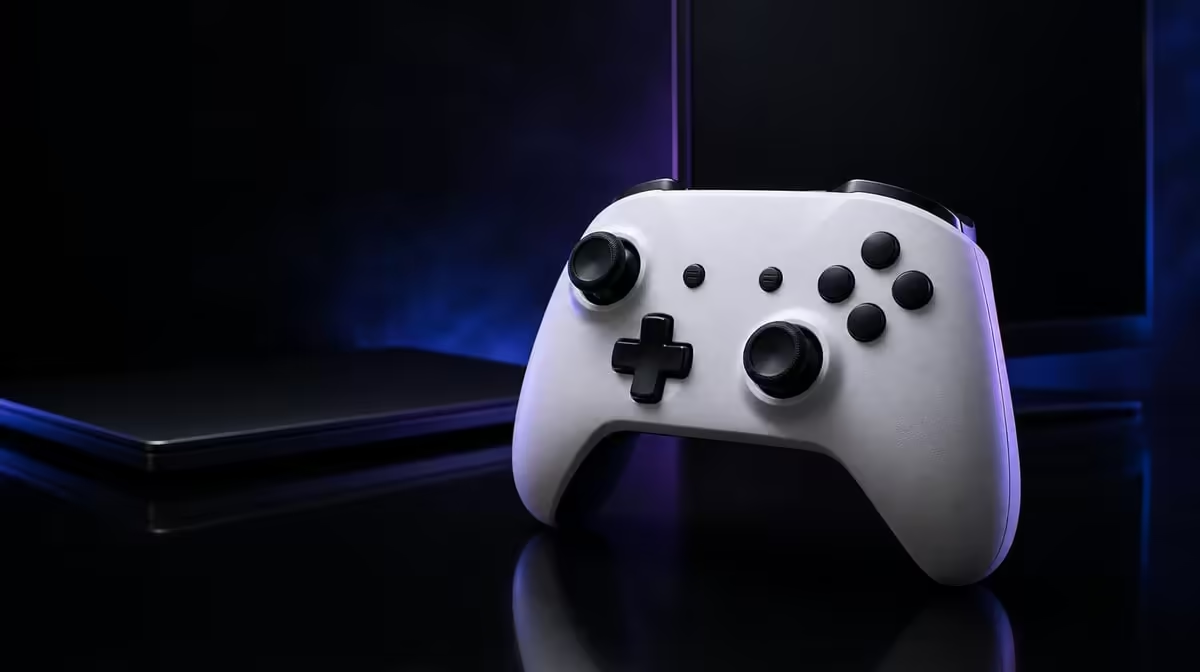
Multi-platform value begins with correct compatibility, then asks which controls remain useful as games change. The best controller features for multi-platform South Africans are a clear device map, dependable sensing, adaptable triggers and recoverable profiles.
Quick Answer
The R1,499 GameSir G7 Pro assigns a lead to Xbox, two routes to PC and Bluetooth to Android. Magnetic thumb modules, adjustable triggers, four extra positions and a dock follow that platform map; 1000Hz belongs to PC.
🗺️ Rank platform support first
Write each device and accepted link. Wireless Xbox is not part of this map.
Add the room condition beside every route. A cable can work at a desk and remain awkward across a lounge; 2.4GHz can suit a PC seat farther away.
For Android, confirm the intended game accepts controller input after Bluetooth pairing.
Count sessions by platform and test mode switching. Multi-platform breadth deserves value only when it is used.
Rank the primary device first. It should pass every mandatory link and control requirement before secondary compatibility earns points.
Ask another household user to follow the platform note. Their errors reveal unclear mode changes.
Browse Evetech's gaming controller selection with the map visible.
🎮 Carry useful controls between games
TMR sticks support drift resistance across the controller's use. Test centre and range in each game profile.
Save dead zone and sensitivity by title. The sensor travels with the pad, while software interpretation can change.
Keep drift-resistant separate from a guarantee. Calibration and mechanics remain.
Use full trigger travel for analog actions and stops where a shorter command helps.
Write the trigger choice into each profile. A racing title and an FPS should not inherit the same setting automatically.
Test accidental presses and comfort during a longer session.
Map macros sparingly. The same position can serve another action only when the active profile stays clear.
Begin with one named command and compare it with the original button. Empty positions are acceptable when they prevent confusion.
Check current rules before using custom mappings in competition.
🔄 Make switching recoverable
Save Xbox, PC and Android start cards with connection, trigger state and mappings.
Add reset instructions and a standard input check. The next player should identify the active state without experimenting inside a game.
The dock creates a home for wireless habits without adding Xbox wireless or extending PC polling.
Return the controller after PC or Android sessions and count whether the habit reduces missed charging.
At R1,499, convenience earns value only when the pad actually returns.
Test 3.5mm audio on the intended platform and keep feedback separate from accuracy.
Use Evetech's gaming accessories range for the broader device setup.
⚖️ Choose by the primary device
At R1,499, the strongest feature is the one used most often on the primary platform.
A PC-first player may value 2.4GHz and 1000Hz. Console-first ownership requires the lead, while Android relies on Bluetooth.
Keep 1000Hz in PC scope and treat its one-millisecond report interval separately from total latency.
Finish with a platform-weighted list of three features. The best multi-platform choice is the one whose top benefits appear during the most-used sessions.
Run a cold-start check for every device. Begin with the controller on its dock, select the intended mode, connect and perform a standard stick, trigger and D-pad sequence.
Repeat the switch in the opposite direction on another day. Moving from Android back to PC can reveal a missing step that a clean PC start does not.
Save a default profile beside the platform cards. Custom macro and trigger choices should be easy to remove when another person or game uses the G7 Pro.
At R1,499, count successful multi-device starts over a week. Familiar controls and fewer separate pads are valuable only when connection recovery remains clear.
Review Evetech's accessory best sellers after the platform-weighted score is complete.
Frequently Asked Questions
What is the first multi-platform controller feature to check?
Check the exact supported connection on every device.
How does the G7 Pro divide its platform support?
Xbox takes a lead, PC offers cable plus 2.4GHz, and Android uses Bluetooth.
Which stick feature travels across the controller's use cases?
Its Mag-Res TMR sticks provide drift-resistant magnetic sensing.
How can trigger stops serve different games?
They shorten suitable actions while full analog travel remains available.
Why might four macro buttons matter across platforms?
They can move useful commands beneath spare fingers in platform-specific profiles.
What does the dock add to multi-device ownership?
It provides a regular charging and storage location.
Does 1000Hz polling apply across every platform?
No. The stated feature applies to PC.
Where does controller audio fit into the checklist?
Test the 3.5mm routine after ordinary input works on the intended platform.
Ready to weight features by the device used most?
Explore Evetech's gaming controllers after mapping the G7 Pro's Xbox, PC and Android value separately at R1,499.