Understanding Euro Truck Simulator 2 system requirements means looking beyond the first number on a requirements page. A basic installation can be modest, but dense traffic, elaborate maps, texture packs and favourite mods can turn a relaxed virtual drive into a heavier PC workload. The sensible target is enough headroom for the version and add-ons you will actually use.
Quick Answer
ETS2 performance depends on processor speed, graphics capability, memory, storage and the complexity of the scene on screen. Minimum figures are a starting point for a simple setup, whereas a more capable system gives busy cities, richer maps and additions more room to run smoothly. In South Africa, long simulation sessions also reward clean airflow in warm, dusty rooms and tidy power around wheel hardware.
🧩 Why the same game can feel different
The base game and a heavily customised profile are not the same job for a computer. Extra traffic, map expansions, detailed cargo areas and high-resolution textures can increase the amount of data the PC must process. A smooth rural route does not guarantee the same result when a populated city arrives after several hours of play.
Storage matters too, although it solves a different problem from frame rate. A faster drive can shorten loading and make large game folders easier to manage, but it will not replace the processor or graphics capacity needed for a demanding scene. Keep track of which mods are active so that troubleshooting starts with a known configuration instead of guesswork.
✅ Choose the tier with room to grow
Someone who plans only a clean installation can begin with the official baseline and monitor how it feels. A player who expects maps, traffic packs or frequent recording should aim above that point. The sim racing collection provides a useful route into a broader rig, while simulation gear helps when the controls are as important as the screen.
Do not buy a part merely because an old forum post mentioned it. Game updates, driver behaviour, installed content and desired settings all shape the practical answer. A balanced gaming PC is easier to live with than an uneven build where one strong component waits for the rest of the system.
🔌 Make the physical rig safe and comfortable
A wheel, pedals and display can create a surprisingly busy corner of a room. Use the intended adaptor on a secure 230V socket with SANS-approved protection, keep cables clear of feet and avoid overloading a single extension. Controls should be stable enough that braking does not pull a connector loose mid-session.
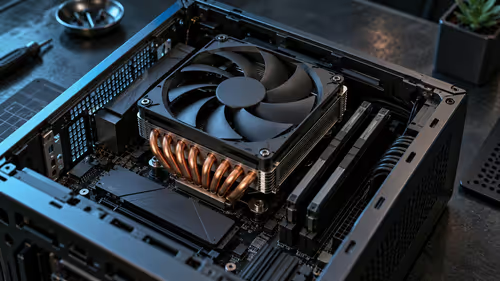
South African summer heat and household dust make ventilation worth checking before they become a problem. Leave space around the PC, keep filters clear and clean accumulated dust regularly. That maintenance supports consistent cooling during a long drive without pretending it changes the published requirements.
📶 Consider the extras separately
Online features and downloaded additions have their own connection needs, but they do not alter the core hardware calculation in the same way as complex geometry and traffic. Download large updates when a dependable fibre connection is available if possible, then test a route with your normal controls and display settings. It is a more useful trial than judging the rig from a menu screen.
If a new wheel behaves oddly, check its software, USB connection and in-game mapping before blaming the PC. A well-planned setup leaves ports accessible and gives each device enough space to operate without strain.
Frequently Asked Questions
What has the biggest effect on ETS2 smoothness?
Processor performance, graphics ability, memory and the current scene all matter. Busy traffic, complex maps and add-ons can increase the workload substantially.
Do mods change the requirements?
They can. Large maps, texture packs and traffic changes may demand more storage, memory, graphics capacity or processor headroom than a clean installation.
Should I use the minimum or recommended requirement tier?
Use minimum figures for a basic starting point. Recommended-level hardware is more suitable when you expect fuller traffic, detailed routes or expansion content.
How should I power a wheel setup at home?
Use the supplied adaptor and a secure 230V connection with suitable SANS-approved protection. Keep extensions and loose cables away from the pedals.
Does dust affect a simulation PC?
Dust can restrict airflow over time. Clear filters and sensible room around the case help cooling stay consistent through long sessions.
Ready to give your driving rig more breathing room?
Browse Evetech gaming PCs and simulation gear for a setup that can grow with your preferred routes and controls.