


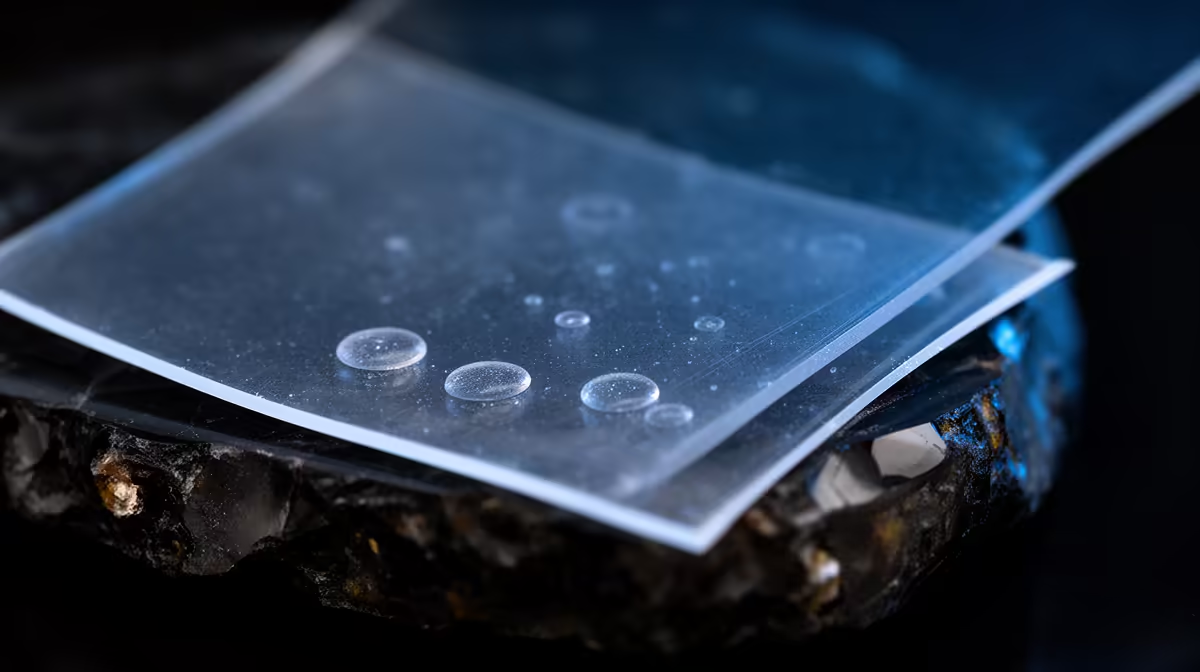
A resin print that comes off the plate under-cured, with whole layers missing or peeling, often has nothing to do with your exposure settings. The culprit sits underneath the vat: a cloudy, foggy or dimpled FEP film that scatters the UV light before it ever reaches the resin. Knowing the difference between haze you can polish away and damage that needs a fresh sheet saves you reprinting the same failure over and over.
Quick Answer
Light surface haze from a single print usually buffs out with isopropyl alcohol on a microfibre cloth. Permanent milky fogging you cannot see through, deep scratches, dimples, or any puncture mean the film is done and must be replaced. A worn FEP sheet weakens UV transmission and causes under-curing at every layer.
Why FEP Condition Changes Your Prints
The FEP (or nFEP) film is the transparent membrane stretched across the bottom of your resin vat. UV light from the LCD passes straight through it to cure each layer. When that film is clear, the light arrives at full strength and the resin cures predictably. When it clouds, scratches or dimples, the surface scatters and absorbs part of that light, so the resin underneath receives a weaker, uneven dose.
The result shows up as soft or missing early layers, prints that fail to stick to the plate, partial cures, and holes in flat sections. Plenty of people chase these symptoms by cranking up exposure times, which only masks the real problem and bakes extra wear into the film. A quick look at the membrane in good light tells you more than another test print. If you are still piecing together your wash-and-cure workflow, the broader 3D printing range at Evetech shows where consumables like spare films and replacement vats fit into a resin setup.
Clean It: When Haze Will Polish Out
If the film is only lightly hazy after a print or a resin change, cleaning is the right first move. Pour off and filter the resin, then wipe the FEP gently with a little IPA on a soft microfibre cloth. A drop of dish soap in distilled water also lifts residue, as long as you rinse thoroughly so nothing is left behind to interfere with adhesion.
Two habits matter here. Never use paper towel or anything abrasive, because even slightly rough fibres put fine scratches into the surface. And wipe in slow, even strokes rather than scrubbing. With careful handling, a single film comfortably lasts thirty prints or more before it genuinely needs swapping.
Replace It: The Damage That Will Not Buff Out
Some problems are structural, and no amount of polishing fixes them. Replace the film straight away if you see any of the following.
Permanent fogging you cannot see through
A milky film that stays cloudy after a proper clean has lost optical clarity for good. If you cannot read text held behind the stretched film, the UV is being scattered badly enough to ruin prints.
Deep scratches, dimples or stretch marks
Scratches change how light passes through and create weak spots where the membrane can tear. Dimples and permanent dents, often from a print stuck and then forced off, leave the surface uneven so curing is no longer consistent across the build area.
Any puncture, tear or resin on the screen
A hole is an immediate replacement, full stop. Liquid resin leaking through a punctured FEP can reach and damage the LCD underneath, which is a far more expensive part to replace than a film. If you spot cured resin on the screen, treat the film as compromised.
Keeping a Spare on Hand
FEP is a consumable, so it pays to keep a replacement sheet in the drawer rather than losing print days waiting for one to arrive. Tensioning a new film correctly matters as much as the film itself, so take your time with the frame screws. While you are stocking up, the top-selling accessories at Evetech are a handy place to round out the smaller bits a resin workflow eats through, from gloves to spare filters.
Frequently Asked Questions
Can I clean FEP film with isopropyl alcohol?
Yes, for light haze. A small amount of IPA on a soft microfibre cloth wipes away surface residue and minor cloudiness. Avoid soaking the film for long periods and never use abrasive paper, which scratches the surface.
How do I tell cleanable haze from permanent fogging?
Clean the film first, then hold it up to a light or place text behind it. If it clears and you can see through it, the haze was surface residue. If it stays milky and you cannot read through it, the fogging is permanent and the film needs replacing.
How many prints should one FEP film last?
With careful handling and gentle cleaning, thirty prints or more is realistic. Rough wiping, stuck prints and forced removals shorten that life considerably. Big, flat models that create strong suction wear film faster than small detailed parts.
What is the difference between FEP and nFEP film?
Both are release films, but nFEP has a lower surface energy, so prints release with less peel force. That gentler release reduces stress on the model and the film, which is why many newer printers ship with nFEP as standard.
Will a dimpled FEP damage my printer?
A dimple alone mostly ruins prints rather than hardware. The real risk is a dimple that develops into a puncture, letting resin leak onto the LCD below. Replace dimpled film before it tears to protect the screen.
Chasing under-cured layers usually starts with the film, not the settings. Inspect your FEP, polish light haze, and keep a spare ready so a torn sheet never costs you a print run. Explore Evetech's 3D printing range to keep your resin setup stocked and reliable.










