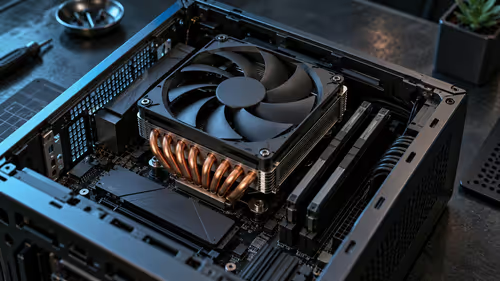
The useful way to approach FIFA 19 PC requirements is to assess a complete playing setup, rather than chase one impressive component. A machine can clear a published minimum specification yet still feel uneven if it is short on memory, held back by heat, or paired with a controller and display that add delay.
Quick Answer
FIFA 19 needs a PC that matches the official processor, graphics, memory, storage and Windows guidance for the version you own. The minimum line is for getting started; a balanced recommended-level build gives more room for steady match play, background services and a comfortable frame cap. Because this is older software, current official launcher support is worth checking before you spend on a rebuild.
✅ Match the whole PC, not one number
Start with the official requirement table, then compare every listed item with the exact parts in the PC. Processor generation matters alongside core count, and graphics naming alone does not tell you whether a particular card delivers the same result. Leave storage space after the game install for updates, shaders and Windows housekeeping.
Memory pressure often looks like graphics trouble. If the game pauses when a browser, voice chat or recording tool is open, observe memory use and close background tasks before deciding the GPU is the culprit. A system that is otherwise sound can benefit more from housekeeping than an isolated upgrade.
The PCs under R20K selection is a sensible place to compare whole-system configurations. Read the component list, cooling arrangement and upgrade room rather than assuming that every gaming PC suits the same target settings.
📶 Controls and display latency change the feel
Frame rate is only one part of responsiveness. A television's image processing, wireless interference, a tired controller cable and controller software can each make passing or tackling feel late even when the on-screen counter looks healthy. Test with game mode enabled on the display and, where practical, a wired connection before changing graphics settings.
For a worn pad or a new local control option, compare connection type, layout and warranty details in the gaming controllers range. Stick drift and intermittent triggers are physical faults, not settings problems, so a locally honoured warranty has practical value.
🛡 Keep performance stable in local conditions
South African rooms can become hot and dusty in summer. Give the case clear intake space, clean its filters regularly, and avoid placing it in a tight desk cavity where warm air simply circulates. A gradual performance drop after a long session can be a temperature or dust issue, not proof that the requirements have changed.
For online fixtures, separate PC performance from connection delay. Fibre and LTE can both have busy-hour congestion, while a Wi-Fi channel can add its own instability. Try an offline match, then a wired test if possible, before treating a network symptom as a graphics upgrade problem.
Frequently Asked Questions
Is minimum hardware enough for smooth FIFA 19 play?
It can launch the game, but it leaves less margin for stable delivery when other software is running. Recommended guidance is a better target when you want fewer compromises in a full match.
Why does input feel slow even though the game looks smooth?
Display processing, controller connection quality and online latency can all add delay independently of frame rate. Change one variable at a time so the actual cause is visible.
Can a gaming laptop handle FIFA 19?
Many can, provided the exact mobile CPU and GPU meet the current official guidance. Sustained cooling matters because a thin chassis may reduce clocks during a long session.
Ready to build around the way you play?
Compare complete gaming PC configurations and choose the parts that leave room for a stable, comfortable football session.