



650W PSU Planning for RTX 5090 Builds in SA
650W for RTX 5090 needs a full-build check, not a simple yes. Review GPU guidance, CPU draw, transient load, connectors, PSU quality, and upgrade plans before deciding.
Read moreRemove Elden Ring Stuttering on Core Ultra 9 285K. Step-by-step instructions with SA-specific tips, common pitfalls to avoid & expert recommendations.
Elden Ring stuttering on Intel Core Ultra platforms is typically caused by shader compilation pauses, power management conflicts, or the game''s engine interacting poorly with hybrid CPU architectures. Targeted settings adjustments can significantly reduce or eliminate the issue.
Elden Ring has a well-documented history of stuttering on PC, and Intel''s Core Ultra processors - which combine Performance cores, Efficient cores, and Low Power Efficient cores in a heterogeneous architecture - introduce specific compatibility considerations. The game was built on an engine that predates hybrid CPU designs, and without the right configuration, thread scheduling can cause irregular frame delivery even on powerful systems. The good news is that this is largely fixable through software-side adjustments.
The most common cause of Elden Ring stuttering is shader compilation - the game compiles shaders on the fly the first time you encounter new areas or effects, causing brief but noticeable hitches. On Core Ultra platforms this is compounded by thread assignment unpredictability. To address this, ensure your GPU drivers are fully updated, as both AMD and NVIDIA have shipped shader pre-compilation improvements for FromSoftware titles. Setting the game''s process priority to High in Task Manager can improve thread scheduling consistency. Additionally, running the game once in each major area effectively pre-populates the shader cache, reducing future hitches in those zones.
Core Ultra processors on Windows can exhibit stuttering in older game engines due to aggressive power management switching between P-cores and E-cores during frame rendering. Set your Windows power plan to High Performance or Balanced (with Processor Power Management minimum processor state set to at least 50%) to prevent the CPU from downclocking too aggressively between frames. Disabling CPU Core Parking via the Windows Registry or a utility like ParkControl keeps all cores active and responsive, which reduces the latency spikes that manifest as visible stutters. This is a commonly overlooked fix that makes a tangible difference on Core Ultra systems.
Within Elden Ring itself, certain settings interact poorly with shader management and VRAM on various platforms. Disabling Motion Blur removes a post-processing pass that can introduce irregular frame timing. Setting Texture Quality to match your GPU''s VRAM capacity prevents VRAM overflow, which causes severe stuttering in demanding areas like Farum Azula or the capital. Ray tracing, if enabled via community mods, should be approached cautiously on Core Ultra integrated graphics configurations. Capping the framerate to 60fps via the in-game limiter or an external tool like RivaTuner produces more consistent frame pacing than uncapped framerates, which can expose engine-level stutters more visibly.
Q: Is Core Ultra bad for Elden Ring? A: Not inherently. With correct power and thread configuration, Core Ultra CPUs run Elden Ring well. The out-of-box experience can be stuttery but it is addressable through the steps above.
Q: Does setting CPU affinity help with Elden Ring stutter? A: Restricting Elden Ring to P-cores only via Task Manager > Affinity can help in some cases by preventing the scheduler from assigning rendering threads to E-cores mid-frame.
Q: Will a clean driver install fix Elden Ring stuttering? A: A clean GPU driver install removes cached shader data and ensures no conflicting driver state. It is a good first step and often resolves stutter caused by driver-level shader issues.
Ready to Find Your Perfect Match? Shop gaming PCs and components at Evetech.
How to Remove Elden Ring Stuttering on C available at Evetech.co.za with local warranty and fast delivery.
How to Remove Elden Ring Stuttering on C - check Evetech for latest stock and SA pricing.
Depends on your use case. How to Remove Elden Ring Stutt offers good value at current Rand pricing.
650W for RTX 5090 needs a full-build check, not a simple yes. Review GPU guidance, CPU draw, transient load, connectors, PSU quality, and upgrade plans before deciding.
Read more
How to fix FPS drops Windows 11 RX 9070 XT starts with GPU drivers, overlays, power plans, and frame pacing checks. For SA gaming PCs, verify chipset updates, HAGS, refresh rate, thermals, and per-game graphics settings.
Read more
How to fix FPS drops on X870E motherboard starts with BIOS, chipset drivers, PCIe settings, and memory stability. SA gamers can check EXPO, resize BAR, thermals, display refresh, and background apps before replacing components.
Read more
RTX 5060 is popular with SA students because it can fit gaming, coursework, and creative app needs in one setup. Compare total system price, cooling, RAM, storage, and screen quality before picking a desktop or laptop.
Read more
1440p is the sweet spot for SA gamers because it balances sharp visuals, high frame rates, and GPU cost better than 4K. It is a practical monitor target for players who want smoother upgrades without the heavier hardware demands of 4K.
Read more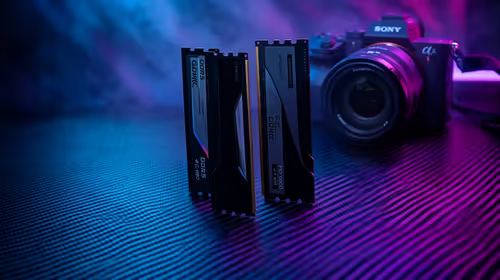
RAM pricing for Midrand gamers can shift with exchange rates, supply, specs, and model tier. Treat the title as a buying prompt, then compare SA warranty, timing, and build priorities.
Read more
From 1 October 2026, WhatsApp Business Platform service replies in South Africa are expected to cost about $0.0076, or 12 cents, per delivered message.

DDR5-8000 RAM Kits pros and cons depend on the build, budget, and workload. Weigh gaming needs, platform fit, power, cooling, warranty support, and South African pricing context before shortlisting it.

Wi-Fi 6E vs Wi-Fi 6 depends on AAA single-player gaming needs, platform limits, and budget fit. Compare compatibility, latency, upgrade path, and real setup constraints before choosing for an SA build.

Ryzen 9 9950X3D dead pixel checks should isolate the panel first. Run colour fills, inspect the monitor menu, test another cable or input, and capture proof before linking it to the SA CPU upgrade.

YouTube will count public views from the first frame across video formats from 24 August, while earnings and eligibility remain tied to engaged viewing.

Canonical expects Ubuntu on WSL users to outnumber native Ubuntu desktop users before the end of 2026. The software is open source and runs inside supported Windows PCs.

Telkom's daily bundles pair WhatsApp access with 10 all-network voice minutes. The R15 option includes 300MB, while the R17 option uses a fair-use threshold.

A 10,000-hour test found similar image retention across older and newer OLED TVs, while newer panels were brighter and more efficient. Local OLED monitors started at R9,999.

Windows 11 update KB5121003 is linked to crashes in several multiplayer games on versions 24H2 and 25H2. Check the build, report the fault and avoid risky file or update changes unless the problem is confirmed on your PC.

Comsol's standalone 5G network covers about one million Gauteng homes and starts commercial ISP service in September. Early packages range from R275 to R875 a month, but coverage and fair-use rules still decide the real value.

Sennheiser's Momentum True Wireless 5 adds user-replaceable batteries, 12-hour playback and a $299.95 launch price. There is no confirmed South African date, so compare longevity with live earbuds from R199 to R2,999.

AVerMedia's GC531 and GC535 are professional HDMI capture devices for continuous streaming, with RGB24 capture up to 2K30 and 4K30. South African creators should compare them with live 4K capture cards from R2,099.