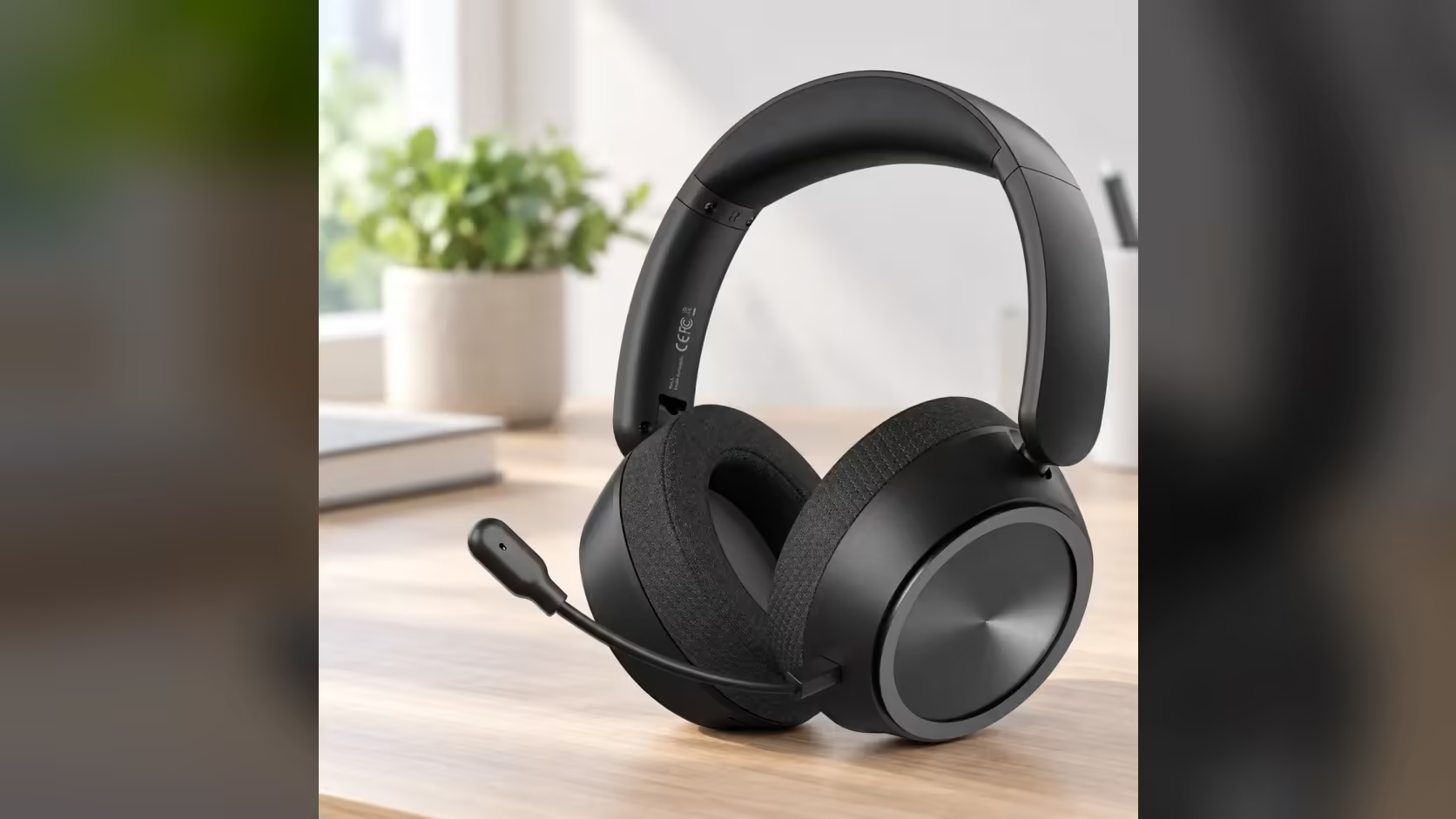
Wireless audio used to carry a reputation for lag, and that reputation still makes shooter players nervous about cutting the cord. The AULA A600 comes with a number attached: about 13ms on its 2.4GHz link. Whether 13ms wireless latency is something you will notice mid-fight comes down to how that figure sits next to your screen, your reactions and the rest of the chain between a gunshot and your ears.
Quick Answer
For most players, no. AULA's manual puts the A600's 2.4GHz latency at about 13ms, which is shorter than a single frame at 60fps (roughly 16.7ms). AULA credits the figure to its A-Speed X wireless and a dual-core DSP, both built into a headset that costs R459 at Evetech. There is no quoted number for Bluetooth, so competitive shooters belong on the USB receiver or a cable.
⏱️ Putting 13ms next to a frame
Latency only means something against a reference. The easiest one sits in front of you: your monitor. At 60Hz a new frame arrives about every 16.7ms, at 144Hz roughly every 6.9ms. A sound arriving 13ms after the event is inside the time it takes a 60Hz panel to draw one image, and a little under two frames at 144Hz.
Human reaction time to a sound is far longer than either figure, typically measured in hundreds of milliseconds rather than tens. So the question is rarely "can I react to it" and more "does the audio feel in sync with the picture". At 13ms, the answer for most people is that it does.
🔫 Where it can matter in a shooter
Sync is what counts. Footsteps, reload clicks and gunfire give you information about position, and the value of that information depends on arriving roughly when the matching image does. A headset link that drifts well behind the screen makes a firefight feel oddly disconnected. A link in the low teens of milliseconds keeps the two together closely enough that the brain treats them as one event.
The A600 backs that up with a sound profile built for the job. Game Mode is its FPS-tuned default, shaped for placing footsteps and gunfire, and a single press of the M button swaps to Music Mode when the match ends.
🔗 Picking the right link for play
The A600 connects four ways, and they do not behave the same:
- 2.4GHz receiver: the mode the headset starts in, with AULA's quoted 13ms.
- Bluetooth: reached with a double-click on M. No latency is quoted, and Bluetooth audio is generally slower, so keep it for phones, videos and music.
- USB-C cable: removes the radio from the chain and charges the 2000mAh battery at the same time.
- 3.5mm cable: analogue, with no pairing or receiver involved.
If a match feels out of step, check the connection before anything else. A stray double-click on M is the usual reason a headset ends up on Bluetooth at a PC.
Placement helps too. A receiver plugged into a front USB port with a clear line to your head has an easier time than one hidden behind a steel side panel under the desk.
Evetech lists the A600 alongside its other gaming headsets, and the wireless headset collection is the place to compare it with other receiver-based models.
Frequently Asked Questions
Who measured the 13ms figure?
It comes from AULA's own manual for the A600 and applies to the 2.4GHz link.
Is 13ms shorter than one screen refresh?
At 60Hz, yes. One frame lasts about 16.7ms, so the audio delay fits inside it.
Does Bluetooth give the same result?
AULA gives no Bluetooth figure. Treat it as slower and keep it for media rather than matches.
What about playing on a cable?
A wired connection takes the radio link out of the chain altogether, so there is no wireless delay left to worry about.
Will the A600 help me hear footsteps too?
Its default Game Mode is FPS-tuned for exactly that, working through the 53mm dynamic drivers.
What if the receiver link keeps dropping?
Move the dongle to a front port and clear the path. If the fault continues, take it up under the 1 Year Local Warranty through Evetech.
Want wireless audio that keeps pace with the screen?
See the gaming headset line-up at Evetech and compare low-latency receiver models for your next match.