Choosing photo editing software becomes simpler once you separate the work done to a whole shoot from the work done to one troublesome pixel. A photographer handling wedding RAW files, a small online shop preparing product images and a student assembling a portfolio may all need different tools. In South Africa, offline capability can be as practical as a clever filter when venue LTE is uneven and a card holds many large files.
Quick Answer
Choose photo editing software by checking camera RAW support, layer and retouching needs, catalogue tools, batch volume and final output. RAW development is for broad adjustments to captured files, while detailed retouching changes selected areas or layers. For client work, factor in offline workflow, controlled sharing and POPIA responsibilities alongside the editing features.
✅ Separate development from retouching
RAW development normally begins with exposure, white balance, lens corrections and colour adjustments that can apply consistently across a session. It is efficient for culling and preparing hundreds of photographs without altering each one pixel by pixel. A good organiser can also help find images later by date, rating, keyword or collection.
Retouching is different work. It handles local corrections, masks, layers, composites and fine adjustments that deserve individual attention. Some applications combine both roles, while others make it easier to move a chosen file into a specialist editor. Test that hand-off before committing a large archive to a new process.
📶 Plan for real file movement
RAW files are large, and a shoot can become awkward when every adjustment depends on an upload. An offline-first workflow lets a photographer cull, edit and export from local storage, then schedule cloud backup or client transfer when reliable fibre is available. That is useful at venues where LTE signal is variable or data is expensive.
Keep the original files, a working catalogue and delivery exports distinct. A compressed image sent to a client is not a replacement for a high-quality master. Matching file type, resolution, compression and colour space to print, web or archive delivery avoids needless rework later.
🛡 Treat client images carefully
Photographs of identifiable people can be personal information, which brings POPIA into a professional workflow. Obtain appropriate consent, limit access to the files, decide how long you need to retain them and avoid casual public links for a full client gallery. Cloud storage can be useful, but it should fit the access and retention choices you have made.
The same discipline helps a small business that photographs products or staff. Clear folders, named export versions and a written backup routine are less glamorous than editing tools, yet they protect the work when a laptop is replaced or a client asks for a prior image months later.
🧩 Match hardware to the workload
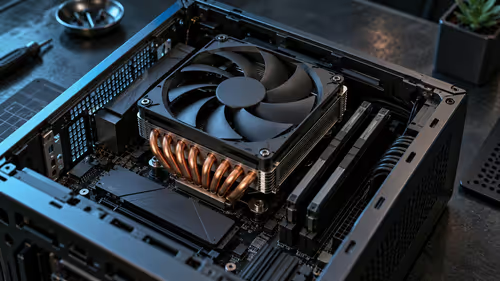
Basic adjustments often depend on processor performance, memory and storage responsiveness. Some AI effects, high-resolution displays and certain application features can make use of graphics acceleration, but a dedicated GPU is not a universal requirement. Check the support path for the actual software and the file sizes you work with.
Photographers considering a fixed workstation can compare workstation PCs, while projects that genuinely need specialised graphics hardware can be researched through workstation graphics cards. Mobile editors who value a portable screen and local storage can also review laptop best sellers before choosing a machine.
Frequently Asked Questions
How do I choose photo editing software?
Start with RAW support, layer needs, batch volume, catalogue organisation and output requirements. Portrait, product and event work can need a different balance.
What is the difference between RAW development and retouching?
RAW development adjusts the captured image data across a shoot, while retouching changes selected pixels or layers for detailed corrections and composites.
Why is offline editing useful in South Africa?
Venue LTE can vary and RAW uploads are large. Local tools keep culling and adjustments moving before a reliable fibre connection is available.
How does POPIA affect a photo workflow?
Identifiable people can make image files personal information. Use consent, controlled access, suitable retention and careful sharing practices.
Does photo editing require a dedicated GPU?
Many normal adjustments use CPU and memory, while some accelerated effects and display tasks use graphics hardware. Check the application's requirements.
Which export settings should I use?
Match the resolution, colour space, compression and file type to print, archive or web delivery, while preserving a high-quality master.
Ready to shape a photo workflow around the work you actually deliver?
Explore Evetech workstation, graphics and laptop categories after you have identified the software features and file loads that matter to you.