



650W PSU Planning for RTX 5090 Builds in SA
650W for RTX 5090 needs a full-build check, not a simple yes. Review GPU guidance, CPU draw, transient load, connectors, PSU quality, and upgrade plans before deciding.
Read moreRTX 4060 Temperature Guide: Normal Temps & Keep. Step-by-step instructions with SA-specific tips, common pitfalls to avoid & expert recommendations.
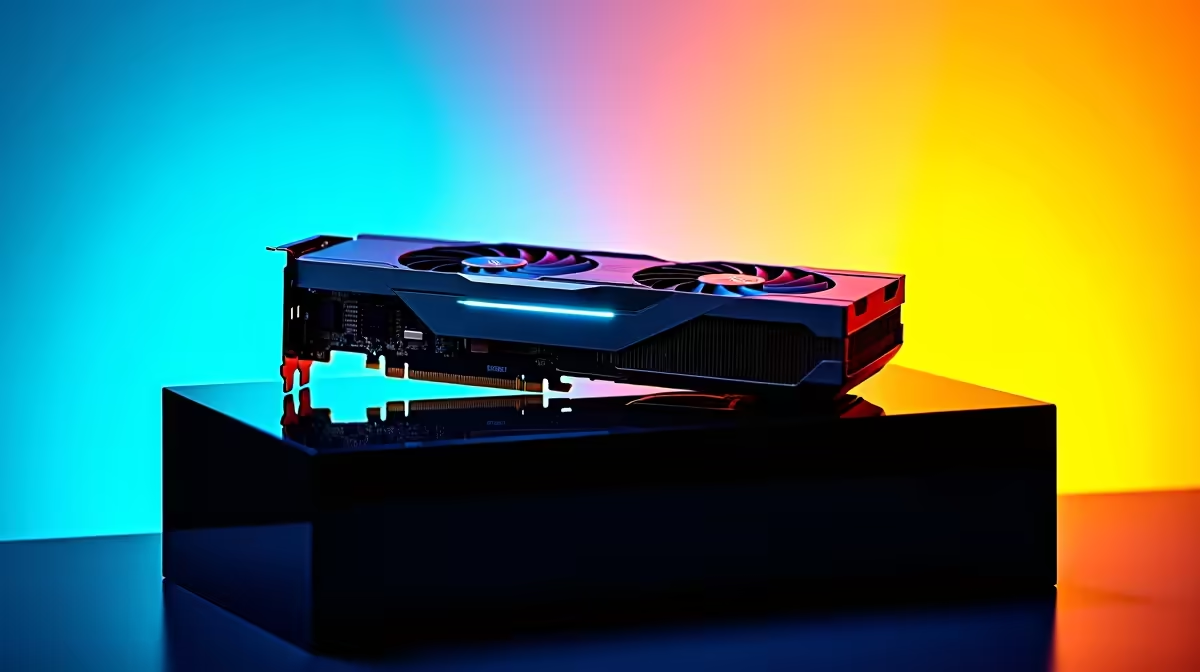
South African summers are ruthless. While you are sweating through a December heatwave, your PC is fighting its own battle. If you recently upgraded your rig, you might be watching those performance metrics closely. Welcome to your RTX 4060 temperature guide. We will explore normal temps and how to keep it cool, ensuring your hardware survives the local climate without dropping frames.
Nvidia designed the Ada Lovelace architecture to be highly power-efficient. That means the RTX 4060 generally runs cooler than older generations. But what numbers should you actually look for?
When you are browsing the web or watching videos, your idle temperatures should sit between 35°C and 45°C. Once you fire up a heavy title like Cyberpunk 2077, expect those numbers to climb. Under full load, a healthy RTX 4060 will hover between 60°C and 75°C. According to official Nvidia specifications, the maximum safe operating temperature is 83°C before thermal throttling begins.
If you plan to upgrade your graphics card, knowing these baseline figures helps you monitor system health from day one.
Sometimes, your temperatures might creep past that 75°C mark. Before you panic, consider your environment. A gaming room in Pretoria hitting 35°C will naturally push your PC temperatures higher.
Case airflow is usually the main culprit. Even the best gaming PC deals need proper ventilation to perform optimally. If your intake fans are blocked by dust, your GPU is choking. This applies to mobile gaming too. If you prefer portability, modern gaming laptops have aggressive cooling profiles... but they still need breathing room on your desk.
Keeping your hardware chilly does not require an expensive custom liquid loop. Simple maintenance goes a long way.
First, clean your dust filters monthly. The South African dust buildup is very real. Second, adjust your fan curves using software like MSI Afterburner. Setting a slightly more aggressive fan profile can drop temperatures by 5°C easily.
If you are buying a new system and browsing reliable pre-built rigs, make sure the chassis has a mesh front panel. Good airflow is the cheapest cooling solution available.
Always aim for positive air pressure in your case. Having more intake fans than exhaust fans prevents dust from being sucked in through unfiltered gaps. It keeps your RTX 4060 running cool and reduces your monthly cleaning schedule.
Heat degrades silicon over time. By keeping your RTX 4060 within normal temps, you protect your investment. Protecting a graphics card that costs several thousand ZAR is just good sense. Whether you are hunting for the latest tech specials or just optimising your current setup, temperature management is vital. Keep an eye on those metrics, maintain your airflow, and enjoy uninterrupted gaming.
Ready to Upgrade Your Gaming Experience? Now that you know how to manage your temperatures, it is time to unlock your true gaming potential. Explore our massive range of RTX 4060 graphics cards and find the perfect Evetech deal to conquer your favourite titles today.
RTX 4060 Temperature Guide: Normal Temps available at Evetech.co.za with local warranty and fast delivery.
RTX 4060 Temperature Guide: Normal Temps - check Evetech for latest stock and SA pricing.
Depends on your use case. RTX 4060 Temperature Guide: No offers good value at current Rand pricing.
650W for RTX 5090 needs a full-build check, not a simple yes. Review GPU guidance, CPU draw, transient load, connectors, PSU quality, and upgrade plans before deciding.
Read more
How to fix FPS drops Windows 11 RX 9070 XT starts with GPU drivers, overlays, power plans, and frame pacing checks. For SA gaming PCs, verify chipset updates, HAGS, refresh rate, thermals, and per-game graphics settings.
Read more
How to fix FPS drops on X870E motherboard starts with BIOS, chipset drivers, PCIe settings, and memory stability. SA gamers can check EXPO, resize BAR, thermals, display refresh, and background apps before replacing components.
Read more
RTX 5060 is popular with SA students because it can fit gaming, coursework, and creative app needs in one setup. Compare total system price, cooling, RAM, storage, and screen quality before picking a desktop or laptop.
Read more
1440p is the sweet spot for SA gamers because it balances sharp visuals, high frame rates, and GPU cost better than 4K. It is a practical monitor target for players who want smoother upgrades without the heavier hardware demands of 4K.
Read more
RAM pricing for Midrand gamers can shift with exchange rates, supply, specs, and model tier. Treat the title as a buying prompt, then compare SA warranty, timing, and build priorities.
Read more
From 1 October 2026, WhatsApp Business Platform service replies in South Africa are expected to cost about $0.0076, or 12 cents, per delivered message.

DDR5-8000 RAM Kits pros and cons depend on the build, budget, and workload. Weigh gaming needs, platform fit, power, cooling, warranty support, and South African pricing context before shortlisting it.

Wi-Fi 6E vs Wi-Fi 6 depends on AAA single-player gaming needs, platform limits, and budget fit. Compare compatibility, latency, upgrade path, and real setup constraints before choosing for an SA build.

Ryzen 9 9950X3D dead pixel checks should isolate the panel first. Run colour fills, inspect the monitor menu, test another cable or input, and capture proof before linking it to the SA CPU upgrade.

YouTube will count public views from the first frame across video formats from 24 August, while earnings and eligibility remain tied to engaged viewing.

Canonical expects Ubuntu on WSL users to outnumber native Ubuntu desktop users before the end of 2026. The software is open source and runs inside supported Windows PCs.

Telkom's daily bundles pair WhatsApp access with 10 all-network voice minutes. The R15 option includes 300MB, while the R17 option uses a fair-use threshold.

A 10,000-hour test found similar image retention across older and newer OLED TVs, while newer panels were brighter and more efficient. Local OLED monitors started at R9,999.

Windows 11 update KB5121003 is linked to crashes in several multiplayer games on versions 24H2 and 25H2. Check the build, report the fault and avoid risky file or update changes unless the problem is confirmed on your PC.

Comsol's standalone 5G network covers about one million Gauteng homes and starts commercial ISP service in September. Early packages range from R275 to R875 a month, but coverage and fair-use rules still decide the real value.

Sennheiser's Momentum True Wireless 5 adds user-replaceable batteries, 12-hour playback and a $299.95 launch price. There is no confirmed South African date, so compare longevity with live earbuds from R199 to R2,999.

AVerMedia's GC531 and GC535 are professional HDMI capture devices for continuous streaming, with RGB24 capture up to 2K30 and 4K30. South African creators should compare them with live 4K capture cards from R2,099.