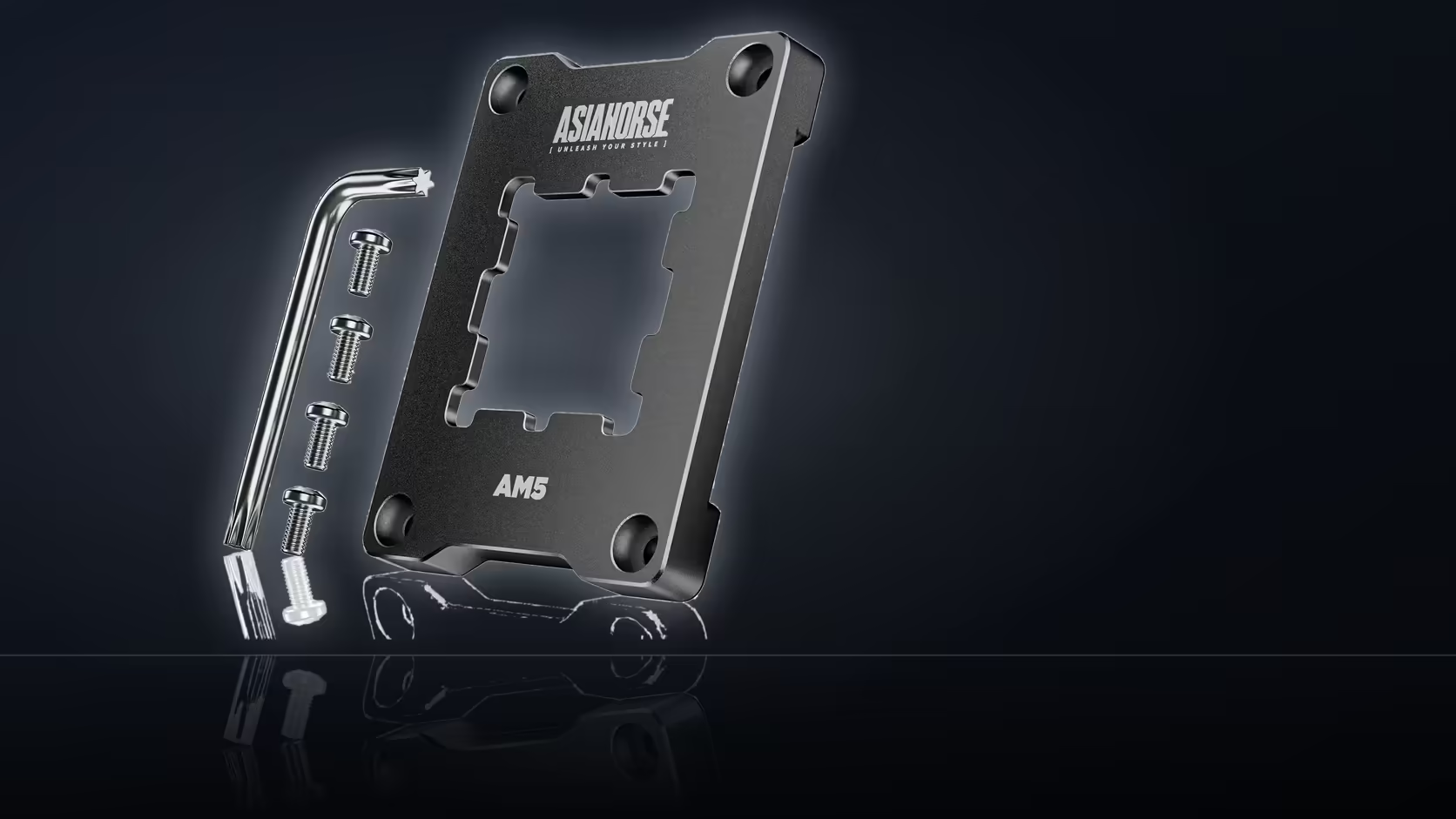
A build sitting on the bench mid-upgrade raises an ordering question that has nothing to do with which cooler ends up bolted down. The AsiaHorse Pulsar contact frame works on the retention arms around the AM5 socket, not on the cooler's own mounting bracket, so the two decisions can be made in either order without one boxing in the other.
Quick Answer
Picking a cooler and fitting the Pulsar frame are separate decisions - the frame swaps out the stock AM5 retention arms for R299, while the cooler still uses its own mounting hardware on top. There is no dependency forcing one before the other. The only reason to bundle them is practical: both jobs need the cooler off the processor, so doing them in one sitting saves a second teardown.
🔧 What the frame actually touches
The stock AM5 socket ships with retention arms that clamp the processor in place. Pulsar replaces those arms with a single anodised aluminium piece, four screws, and a hex wrench to fit it. Nothing about that process reaches into how a tower cooler, an AIO pump bracket, or a low-profile heatsink attaches to the board. Cooler makers design their own mounting standards around the AM5 hole pattern, and that pattern does not move when the retention arms underneath it change. So a cooler bought before, during, or after fitting the frame behaves the same way once it is on.
🛠️ Why the order still matters in practice
Even though the frame does not dictate cooler choice, sequencing the two jobs sensibly saves effort. Fit the frame first, since it sits closer to the socket and involves removing whatever cooler is currently installed anyway. Once the frame is torqued down with its four screws, mount the cooler on top using its own bracket as normal. Doing it the other way, cooler first and frame later, just means pulling the same cooler off twice. Either sequence works mechanically; only the second one wastes a step.
📋 The one thing both jobs share
Removing a cooler from any AM5 board breaks the thermal paste contact, whether that removal happens for the frame, for a cooler swap, or for both at once. Pulsar's box ships with the mounting hardware alone: the frame itself, four screws, and a wrench sized to fit them - no paste. So whichever order the two upgrades happen in, budget for fresh compound before reassembly. Checking the specific cpu coolers range for the mounting standard a given cooler expects is worth doing before starting, since some brackets reuse AM4 holes and others use AM5-specific points.
Frequently Asked Questions
Does the frame limit cooler choice?
It replaces the stock retention arms rather than the cooler's own mounting, so cooler selection is a separate decision.
Why do them at the same time?
Because fitting either requires the cooler off the processor, so combining them means one job and one application of paste.
Which order should they go in?
Frame first, since it replaces hardware around the socket, then the cooler mounted onto the board as normal.
Is the cooler's own bracket affected?
The cooler still uses its own mounting hardware, which sits above what the frame replaces around the processor.
Would checking the cooler manual help?
It is worth reading, since coolers vary in how they attach and some use the standard AM5 mounting points directly.
Does the frame suit any AM5 cooler?
The listing names AM5 boards rather than cooler models, so a cooler's own documentation is the place to confirm its fitment.
What else should be on the order?
Thermal paste, since the frame does not include any and the cooler will need fresh paste on refitting, available alongside the thermal solutions range.
Planning an AM5 upgrade in stages?
Browse Evetech's cooling range to line up a cooler while the socket hardware side gets sorted separately.