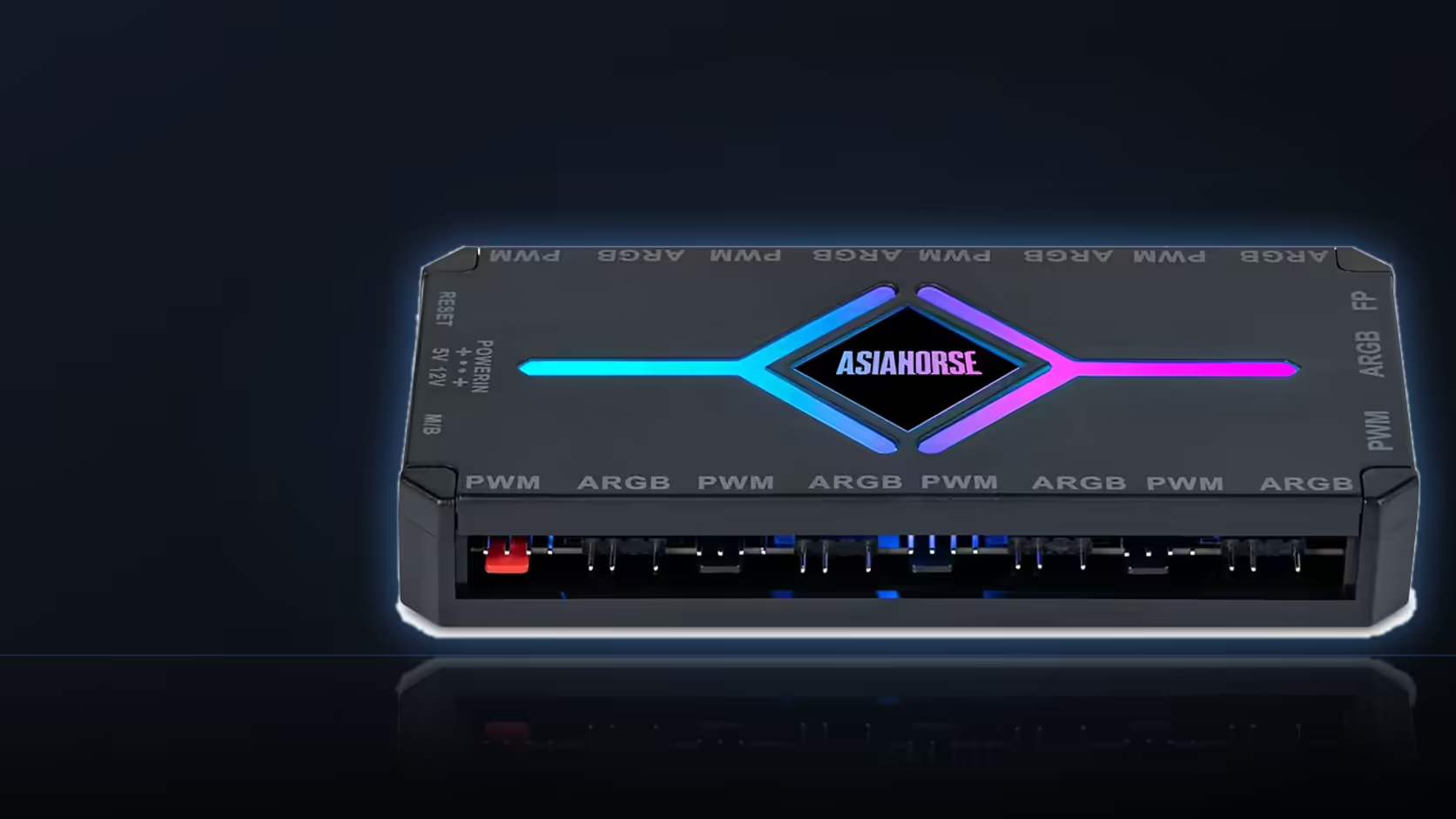
Fit an AsiaHorse Aurora Learn cover for its own bundled remote, then add an ASH-S1 hub later because you have run out of headers, and you have quietly ended up with two controllers competing for the same case. Neither is wrong on its own. Left unmanaged together, they turn one build into two unrelated light shows.
Quick Answer
Give each controller a clearly defined job, or switch one into motherboard sync so only one source is actually deciding what the lighting does. The Aurora Learn cover ships with its own SATA-powered controller and remote for around R599, carrying 124+ presets, while the ASH-S1 hub costs about R349 and offers its own remote, twenty presets and a sync mode of its own. Running both on independent presets at once is the setup to avoid.
🎛️ Why a build ends up with two
The Aurora Learn cover comes with its controller in the box, so anyone using it already owns one lighting brain before they buy anything else. If that same build later needs more fan or ARGB ports than the motherboard provides, the natural answer is the ASH-S1 hub, which brings nine PWM and nine addressable ports of its own. Nothing about adding the hub disables the cover's original controller, so both are now live, each running whatever preset it was last set to.
⚠️ What actually goes wrong
The risk is not damage, it is a build that reads as two unrelated schemes rather than one. The cover's controller might be cycling through a rainbow chase while the hub-driven fans sit on a static colour, and from the front of the case that looks like an unfinished decision rather than an accessory doing exactly what it was told. It gets worse if someone reaches for whichever remote is closest and changes a preset without realising a second controller exists.
🤝 Getting them to agree
There are two workable routes. The simplest is switching the Aurora Learn cover into its 5V 3-pin motherboard sync mode instead of running it from its own controller, which hands the whole scheme to your motherboard's own RGB software alongside anything else synced the same way. The ASH-S1 hub offers exactly the same option, since motherboard sync sits alongside its remote control and auto-temp modes. Put both devices on board sync and one application is now deciding everything, which is the cleanest way to get one look out of two controllers.
The other route is deliberate division: decide which devices sit on which controller, and then match their presets by hand so the two schemes look related even though they are not technically linked. This takes more effort to keep in sync over time, but it keeps the remote-control convenience both devices offer.
🔢 Whether a second controller is even needed
The ASH-S1's nine addressable ports cover a considerable amount of the range on their own, so a lot of builds get through the whole lighting plan on one controller and never reach the point of adding a second. Before buying both, total up what actually needs a connection, weighing any lit fans from Evetech's case fans lineup against everything else on your case accessories list, before assuming you need two lighting brains in one machine.
Frequently Asked Questions
Why would a build end up with two controllers in the first place?
Because the Aurora Learn cover arrives with its own controller included, and a build that later runs short of headers commonly adds the ASH-S1 hub on top of it.
What is the actual risk of running both unmanaged?
Two controllers cycling through different presets independently, which reads as two disconnected lighting schemes inside one case rather than a single coordinated one.
How is that avoided without buying anything else?
Switch the Aurora Learn cover into motherboard 5V 3-pin sync, or agree in advance which devices belong to which controller and set matching presets on both.
Does the ASH-S1 have a sync mode too?
Yes. Motherboard sync is one of its three modes, sitting alongside remote-controlled presets and an auto-temperature response mode.
Which route gives the most consistent result?
Putting both devices on motherboard sync, since that hands control of the whole scheme to a single piece of software rather than two separate remotes.
Does sync mode lose any functionality?
The remote-driven presets step back in sync mode, which matters more on a shared household machine than on a single-user build where one person controls the app anyway.
Is a second controller usually necessary at all?
Not always. The hub's nine addressable ports carry a lot of a typical build's lighting on their own before a second controller becomes worth adding.
Building a case with more than one lighting accessory?
Check Evetech's case accessories selection and plan your controller setup before the parts arrive.