



650W PSU Planning for RTX 5090 Builds in SA
650W for RTX 5090 needs a full-build check, not a simple yes. Review GPU guidance, CPU draw, transient load, connectors, PSU quality, and upgrade plans before deciding.
Read moreWhat Are the Minimum Requirements for Streaming with Core Ultra 9 285K Detailed answer with SA data, expert analysis & practical recommendations for local buyers.

Want to start streaming your gameplay but worried about your hardware keeping up? The new Intel flagship is an absolute monster. If you want to know the minimum requirements for streaming with Core Ultra 9 285K, you are in the right place. Let us break down exactly what you need to build a rig that pushes pixels without breaking a sweat... or your ZAR budget.
Streaming while gaming demands serious multitasking power. Intel's latest architecture handles background tasks like OBS Studio effortlessly. But dropping this CPU into a weak system is a massive waste. To get the most out of it, you need to surround it with the right gear. If you are starting from scratch, browse our range of desktop processors to see how it stacks up against the competition.
The minimum requirements for streaming with Core Ultra 9 285K start with your motherboard and memory. You need an Intel 800-series motherboard with the new LGA 1851 socket. For RAM, DDR5 is non-negotiable. We recommend a minimum of 32GB running at 6000MHz or higher. This ensures your stream does not stutter when you load up massive open-world titles. Not keen on building it yourself? You can always grab one of our pre-built PC deals that already have everything balanced perfectly.
While the CPU handles the heavy lifting, your graphics card encodes the video. Pairing this flagship processor with a weak GPU will bottleneck your frame rates. You should aim for an RTX 4070 or Radeon RX 7800 XT at the absolute minimum. These cards feature dedicated hardware encoders that make your Twitch or YouTube broadcasts look incredible. If you want a complete setup built for high-end graphics, check out our best gaming PC deals for some inspiration.
High performance generates heat. You cannot rely on a basic air cooler here. A 360mm AIO liquid cooler is the baseline requirement to prevent thermal throttling during long streaming sessions. You will also need a robust power supply... think 850W minimum... to keep everything stable. Sometimes, a massive desktop setup does not fit your lifestyle. If you travel often, you might prefer browsing notebooks for sale in South Africa that offer portable streaming power instead.
Building a top-tier streaming rig is an investment. In South Africa, component prices fluctuate, so taking time to optimise your ZAR budget is crucial. Always look out for bundled components to save cash. You do not have to compromise on quality if you shop smart. Keep a close eye on our weekly tech specials to score massive discounts on the exact parts you need to complete your build.
When configuring OBS Studio with your new Intel CPU, use the Quick Sync Video (QSV) encoder if you want to take the load off your graphics card. It is incredibly efficient and keeps your in-game frame rates buttery smooth.
Ready to Build Your Streaming Empire? Getting the right hardware is the first step to growing your audience. Whether you need a custom rig or individual components, Evetech has the best pricing in South Africa. Explore our massive range of desktop processors and start your broadcasting journey today.
What Are the Minimum Requirements for St available at Evetech.co.za with local warranty and fast delivery.
What Are the Minimum Requirements for St - check Evetech for latest stock and SA pricing.
Depends on your use case. What Are the Minimum Requireme offers good value at current Rand pricing.
650W for RTX 5090 needs a full-build check, not a simple yes. Review GPU guidance, CPU draw, transient load, connectors, PSU quality, and upgrade plans before deciding.
Read more
How to fix FPS drops Windows 11 RX 9070 XT starts with GPU drivers, overlays, power plans, and frame pacing checks. For SA gaming PCs, verify chipset updates, HAGS, refresh rate, thermals, and per-game graphics settings.
Read more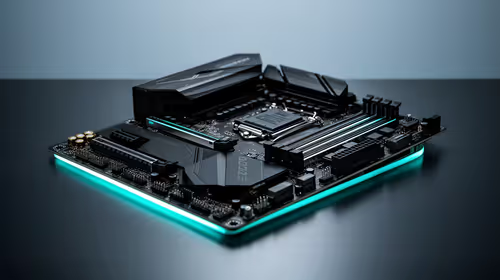
How to fix FPS drops on X870E motherboard starts with BIOS, chipset drivers, PCIe settings, and memory stability. SA gamers can check EXPO, resize BAR, thermals, display refresh, and background apps before replacing components.
Read more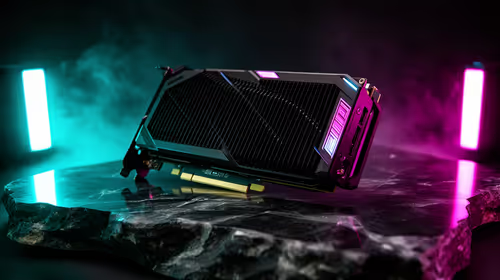
RTX 5060 is popular with SA students because it can fit gaming, coursework, and creative app needs in one setup. Compare total system price, cooling, RAM, storage, and screen quality before picking a desktop or laptop.
Read more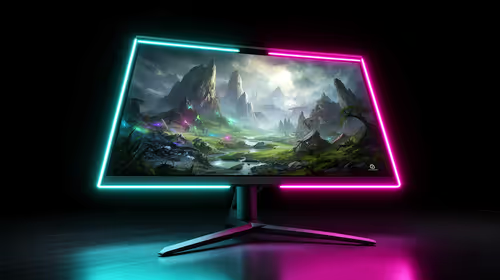
1440p is the sweet spot for SA gamers because it balances sharp visuals, high frame rates, and GPU cost better than 4K. It is a practical monitor target for players who want smoother upgrades without the heavier hardware demands of 4K.
Read more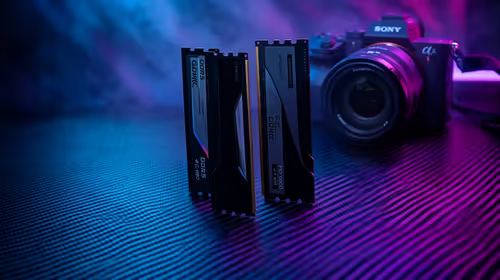
RAM pricing for Midrand gamers can shift with exchange rates, supply, specs, and model tier. Treat the title as a buying prompt, then compare SA warranty, timing, and build priorities.
Read more
From 1 October 2026, WhatsApp Business Platform service replies in South Africa are expected to cost about $0.0076, or 12 cents, per delivered message.

DDR5-8000 RAM Kits pros and cons depend on the build, budget, and workload. Weigh gaming needs, platform fit, power, cooling, warranty support, and South African pricing context before shortlisting it.

Wi-Fi 6E vs Wi-Fi 6 depends on AAA single-player gaming needs, platform limits, and budget fit. Compare compatibility, latency, upgrade path, and real setup constraints before choosing for an SA build.

Ryzen 9 9950X3D dead pixel checks should isolate the panel first. Run colour fills, inspect the monitor menu, test another cable or input, and capture proof before linking it to the SA CPU upgrade.

YouTube will count public views from the first frame across video formats from 24 August, while earnings and eligibility remain tied to engaged viewing.

Canonical expects Ubuntu on WSL users to outnumber native Ubuntu desktop users before the end of 2026. The software is open source and runs inside supported Windows PCs.

Telkom's daily bundles pair WhatsApp access with 10 all-network voice minutes. The R15 option includes 300MB, while the R17 option uses a fair-use threshold.

A 10,000-hour test found similar image retention across older and newer OLED TVs, while newer panels were brighter and more efficient. Local OLED monitors started at R9,999.

Windows 11 update KB5121003 is linked to crashes in several multiplayer games on versions 24H2 and 25H2. Check the build, report the fault and avoid risky file or update changes unless the problem is confirmed on your PC.

Comsol's standalone 5G network covers about one million Gauteng homes and starts commercial ISP service in September. Early packages range from R275 to R875 a month, but coverage and fair-use rules still decide the real value.

Sennheiser's Momentum True Wireless 5 adds user-replaceable batteries, 12-hour playback and a $299.95 launch price. There is no confirmed South African date, so compare longevity with live earbuds from R199 to R2,999.

AVerMedia's GC531 and GC535 are professional HDMI capture devices for continuous streaming, with RGB24 capture up to 2K30 and 4K30. South African creators should compare them with live 4K capture cards from R2,099.