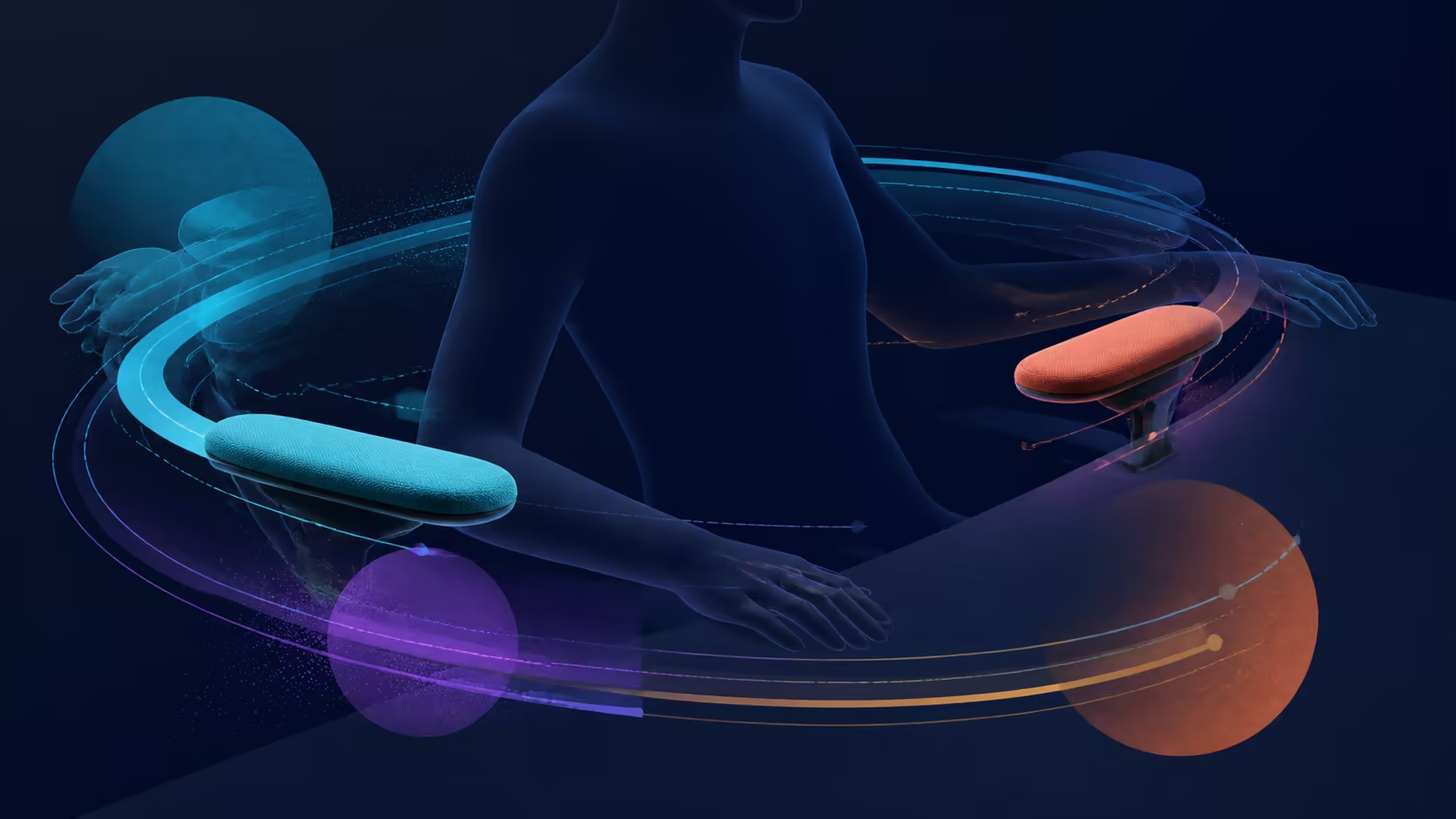
Arm supports influence where the chair can sit in relation to the desk. 360-degree omni-motion armrests make many directional positions possible, but the useful question is whether they bring the forearms toward the keyboard and mouse without crowding either device. The R7,399 E3 Air has this movement.
Quick Answer
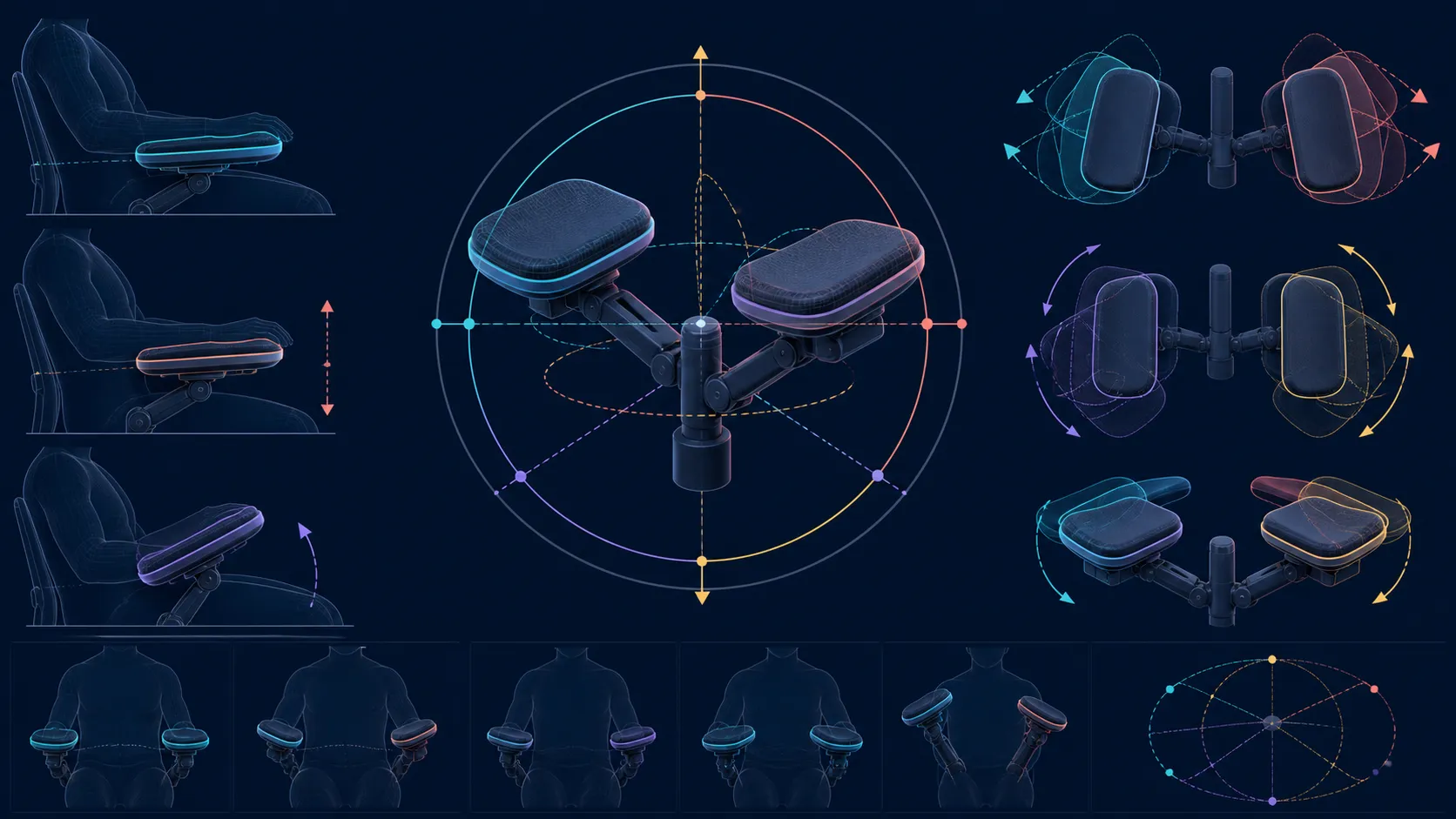
The E3 Air armrests combine 360-degree free-roam swivel, 40-degree synchro-tilt linkage and precise XYZ alignment.
Omni-motion armrests can change a desk setup by letting the user position each support around the input layout instead of moving the whole chair to suit fixed arms. The R7,399 E3 Air uses 360-degree mech-armrests. Their value depends on finding stable, unobtrusive support for the real typing and mouse pattern, not on using every possible direction.
⌨️ Fix the inputs before the arms
Place the keyboard, mouse and monitor where the work requires them. Centre the main keys with the seated position and leave enough mouse area for the usual movement. Only then bring the chair toward the desk. Starting with the armrests can cause the inputs to be arranged around the furniture instead of around the task.
Adjust the supports one side at a time. Typing often asks for a more balanced position, while mouse use can create a different reach on the dominant side. A symmetrical appearance is not automatically a better functional setup. The test is whether the shoulders remain relaxed and the wrists can approach the devices without an awkward edge or gap.
After measuring desk-edge clearance, place that constraint beside the alternatives in Evetech's HBADA office-chair category. The range becomes meaningful when every candidate must solve a known spatial requirement.
🧭 Watch what moves unintentionally
Broad armrest travel can solve a collision or create one. Turn through the normal work sequence and check whether a support contacts the desk, blocks the chair from moving close enough or narrows the route used to sit down. Also verify that a chosen position stays suitable when the mouse shifts between precise and broad movement.
Upper contact on the E3 Air comes from a headrest adjustable in 4D along dual axes. Lower down, its three lumbar zones extend across an 80-degree auto-wrap area. Leave both relationships still during the armrest trial; changing the entire upper body would hide whether the arms, back or head produced the result.
📝 Save positions by task
Instead of searching for one permanent arrangement, note two recoverable positions: focused keyboard work and mouse-heavy activity. Each note can describe where the support sits relative to the desk edge rather than relying on unmarked controls. Resetting should take seconds, or the movement is unlikely to be used consistently.
Do not turn an ergonomic adjustment into a treatment promise. Arm and wrist discomfort can have several causes, and persistent symptoms need appropriate assessment. The chair contributes a positioning tool; it cannot diagnose why discomfort occurs.
Compare more office chairs from Evetech by repeating the same input-placement exercise. The best moving armrest is the one that works with the desk opening, devices and user's reach while staying out of the way when support is not needed.
Synchro-tilt coordinates arm support with chair motion, helping the elbows remain supported as posture changes. Use XYZ placement for the keyboard and mouse position first, then allow swivel and linked tilt to preserve support during recline or console use.
Record the preferred input position before switching to a reclined or console arrangement.
Frequently Asked Questions
What arm supports come on the E3 Air?
Its mech-armrests provide 360-degree omni-motion for broad directional positioning. Work with the movement physically present; if a measured travel distance matters, keep it as a separate buying requirement.
How can their position affect desk layout?
The chosen angle can determine how closely the chair approaches the work surface and where the forearms meet the inputs. Check clearance as well as support during actual movement.
Should the arms be set before the keyboard and mouse?
No. Place the inputs for the task first, align the chair with them and then bring each support toward the forearm. This keeps the tools at the centre of the decision.
Will adjustable armrests remove discomfort?
They can help change alignment, but they do not guarantee relief or identify the cause of a symptom. Seek suitable professional guidance when discomfort persists.
Which head support accompanies them?
For the head, the E3 Air supplies dual-axis adjustment in four dimensions. Configure that support separately after establishing the screen, back contact and main seated position.
What supports the chair underneath?
Five spokes made from steel form the supporting base. The chair accepts users up to 150kg; treat capacity and desk fit as independent eligibility checks.
Ready to map arm support around the tools you use?
Browse Evetech office chairs after measuring the desk opening and marking your keyboard and mouse positions.