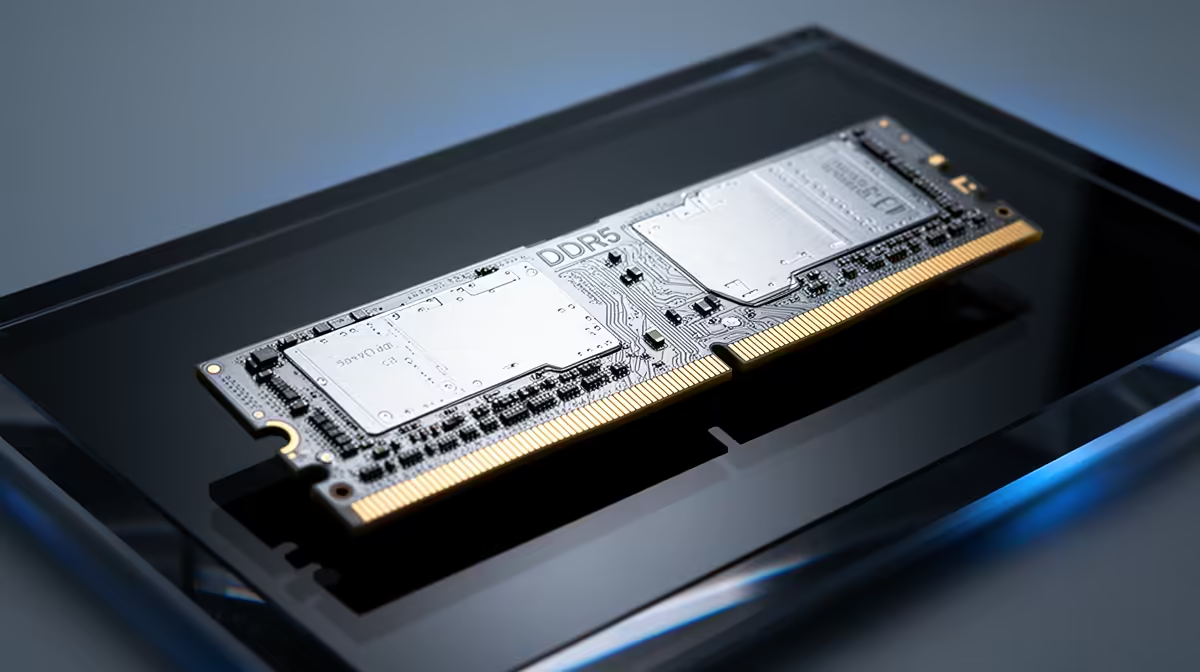
Spend hours on a render or a simulation and the worst outcome is not a crash, it is a result that looks fine but is quietly wrong. ECC RAM exists to stop exactly that. It detects and corrects single-bit memory errors on the fly, so a stray flipped bit does not silently poison your output. The real question for a creative workstation is whether your work is the kind that needs that safety net.
Quick Answer
ECC RAM corrects single-bit errors automatically, preventing silent data corruption in long renders or simulations where one flipped bit can ruin hours of compute. For a solo creator, standard DDR5 is perfectly fine. ECC earns its place in studios running overnight batch jobs where an undetected error is expensive.
What ECC Actually Does
Ordinary system memory can occasionally suffer a bit flip, where a single bit changes state due to electrical interference or a cosmic ray. On standard RAM this happens without warning and without correction. Most of the time it is harmless, but during a long compute job it can corrupt the result in ways you may not notice until much later.
ECC, or error-correcting code memory, adds the ability to detect and fix single-bit errors as they occur. The correction happens transparently, so the job continues with the right data instead of carrying a silent fault forward. That is the entire value proposition: it removes a rare but real source of corruption from work where the cost of being wrong is high.
Who Genuinely Needs It
The deciding factor is how long and how unattended your compute jobs are. A studio running overnight batch renders, large physics or fluid simulations, or scientific compute has a strong case for ECC, because a corrupted result discovered in the morning means redoing hours of work. When the machine is grinding for hours with nobody watching, the protection is worth it.
For a solo creator editing video, designing, or running interactive 3D, standard DDR5 is the right choice. The work is shorter, more interactive, and a rare bit flip is unlikely to cause a meaningful problem before you would catch it anyway. Spending the premium on ECC there is money better put toward a stronger GPU. If your bottleneck is rendering or simulation throughput, the workstation graphics card range is usually the more impactful upgrade.
The Practical Trade-Offs
ECC RAM costs more and requires a CPU and motherboard that support it, which typically means stepping into workstation-class platforms rather than mainstream desktop ones. So the decision is rarely just about the memory, it is about committing to a workstation platform built around reliability. For overnight-render studios that is a sensible investment. For everyone else, a well-specified standard build delivers more usable performance for the money. The best-selling PCs give a sense of where most creators land without going down the ECC route.
Frequently Asked Questions
What does ECC RAM actually protect against?
It detects and corrects single-bit memory errors, which are rare random bit flips that would otherwise go unnoticed on standard RAM. The correction happens automatically, preventing silent corruption from being carried into your output.
Do I need ECC RAM for video editing?
For typical video editing, no. The work is interactive and short enough that a rare bit flip is unlikely to cause a problem before you catch it. Standard DDR5 is the right choice, and the saving is better spent on the GPU.
When is ECC RAM genuinely worth it?
In studios running long, unattended compute such as overnight batch renders or large simulations. There, an undetected error means redoing hours of work, so the protection clearly pays off.
Does ECC RAM make my workstation slower?
The performance difference is minor and not the deciding factor. The real considerations are the added cost and the need for a supporting CPU and motherboard, which usually means a workstation-class platform.
Can I just add ECC RAM to my existing PC?
Usually not. ECC requires a CPU and motherboard that support it, which typically means a workstation platform rather than a mainstream desktop. It is a platform decision, not a simple memory swap.
If your work is heavy, unattended rendering and simulation, a reliability-first workstation platform with ECC makes sense, but for most creators the GPU is where the money counts. Compare the workstation graphics options at Evetech and put your budget where it moves your renders fastest.