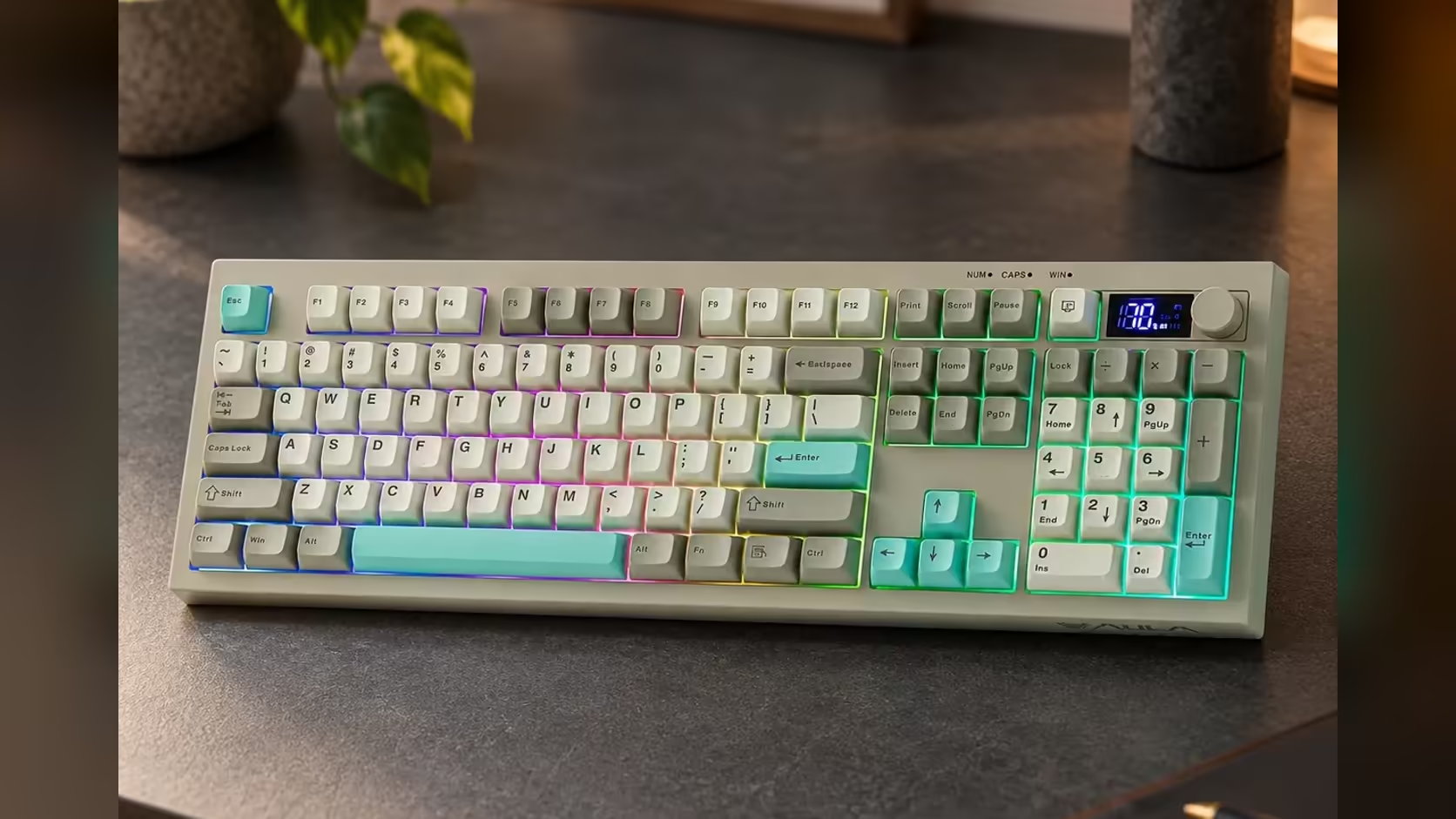
Wireless keyboards have a classic failure mode. You start typing an email, look up, and realise the words went to the other computer, or nowhere, because the board quietly switched link or ran flat. The S102 PRO tackles both problems with a small screen above the keys. It is not there for animations; it is a keyboard status screen that answers two questions before you type: where am I connected, and how much charge is left?
Quick Answer
Glance at the AULA S102 PRO's small TFT screen and you see two things: the link in use and the charge left, as a percentage. That settles whether you are on 2.4GHz, Bluetooth or the cable before you type into the wrong device, and warns you when to charge. AULA lists only those two readouts for the screen. Evetech lists the grey S102 PRO at R299.
📶 Why connection status matters
The S102 PRO has three routes to a computer: its 2.4GHz receiver, a Bluetooth link that remembers two devices, and a USB lead. That flexibility is the point, since one keyboard can serve a desktop and a laptop, but it also creates room for confusion.
Typical moments where the screen saves you:
- You switch from a work laptop on Bluetooth to a desktop on the receiver and want to confirm the change took.
- Someone else used the keyboard and left it on a different link.
- You plugged the cable in to charge and want to know whether the board is now running wired.
A glance at the screen tells you which link is live. That beats typing a test line into an empty document.
AULA describes the readout as connection status. With two Bluetooth devices paired, check on your own board how it distinguishes between them, since the product page does not spell that detail out.
🔋 Reading the battery percentage
The second readout is the battery level, shown as a percentage rather than a simple low-battery light. A number is far more useful: 60% on a Monday morning tells you something very different from a single warning LED.
When to charge
There is no need to wait until the board is nearly flat. A practical routine is to top up whenever the number drops low enough that it might not last your next working day. AULA's instruction on how to charge is specific: use a computer's USB port with the included cable, because USB wall adapters are not supported.
AULA does not publish battery capacity or runtime for the S102 PRO, so how often you recharge comes down to your habits, especially how bright you keep the lighting.
🎛️ The screen alongside the knob and backlight
The screen sits with two other controls that make the S102 PRO easy to live with:
- A rotary volume knob, for turning calls and music up or down without a menu.
- RGB lighting whose colour and brightness you step through with Fn combinations.
Together they make the board feel more like a small control centre for the desk than a plain keyboard. Underneath it all is a quiet silicone membrane in a complete 100% arrangement, number keys included, along with Cherry-profile keycaps and three typing angles, plus Windows and Mac modes on Fn + A and Fn + S.
The S102 PRO is part of Evetech's office keyboards range. Anyone after a matching keyboard and mouse bought together can look through the keyboard and mouse bundles as well. Should it fail, a 1 Year Local Warranty applies through Evetech; the price sits on the product page.
Frequently Asked Questions
Does the screen show anything besides connection and battery?
AULA lists only those two readouts, so treat it as a status display rather than a clock or animation screen.
How is the battery shown?
As a percentage, which is more useful than a single low-battery light.
How should I charge it?
Plug the supplied lead into a computer. AULA does not support USB wall adapters for this board.
Will it tell me which Bluetooth device is active?
It shows connection status. How it separates the two Bluetooth slots is not detailed on the product page, so check on the board itself.
Does the backlight affect battery life?
AULA gives no runtime figures, but a brighter backlight generally uses more power on any wireless keyboard.
Tired of typing into the wrong computer?
Explore Evetech's office keyboard range and see the S102 PRO with its connection and battery screen.