



Wireless Earbuds with Instant Pairing
Discover wireless earbuds that pair instantly, ensuring zero delays and maximum convenience 🎧✨ Upgrade your audio game effortlessly!
Articles related to Instant Pairing.
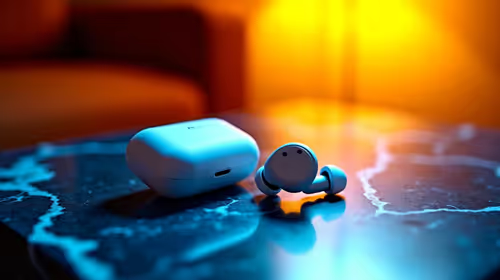
Discover wireless earbuds that pair instantly, ensuring zero delays and maximum convenience 🎧✨ Upgrade your audio game effortlessly!

Windows never combine taskbar shows separate labelled buttons for open windows. Choose it in Taskbar behaviours, then review space and other-display settings; labels and grouping are linked in the available options.

8BitDo Ultimate 3C+ brings adjustable stick tension to the C Series. Windows uses wired USB or the 2.4 GHz adapter; Android uses Bluetooth. Confirm those modes and local pricing before buying.

EPOMAKER Galaxy75 previews an aluminium 75% keyboard with wireless modes and HUB/VIA customisation. It is still marked coming soon; final pricing and South African supply are not confirmed.

Windows Delivery Optimisation can share update files with other PCs. Review its activity, choose local-only sharing or turn peer sharing off, and use bandwidth controls; those choices do not disable Windows Update.
Windows never combine taskbar shows separate labelled buttons for open windows. Choose it in Taskbar behaviours, then review space and other-display settings; labels and grouping are linked in the available options.
Windows Delivery Optimisation can share update files with other PCs. Review its activity, choose local-only sharing or turn peer sharing off, and use bandwidth controls; those choices do not disable Windows Update.

Windows touch indicator adds visual feedback where you touch a screen. Change it in Accessibility, Mouse pointer and touch; a feedback circle is different from inaccurate input, ghost touches or a damaged panel.

Windows underline access keys makes supported menu letters easier to see. Enable the keyboard accessibility option, then follow the app's displayed Alt cues; this does not remap keys or create missing app shortcuts.
Windows never combine taskbar shows separate labelled buttons for open windows. Choose it in Taskbar behaviours, then review space and other-display settings; labels and grouping are linked in the available options.

Windows always show scrollbars keeps supported interface scrollbars visible. Enable it in Accessibility and test Settings first; an app can use its own scrollbar behaviour and may need a separate preference.
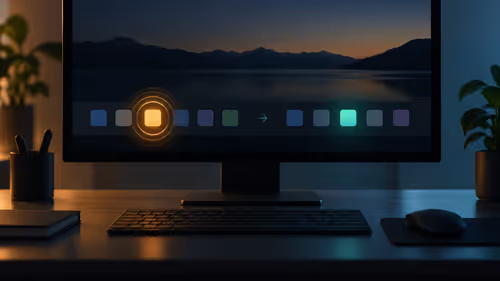
Windows taskbar flashing can be disabled in Taskbar behaviours. Focus can also suppress flashing temporarily. Choose permanent or timed behaviour, then check notifications separately so useful messages remain visible.

Windows focus sessions combine a timed work period with optional suppression of taskbar badges, flashing and notifications. Review the options and the Clock app before assuming every interruption will stop.