


RTX 5070 Ti 16GB for Video Editing and AI Workflows
RTX 5070 Ti 16GB for video editing powers faster renders and AI-assisted workflows, speed up Premiere and Resolve exports, and optimize inference. 🎬🤖
Read moreDeciding on SSD vs HDD for AI data storage? This guide breaks down the critical differences for South African AI professionals. 🤖 Discover which drive offers the speed, capacity, and reliability you need to accelerate your machine learning and data processing workloads. Make the smart choice!
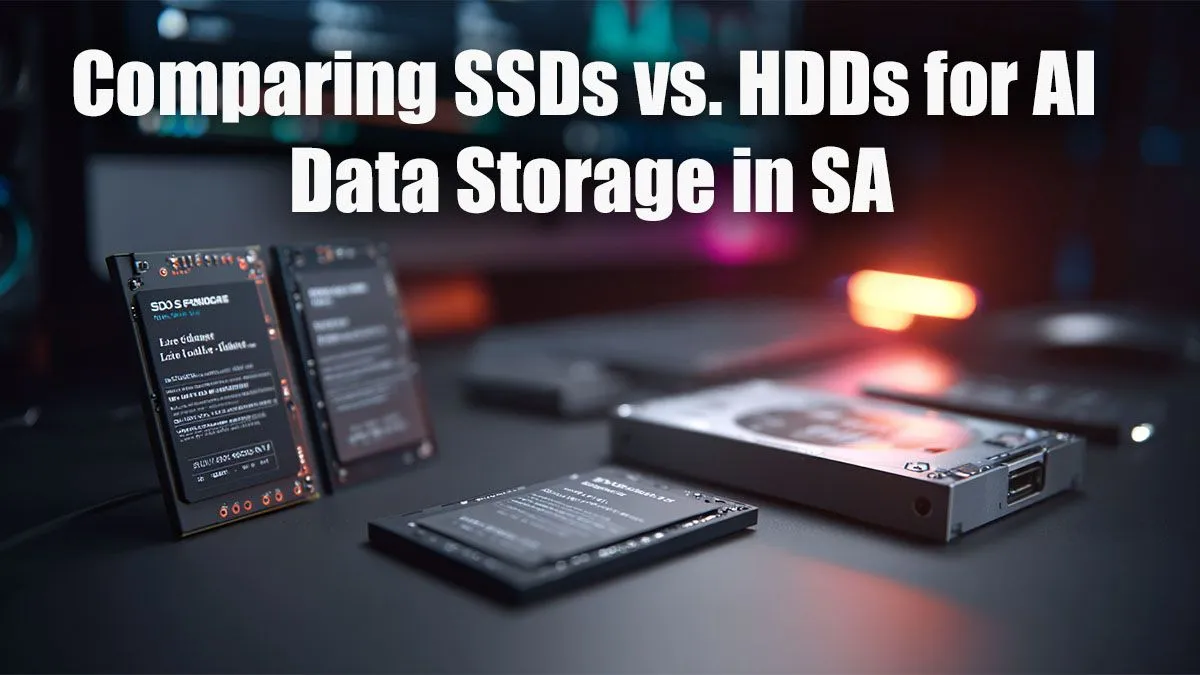
Running AI models locally in South Africa is no longer just for big data labs. From generating mind-blowing art to using DLSS 3 for silky-smooth frame rates, AI is here. But there's a catch… your old hard drive could be a massive bottleneck. The debate over SSD vs HDD for AI data storage isn't just a tech choice; it's the difference between flying and crawling. Let's break down which one you really need for your projects. 🚀
Before diving into AI specifics, let's have a quick refresher. Think of a traditional Hard Disk Drive (HDD) like a massive warehouse. It uses spinning platters and a mechanical arm to read data. It’s brilliant for storing huge amounts of information cheaply, but finding a specific item can be slow.
A Solid-State Drive (SSD), on the other hand, is like a high-tech vending machine. It uses flash memory with no moving parts, giving you near-instant access to whatever you need. This speed comes at a higher price per gigabyte, but the performance leap is enormous.
Artificial intelligence isn't like running a game or a web browser. AI tasks, especially model training and data processing, are incredibly demanding on your storage drive. They involve reading and writing thousands of small files over and over again at blistering speeds.
An HDD, with its physical moving parts, simply can't keep up. This creates a bottleneck where your powerful CPU and GPU are left waiting for data, wasting time and electricity. This is especially true when using the AI-powered features in modern NVIDIA graphics cards that rely on rapid data access to boost performance.
So, how does the SSD vs HDD for AI data storage battle play out in real-world scenarios? It depends entirely on the task at hand.
Winner: SSD (specifically NVMe SSD) 🏆
When you're training a model, the system needs to feed your GPU with massive datasets. This process requires extremely high Input/Output Operations Per Second (IOPS) and ultra-low latency. An NVMe SSD is the undisputed champion here, reducing training times from days to hours in some cases. An HDD would slow the entire process to an unbearable crawl.
Winner: HDD
This is where the classic hard drive still shines. If you have terabytes of datasets that you aren't actively using for training, an HDD offers unbeatable value for money. You can store your raw data, backups, and finished models on a large, affordable HDD without clogging up your expensive, high-speed storage. This is a common strategy in many powerful gaming rigs which often pair a fast SSD with a large HDD.
For the best of both worlds without breaking the bank, use a dual-drive setup. Install your OS, software, and active AI projects on a fast NVMe SSD for instant access. Use a larger, more affordable HDD for long-term storage of massive datasets, backups, and completed models. It's the most cost-effective AI storage solution for most South Africans.
Winner: SSD
Running applications like Stable Diffusion or using an AI-powered video editor? You need an SSD. Loading the models, assets, and plugins from an HDD will lead to frustrating lag and a choppy workflow. A snappy SSD ensures the application is responsive and ready to go when your creativity strikes. ✨
When it comes to the crucial choice of an SSD vs HDD for AI data storage, the answer is clear: you need both. But for any active work, an SSD is not a luxury… it's a necessity.
Your primary drive for your operating system, software, and current AI projects must be an SSD, preferably a fast NVMe model. A secondary, larger HDD is the perfect, cost-effective partner for archiving and backups. Remember, the fastest storage won't help if the rest of your system can't keep up, which is why a balanced build from our range of purpose-built workstation PCs is often the smartest investment.
Ready to Build Your AI Powerhouse? The SSD vs HDD debate for AI storage is clear: speed is king. But the right drive is just one part of the puzzle. Explore our range of customisable Workstation PCs and build the perfect machine to bring your AI projects to life.
SSDs are significantly better for AI training. Their superior read/write speeds and low latency drastically reduce data bottlenecks, accelerating model training times.
Yes, you can use HDDs for AI, especially for archiving large datasets where cost per gigabyte is a priority. For active training, their slow speed is a major drawback.
Low latency, a key feature of SSDs, is crucial for AI inference. It ensures rapid data access, allowing AI models to provide real-time responses and predictions quickly.
For large AI datasets in SA, a hybrid approach is often best. Use fast NVMe SSDs for active data and high-capacity HDDs for cost-effective long-term storage and backups.
AI workloads involve intense, continuous read/write cycles which can increase wear. However, modern enterprise-grade SSDs are built with high endurance (TBW) to handle these demands.
Storage needs vary widely. Small models might need a few gigabytes, while large language models (LLMs) can require hundreds of gigabytes or even terabytes for the model and data.
RTX 5070 Ti 16GB for video editing powers faster renders and AI-assisted workflows, speed up Premiere and Resolve exports, and optimize inference. 🎬🤖
Read more
- Assess longevity - Embrace scalable AI - Plan upgrade paths AI upscaling for gaming boosts visuals and FPS while extending GPU life, helping you future-proof your rig with smart upgrades ⚡🎮
Read more
Looking for 🔝 budget graphics cards you can trust? Check out the GPUs South African gamers actually choose for performance and affordability 💰.
Read more
🔥 Discover the most-wanted GPUs in South Africa. Get expert insights on performance, pricing, and where to find them. 🚀 Don’t miss out!
Read more
Can a desktop rig handle gaming, streaming, and rendering at once?💪 Get expert insights on building a powerhouse PC for multitasking. 💡🎮🖥️
Read more
RTX 5060 Ti for AI workflows delivers cost-effective tensor performance to accelerate training, inference, and data prep. Learn tuning tips, memory/driver setup, and benchmark gains to boost daily AI productivity. ⚡️💡
Read more
Discover webcams that automatically adjust light and color for crystal-clear video calls 🎥✨. Boost your streaming quality today!
Read more
Discover webcams that blend into your workflow 🎯 Capture moments while you work, stream, or create. Upgrade your setup with smart, multitasking tech!
Read more
Dedicated media keys give streamers one-touch control to mute, switch scenes, clip highlights, and adjust audio — cutting task time and boosting consistency 🎛️⚡
Read more
Checklist: 1) Map keyboard actuation depth to genres 2) Step-by-step adjust settings 3) Test and tune for performance 🎮⌨️ Learn keyboard actuation depth for FPS, MOBA, RTS, and RPG to improve response and accuracy.
Read more
Optical switches deliver faster actuation and lower latency than traditional mechanical switches, using light-based triggers and minimal debounce to boost gaming and typing performance ⚡⌨️
Read more
Clean gaming keyboard quickly and safely in dusty or humid conditions with step-by-step tips, tool checklist, and maintenance routines to prevent corrosion and switch failure. 🧼💨
Read more