Quick Answer
A complete 144Hz 1080p gaming PC at R12,000 is achievable with a Ryzen 5 5600 (R2,200) and RX 7600 (R5,800) — this combination delivers 144fps in CS2, Valorant, and Fortnite, and 130–145fps in Hogwarts Legacy and God of War Ragnarök at 1080p High with FSR Quality. The full build including B550 board, 16GB DDR4, 1TB SSD, PSU, case, and a 24-inch 1080p 144Hz monitor comes to approximately R15,500.
R12,000 Component Budget for 144Hz 1080p Gaming
Allocating R12,000 for PC components only (monitor separate):
- CPU: Ryzen 5 5600 (~R2,200)
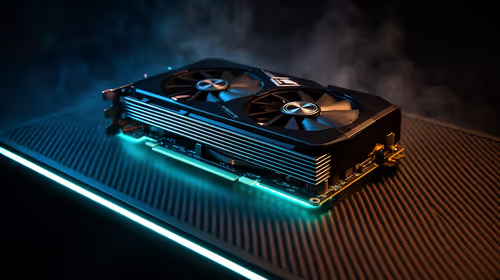
- GPU: RX 7600 (~R5,800)
- Motherboard: B550 (~R1,500)
- RAM: 16GB DDR4-3200 (~R800)
- Storage: 1TB SATA SSD (~R700)
- PSU: 550W 80+ Bronze (~R1,000)
- Case + cooler: (~R1,000)
PC total: R13,000. Add a 24-inch 1080p 144Hz monitor (R2,200) for a R15,200 complete system. For strict R12,000 total (PC + monitor), reduce to a B450 board (R1,200) and a 512GB SSD (~R500), saving R1,500.
144Hz 1080p FPS Benchmarks on Ryzen 5 5600 + RX 7600
- CS2 (1080p Low): 250–300fps — well above 144Hz
- Valorant (1080p Low): 320–400fps
- Fortnite (1080p Competitive): 200–250fps
- Hogwarts Legacy (High, FSR Quality): 130–145fps — at target
- God of War Ragnarök (High): 130–145fps
- Elden Ring: 144fps+ (capped at 144fps typically)
- Black Myth: Wukong (Medium, FSR Quality): 120–135fps — slightly below target
For competitive titles, the build massively over-delivers on the 144Hz target. For demanding AAA titles, FSR Quality mode is needed to maintain 130fps+ — minor image quality cost for smooth 144Hz delivery.
SA Market Context: 144Hz Monitor Options at R12,000 Budget
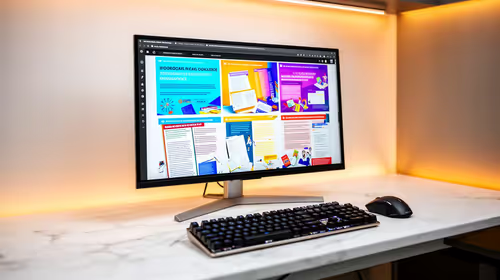
For a complete R12,000 system including monitor, a 24-inch 1080p 144Hz IPS monitor at R1,800–R2,500 is the target. TN panels at R1,500–R1,800 offer faster response times but inferior colour and viewing angle. For SA gamers playing mixed competitive and single-player content, Fast IPS 144Hz panels at R2,000–R2,500 at Evetech are the balanced choice.
FAQ
Is Ryzen 5 5600 still a good CPU for 144Hz gaming at R12,000?
Yes. The Ryzen 5 5600 delivers strong single-core performance that handles 144Hz+ in all competitive titles and matches the GPU tier correctly at R12,000. It is not a bottleneck for the RX 7600 at 1080p in gaming workloads. For R12,000 total, it is the best-value 6-core CPU available on AM4.
Does RX 7600 hit 144fps in AAA single-player games at 1080p?
In most titles at High settings with FSR Quality enabled, yes — 130–145fps in God of War Ragnarök, Hogwarts Legacy, and Elden Ring. Demanding titles like Black Myth: Wukong and Alan Wake 2 fall slightly short of 144fps at High settings without upscaling. FSR Quality mode resolves this for AMD FSR-supported titles.
What is the best monitor upgrade from 1080p 144Hz on an R12,000 budget?
Stay at 1080p 144Hz for this build — the RX 7600's 8GB VRAM is well-suited to 1080p. When upgrading the GPU to RTX 4060 Ti or RX 7700 class (~R8,000–R9,000), step the monitor to 1440p 144Hz simultaneously to use the additional GPU headroom. That upgrade path spends the next R6,000–R8,000 most effectively.
on your 144Hz monitor with the RX 7600 and let the variable refresh range (48–144Hz) smooth out scenes where the GPU dips below 144fps — cinematic AAA sequences that hit 110–120fps on the RX 7600 deliver perfectly smooth motion with FreeSync enabled, even without hitting the 144fps ceiling.