


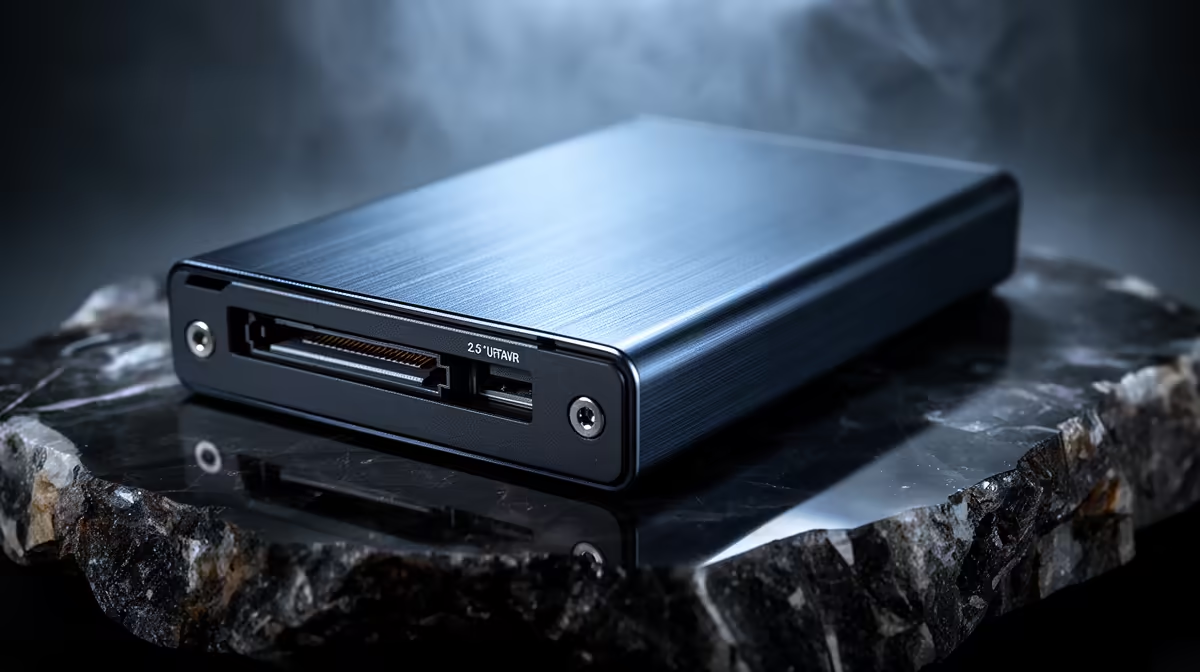
2.5-inch SATA Drive Enclosure Tool-Free Installation: Quick win for SA gamers 🔧
If you’ve got old 2.5-inch SSDs or HDDs gathering dust after an upgrade, a 2.5-inch SATA Drive Enclosure Tool-Free Installation turns them into fast external storage in minutes. South African gamers and creators appreciate plug-and-play solutions that don’t need screwdrivers or fiddly brackets — especially when you need extra space for games, captures or cloud backups. Here’s how to pick, fit and get max value.
2.5-inch SATA Drive Enclosure Tool-Free Installation — what to look for
Pick an enclosure that supports SATA III (6Gb/s) for full performance with modern SSDs; that’s the standard most manufacturers use for 2.5-inch drives (see specs). If you want brand-filtered options, check Orico enclosures for compact, tool-free designs. https://www.evetech.co.za/PC-Components/buy-enclosures-372?brands=Orico
- Interface: USB 3.1 Gen 1 (5Gb/s) or USB 3.2 Gen 2 (10Gb/s) will limit or enable top speeds.
- Drive thickness: most tool-free enclosures accept up to 9.5mm 2.5-inch drives.
- Build: aluminium shells help dissipate heat when doing long transfers. ⚡
Reference: SATA III standard summary is widely documented (see Serial ATA for technical context).
2.5-inch SATA Drive Enclosure Tool-Free Installation — step‑by‑step fitment for speed
- Slide open the tool-free bay and insert the 2.5-inch drive connector into the SATA plug.
- Snap or clip the drive into place until you hear/feel the latch.
- Close the bay and connect via the included USB cable.
- Format to exFAT or NTFS on Windows; APFS or exFAT on macOS depending on use.
If you want to browse a wider range, you can browse all enclosures on Evetech to compare specs and prices. https://www.evetech.co.za/PC-Components/buy-enclosures-372
Productivity Pro Tip ⚡
Keep a dedicated case for drives you swap frequently. Label with model and capacity, and always eject safely to avoid file-system corruption. This saves time and prevents data loss when moving captures between rigs.
2.5-inch SATA Drive Enclosure Tool-Free Installation — troubleshooting & real-world tips
- If the drive isn’t recognised, try a different USB port or an externally powered USB hub.
- For big installs and game libraries, use USB 3.2 Gen 2 where possible to reduce load times.
- Keep an eye on temperatures; if the enclosure runs warm during long transfers, move to an aluminium case or short transfers and cool-down breaks. 🚀
Shopping tip: if you’re budget-focused, Evetech lists options from R499 upward — solid enclosures start around that price in SA stock. https://www.evetech.co.za/PC-Components/buy-enclosures-372?min-price=499
2.5-inch SATA Drive Enclosure Tool-Free Installation — last thoughts
Tool-free enclosures are one of the simplest upgrades that squeeze more life and value from spare drives. They’re great for offloading game installs, making quick backups, or carrying a portable workstation. Choose the right interface and enclosure material for the best mix of speed and durability.
Ready to Find Your Perfect Match? The Mac vs Windows debate is complex, but for maximum power, choice, and value in South Africa, Windows is hard to beat. Explore our massive range of laptop specials and find the perfect machine to conquer your world.











