Dust. It’s the silent performance killer, slowly choking your gaming rig and turning your fans into wheezing engines. Here in South Africa, a dusty PC doesn't just look bad; it runs hotter, louder, and slower. Forget complex overhauls... the single best thing you can do for your PC’s health is regular cleaning. And it all starts with having the best brushes for PC cleaning in your arsenal to protect your precious investment. 🔧
Why the Right PC Cleaning Brushes Are Non-Negotiable
You wouldn't use a scouring pad to clean a TV screen, right? The same logic applies to your PC's delicate internals. Using a standard household duster or an old paintbrush is a recipe for disaster. They can create static electricity, a tiny spark of which can permanently fry your motherboard or GPU. That’s a heartbreaking way to lose a machine you’ve poured your passion into, especially when you've invested in one of the best gaming PC deals available.
The best brushes for PC cleaning are specifically designed to be anti-static. Their bristles are made from materials like nylon or horsehair that don't build up a charge, making them safe to use directly on sensitive circuit boards and components. It’s a small detail that makes a massive difference. 🛡️
Your Essential Toolkit: The Best Brushes for PC Cleaning
Building a proper PC cleaning kit doesn't require a huge budget. You just need a few key tools to tackle every nook and cranny where dust loves to hide.
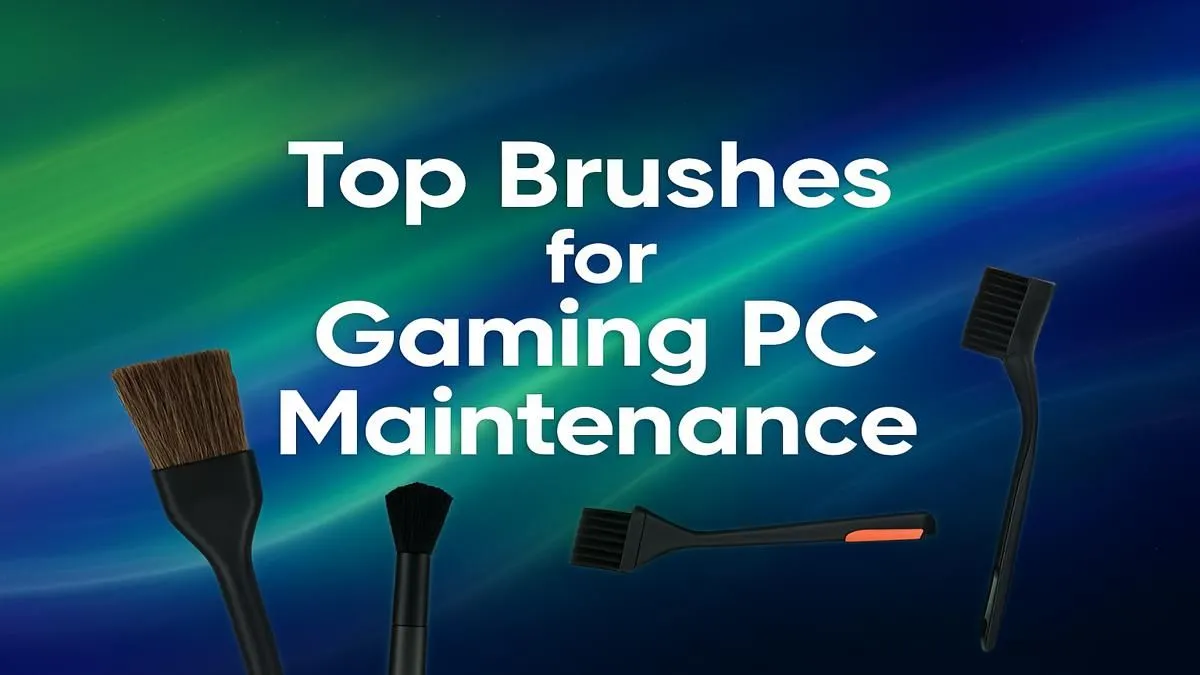
The Soft-Bristle Workhorse
This is your go-to brush. Think of a large, soft-bristled paintbrush. It’s perfect for gently sweeping dust off fan blades, case exteriors, cables, and the surface of your graphics card shroud. Whether you're cleaning a beastly machine from our PCs above R20k selection or a solid entry-level rig, this brush does most of the heavy lifting without risking scratches.
The Firm-Bristle Detailer
For the stubborn dust that gets caked into your CPU heatsink fins or the tight crevices of your case, you need something with a bit more backbone. A smaller, stiffer-bristled brush (like a firm artist's brush or a dedicated heatsink brush) allows you to dislodge packed-in grime that a softer brush can't touch. Remember, even the most affordable builds, like our budget gaming PCs, deserve the same care to perform at their best.
The Anti-Static MVP
This is the most critical brush in your kit. It's usually smaller, designed for safely cleaning dust directly off the motherboard, RAM slots, and GPU PCB. Always confirm your brush is rated as "anti-static" or "ESD-safe" before it goes anywhere near these components.
How to Properly Clean Your PC with Brushes: A Quick Guide
Ready to get hands-on? Follow these simple steps for a safe and effective clean.
- Power Down Completely: Shut down your PC, switch off the power supply unit (PSU) at the back, and unplug it from the wall. Don't skip this!
- Open the Case: Move your PC to a well-lit, ventilated area and remove the side panel.
- Start Big: Use your soft-bristled brush and a can of compressed air (in short bursts) or an electric duster to remove the bulk of the loose dust from fans, filters, and open surfaces. You'll notice this is much easier with our pre-built PC deals, where clean cable management makes accessing components a breeze.
- Detail Work: Switch to your smaller, firmer brushes to gently scrub heatsinks and tight corners. Use your anti-static brush for the motherboard and other sensitive electronics. Always brush dust out of the case, not deeper into it.
Safety Pro Tip ⚡
Before you touch any internal components, ground yourself! Simply touch the metal part of your unplugged PC case for a few seconds. This discharges any static electricity you've built up, preventing accidental damage to your motherboard or RAM. It's a quick, free step that could save you thousands.
Big PC Cleaning Mistakes (and How to Avoid Them)
Knowing what not to do is just as important as knowing the right steps.
- Never use a vacuum cleaner. The nozzles are bulky, and the static generated by a standard vacuum can instantly kill your components.
- Don't use a wet cloth. Moisture and electronics are mortal enemies. Keep all liquids far away.
- Avoid too much force. Be gentle. You're dusting, not scrubbing a floor. This is crucial for any build, from high-end monsters to the fantastic value you'll find in our PCs under R20k.
A clean PC is a happy, high-performing PC. Taking 20 minutes every few months to give it a proper dusting with the right PC cleaning brushes will extend its lifespan and keep your frame rates smooth. ✨
Ready for a Fresh Start?
Keeping your rig clean is key, but sometimes dust is the least of your worries. If your PC is struggling to keep up, a fresh build with pristine components and expert cable management is the ultimate performance boost. Explore our legendary gaming PC deals and find a machine that runs cool and clean from day one.